Installation from the add-on page
Installing an add-on manually often involves several steps: downloading an archive, opening it, identifying the correct folder and copying it into Community. For packages prepared for Rikoooo Hub, the application will handle those steps.
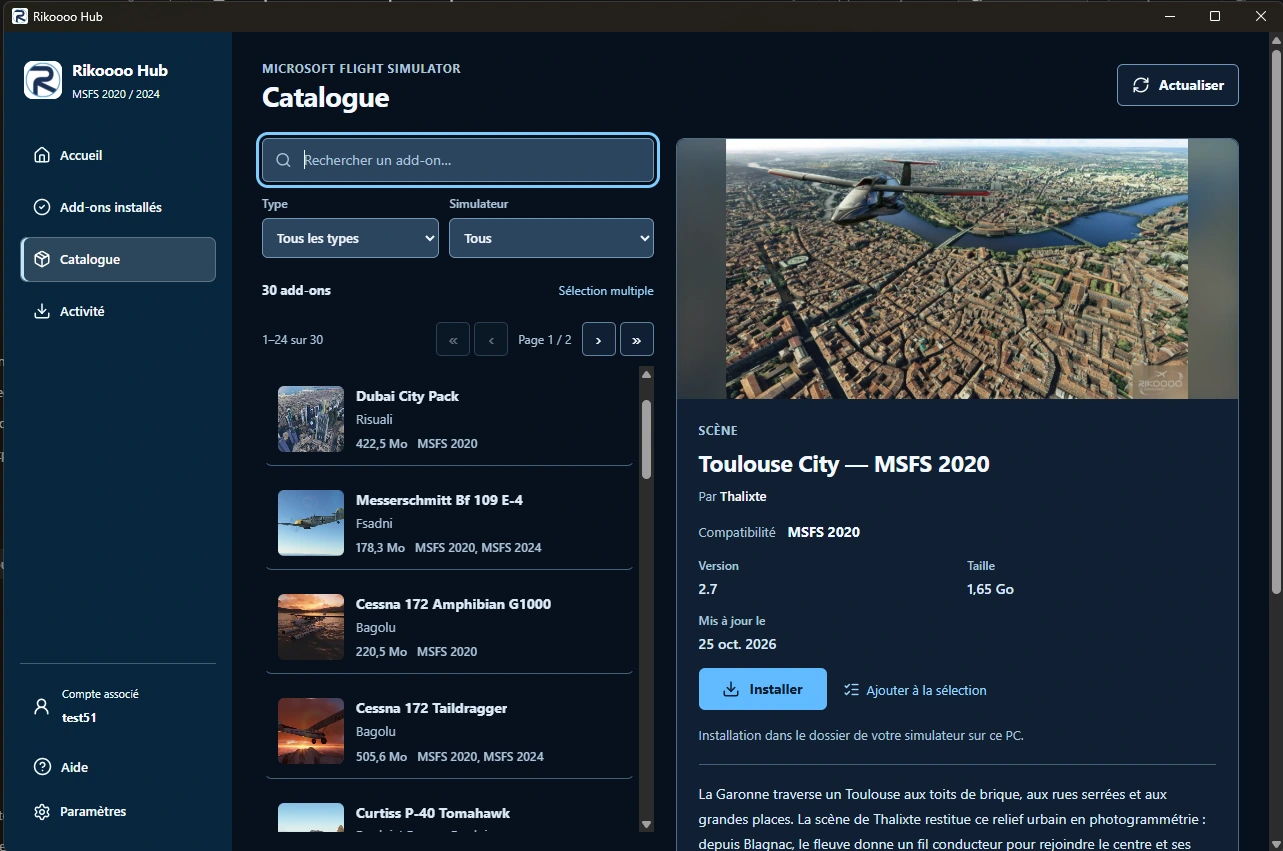
You’ll start in the catalogue. After choosing an aircraft, scenery or livery compatible with your simulator, you’ll be able to start installation from its page. The Hub will download the package and follow the instructions prepared for that particular add-on. Its installation settings will determine where the files belong.
This matters for MSFS 2020 and MSFS 2024, where both the files and their destination can differ between releases. Authors will define these choices in Architect, our visual installation editor, so the package carries the instructions appropriate to the target simulator.
Following progress on your PC
The Hub will bring the catalogue and your installed add-ons together. From the application, you’ll be able to find an installation, check its version and see which simulator it belongs to.
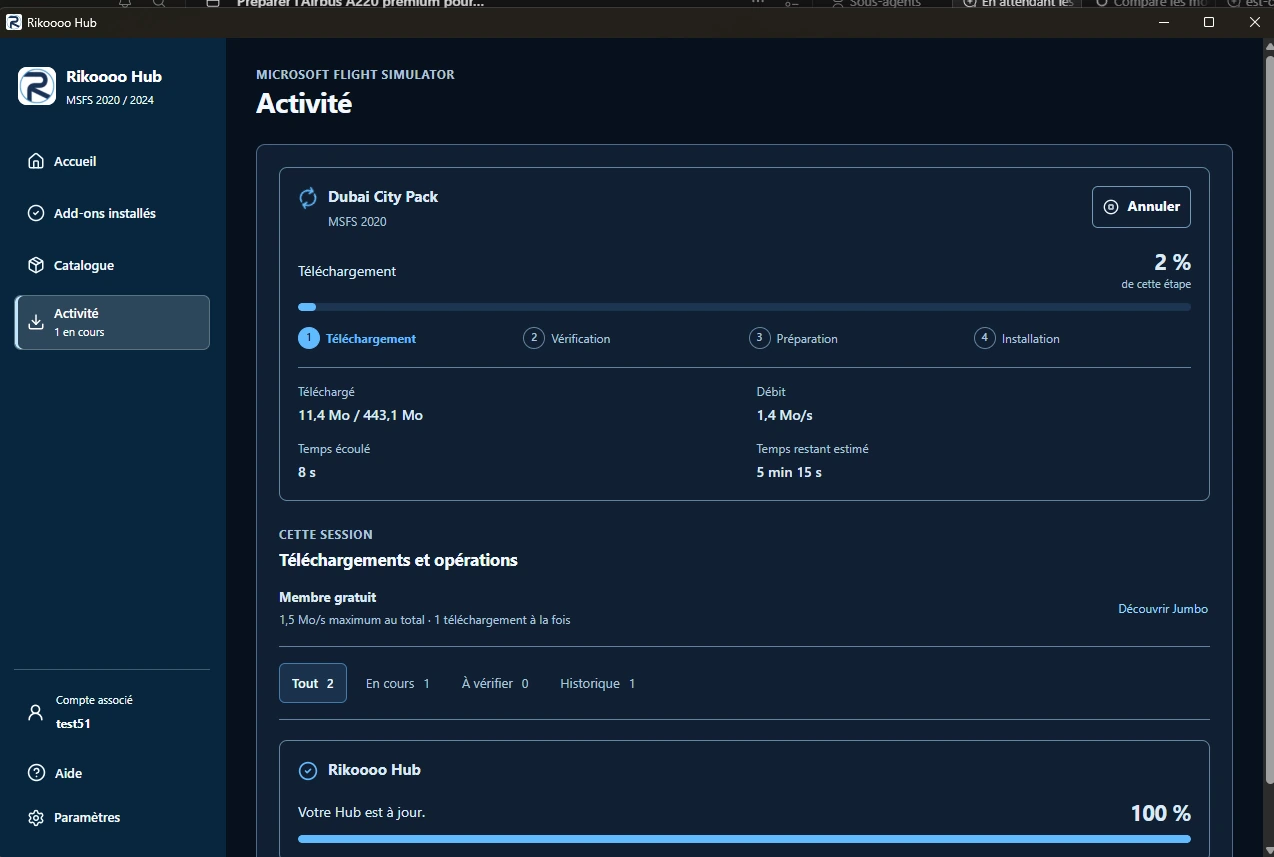
An activity view will show the progress of downloads and installations. The screenshots offer a preview of that view: you’ll be able to see which stage is running while the Hub prepares an add-on.
Compatibility information and any prerequisites will remain available on the add-on pages. These details will help you choose content suited to your setup, particularly when an add-on relies on another simulator component.
For MSFS add-ons packaged for the Hub
This installation process will apply to MSFS 2020 and MSFS 2024 add-ons distributed in a package prepared for Rikoooo Hub. Existing download and installation methods will remain available for FSX, Prepar3D, FS2004 and other simulators.
The two images below show the application during development, including its catalogue and activity tracking. They introduce the installation process we’re preparing alongside the new website.
In pictures