
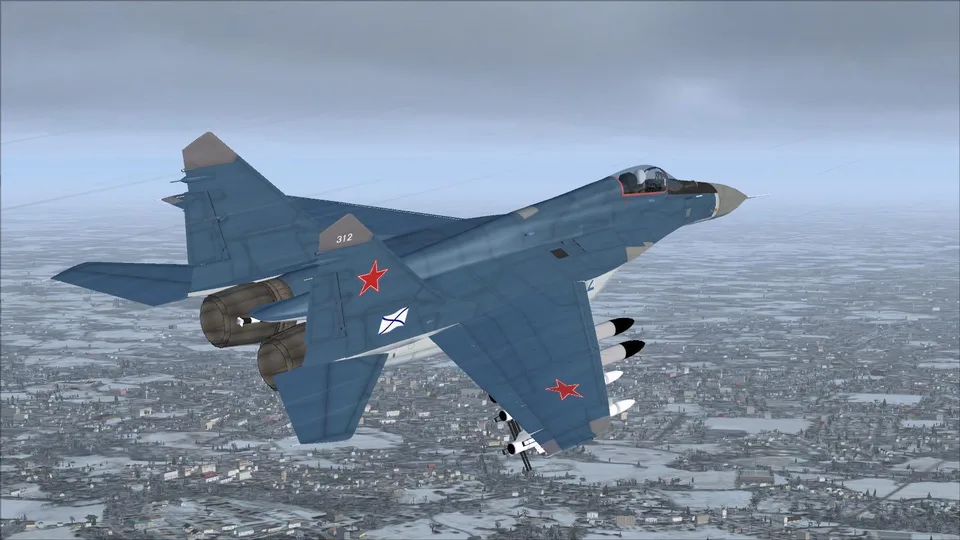
IRIS Mig-29 Fulcrum K Navy FSX
Sept configurations, deux livrées navales, cockpits 2D et 3D, et effets liés à la touche L. Manuel et tableaux de procédures inclus.
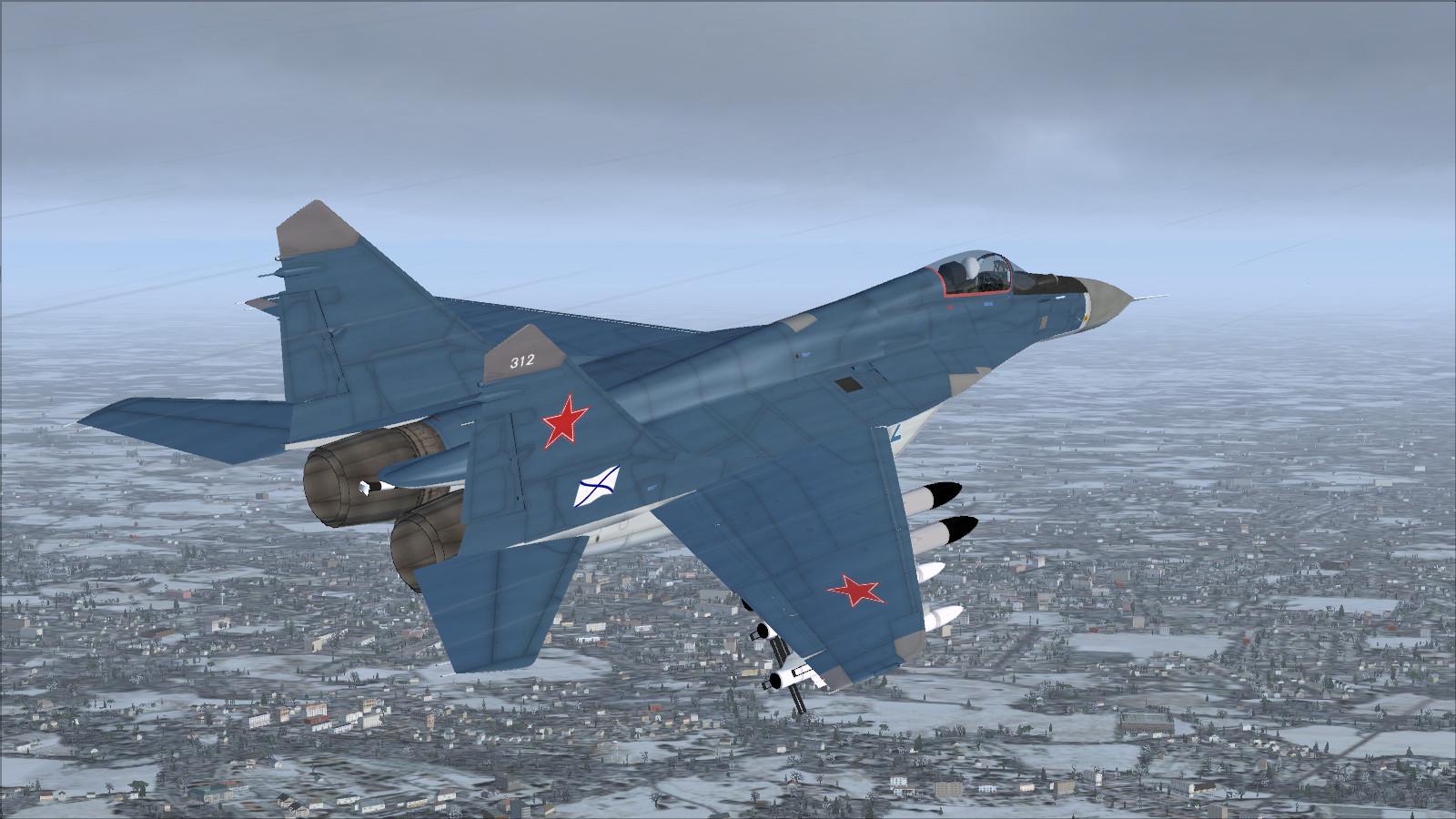
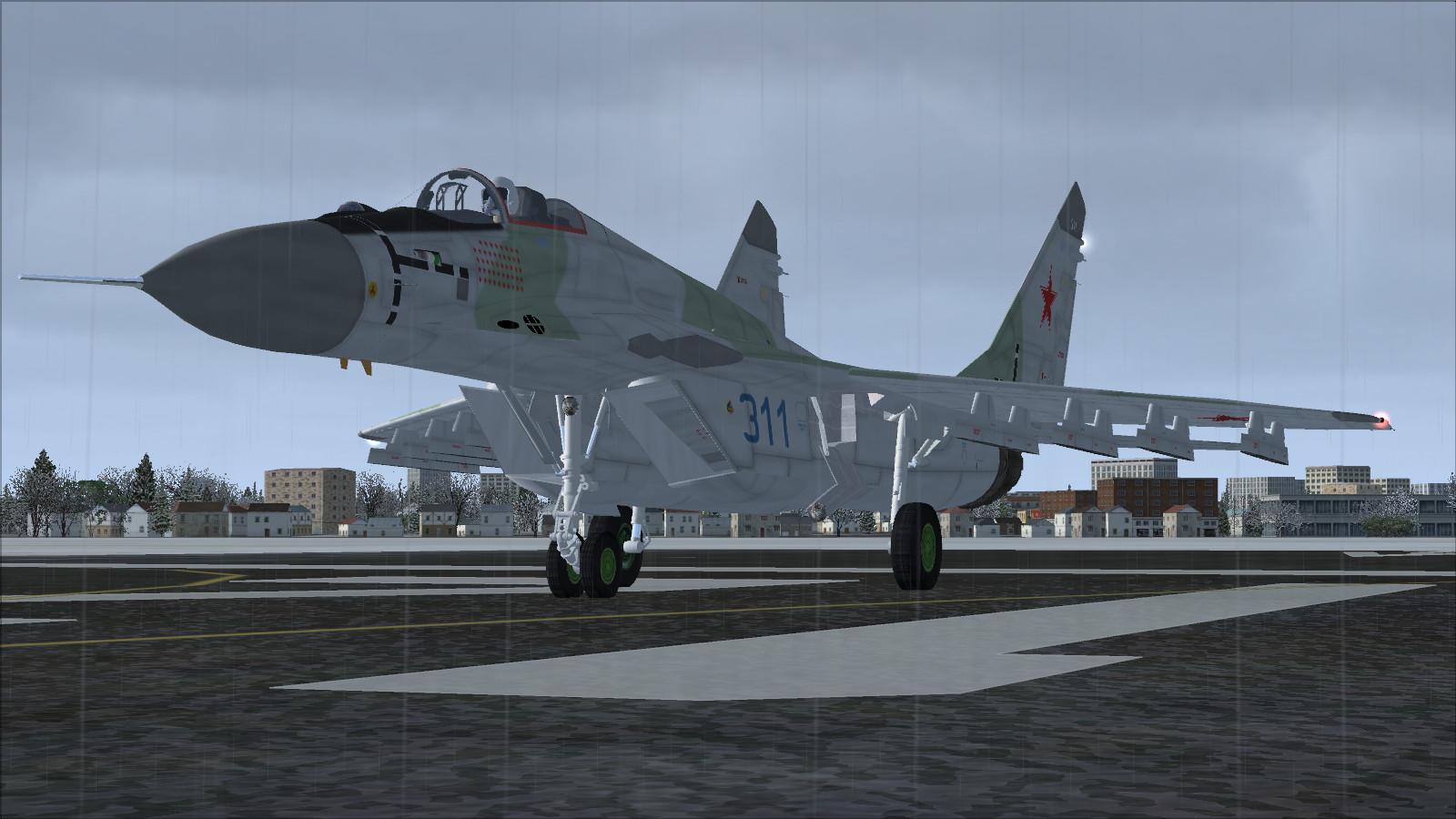
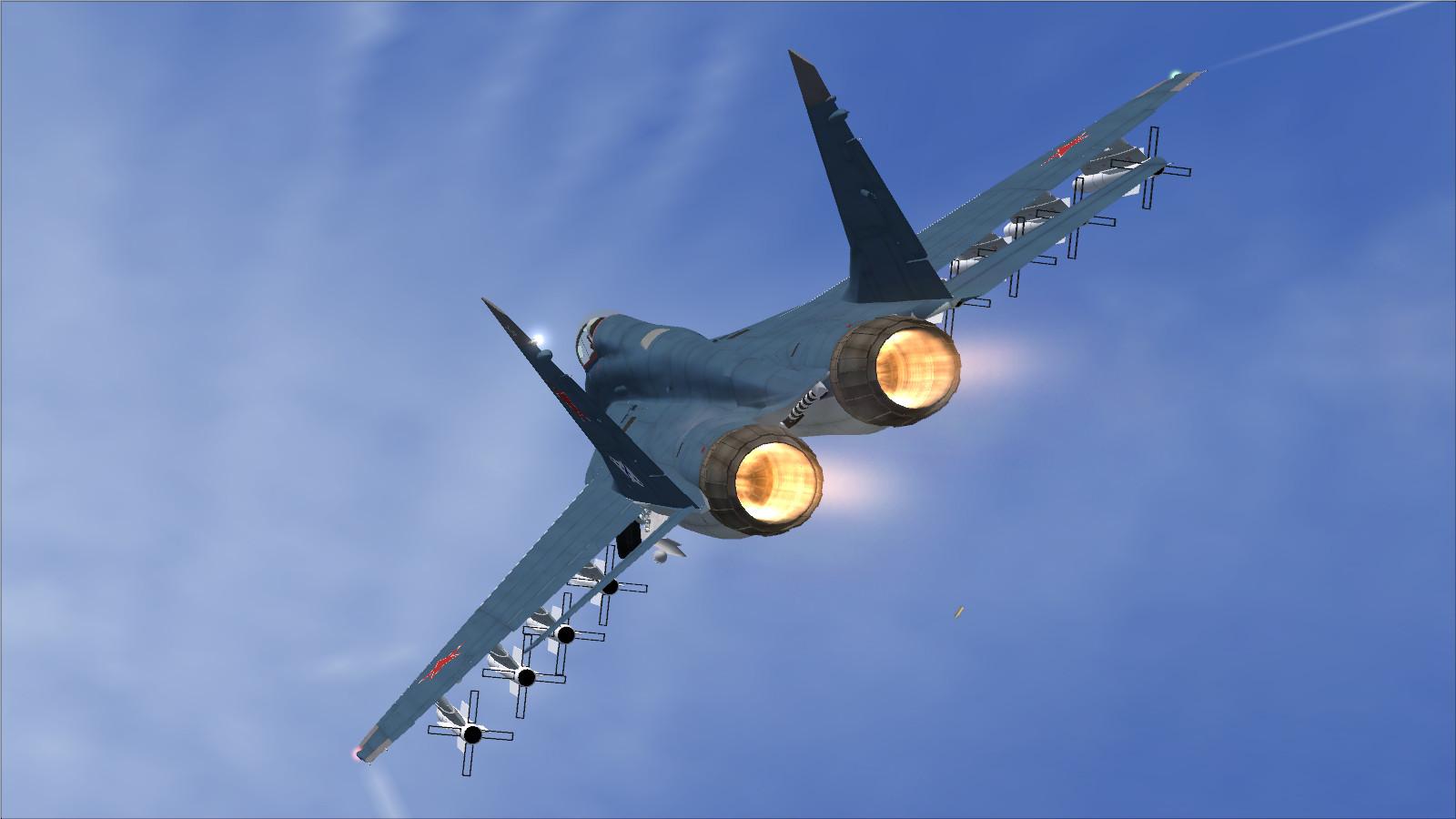
Images de l’add-on
4 photosPlein écran
Dans cette fiche
Présentation
Le MiG-29K d’IRIS, adapté à FSX par Bob Chicilo, provient d’un ancien produit commercial diffusé ensuite gratuitement dans une version allégée. Le package comprend sept configurations, dont lisse, supériorité aérienne et convoyage, ainsi que les livrées Navy 311 et Navy 312.
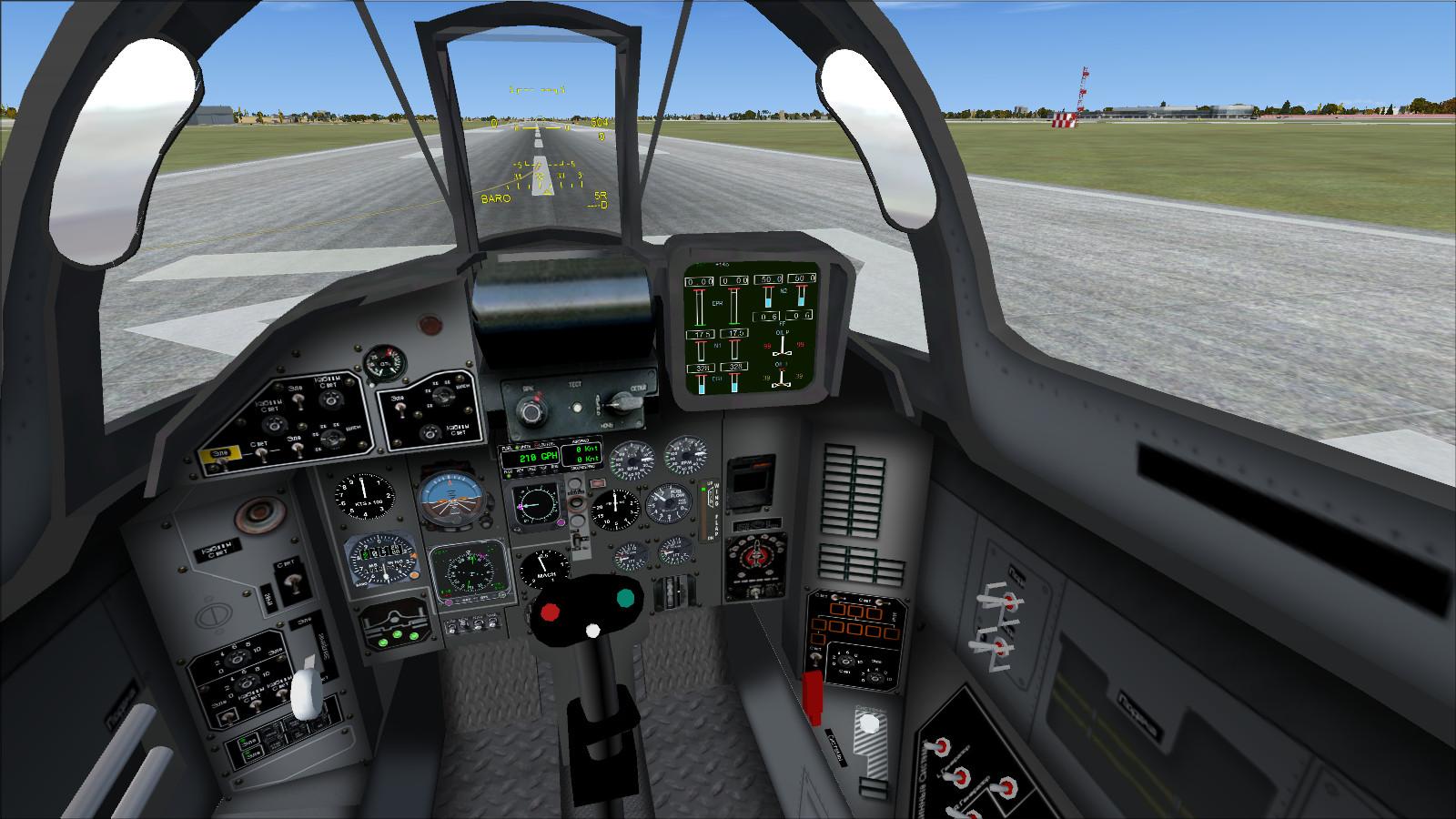
Un tableau de bord 2D complète le cockpit virtuel ; plusieurs jauges ont été ajoutées ou adaptées pour FSX. Le manuel de l’éditeur est inclus.
L active ensemble les effets de postcombustion, de tir et les éclairages. Les autres commandes principales sont Maj + E pour la verrière, Maj + F pour les ailes, Maj + W pour la perche de ravitaillement (commande de gouvernail d’eau), Maj + T pour la crosse, Maj + 2 pour la console radio/pilote automatique et Maj + 3 pour le GPS.


Références et procédures fournies, en anglais. Les vitesses de rotation divergent dans les documents d’origine : le tableau indique 135/140 km/h, alors que la checklist de décollage indique 250 km/h. Ces chiffres sont conservés comme contenu documentaire et ne constituent pas une consigne de rotation validée. Consultez le manuel pour l’utilisation de ce modèle.
| Total Flight Simulator aircraft weight with full fuel | 33,112 lbs |
NOTE: To adjust fuel load, on the Aircraft menu, click Fuel and Load.
| VMO - Maximum Operating Speed | 1,315 KM/H |
| MMO - Maximum Operating Speed Mach | 2.30 Mach |
| VLO - Maximum Gear Operating Speed | 380 KM/H |
| VLE - Maximum Landing Gear Extension Speed | 350 KM/H |
| Best Glide Speed | 160 KM/H |
|
Flaps degrees |
KM/H |
|
10 |
450 |
|
20 |
380 |
|
30 |
320 |
|
40 |
280 |
Standard temperature, sea level pressure altitude
| All conditions | 100 KM/H |
Standard temperature, sea level pressure altitude
| 13,200 lbs | 135 KM/H |
| 20,200lbs | 140 KM/H |
V2 - Minimum Climb Speed dry runway
Standard temperature, sea level pressure altitude
| 13,200 lbs | 130 KM/H |
| 20,200lbs | 140 KM/H |
Standard temperature, sea level pressure altitude
| 13,200 lbs | 130 KM/H |
| 20,200lbs | 135 KM/H |
IRIS MIG-29 FULCRUM PROCEDURES
For suggested speeds, see the Referencepage of the Kneeboard. Note that most actions can also be performed using the mouse.
| To... | Press... |
| Operate Canopy | SHIFT+E |
| Operate Folding Wings | SHIFT+F |
| Operate Refuelling Probe (Assigned to Water Rudder Deploy) | SHIFT+W |
| Operate Tailhook | SHIFT+T |
| To... | Press... |
| Toggle Autopilot/Radio Console | SHIFT+2 |
| Toggle GPS Console | SHIFT+3 |
| BEFORE STARTING ENGINES | |
| [ ] Gear | CHECK DOWN |
| [ ] Battery Switch | ON |
| [ ] Alternator Switch | ON |
| [ ] Flight Controls | CHECK |
| [ ] Engine Instruments | CHECK |
| [ ] Fuel Quantity | CHECK |
| [ ] Aircraft Lighting | BEACON TO FLASH |
| [ ] Parking Brake | SET (press CTRL + PERIOD key) |
| [ ] Trim |
AS DESIRED (with Num Lock off press Num Pad 1 or Num Pad 7 as necessary) |
| [ ] Altimeters | SET |
| [ ] Standby Instruments | SET |
| [ ] Takeoff Data (V1, VR, V2) |
COMPUTED and SPEEDS SET (see the Reference page of the Kneeboard) |
| [ ] Avionics | SET FOR DEPARTURE |
| [ ] Flaps | TO 10 DEGREES |
| STARTING ENGINES | |
| Press CTRL+E to initiate engine autostart sequence, or: | |
| [ ] Thrust Levers | IDLE (press F2 or F3 as necessary) |
| [ ] L Fuel Flow | ON (press CTRL+SHIFT+F4) |
| [ ] L Engine Start Switch | ON |
| [ ] FF (Fuel Flow) | CHECK |
| [ ] N1 increasing as L N2 increases | CHECK |
| [ ] Oil Pressure | CHECK LIGHT OFF |
| [ ] Engine Instruments | CHECK NORMAL |
| [ ] R Fuel Flow | ON (press CTRL+SHIFT+F4) |
| [ ] REngine Start Switch | ON |
| [ ] FF (Fuel Flow) | CHECK |
| [ ] N1 increasing as L N2 increases | CHECK |
| [ ] Engine Instruments | CHECK NORMAL |
| [ ] Annunciator Panel | CHECK NORMAL |
| BEFORE TAXI | |
| [ ] Pitot Heat | ON (press SHIFT + H key) |
| [ ] Flight Controls | CHECK |
| [ ] Wings Folded | CHECK |
| [ ] Tailhook Retracted | CHECK |
| [ ] Aircraft Lighting | ON AS REQUIRED |
| [ ] Brakes | RELEASE (press PERIOD key) |
| TAXI AND BEFORE TAKEOFF | |
| [ ] Brakes | CHECK (press PERIOD key) |
| [ ] Flight Instruments | CHECK |
| [ ] Engine Instruments | CHECK |
| [ ] Takeoff Data (V1, VR, V2) |
CHECK (see the Reference page of the Kneeboard) |
| [ ] Nav Equipment | CHECK |
| [ ] Transponder | ON |
| RUNWAY LINEUP | |
| [ ] Lights | ON |
| CAT LINEUP (ON KUZNETSOV) | |
| [ ] Lights | ON |
| [ ] Wings Unfolded | CHECK (press Shift+F as required) |
| [ ] Parking Brake | ON |
| [ ] Flaps | DEPLOY FULLY |
| [ ] Elevator Trim | SET FOR LAUNCH |
| TAKEOFF | |
| [ ] Thrust Lever | Increase to 90% N2 (press F3 as required) |
| [ ] Brakes | RELEASE (press PERIOD key) |
| [ ] VR | ROTATE AT 250 KM/H |
| TAKEOFF (ON KUZNETSOV) | |
| [ ] Thrust Lever | Increase to 110% N2 (press F3 as required) |
| [ ] Brakes | RELEASE (press PERIOD key) |
| [ ] Ski Jump | MAINTAIN 15-20 DEG PITCH AFTER CLEARING SKI JUMP |
| AFTER TAKEOFF | |
| [ ] Speedbrake | OFF |
| [ ] Gear | UP AFTER POSITIVE RATE OF CLIMB |
| [ ] Flaps | Retract fully at 400 KM/H |
| [ ] Yaw Damper | ON AS REQUIRED |
| CLIMB | |
| [ ] Altimeters | RESET TO 29.92 CROSSING 18,000 FEET |
| DESCENT | |
| [ ] Altimeters | RESET TO LOCAL CROSSING 18,000 FEET |
| [ ] Fuel Quantities and Balance | CHECK |
| APPROACH | |
| [ ] Landing Data (VREF, VAPP) |
COMPUTED and SPEEDS SET (see the Reference page of the Kneeboard) |
| [ ] Avionics and Radios | SET |
| [ ] Flaps | SET 10 OR 20 DEGREES (press F6 or F7 as necessary) |
| [ ] Tailhook | DOWN (press SHIFT + T key]) |
| BEFORE LANDING | |
| [ ] Gear | DN (Check for 3 green lights) (press G) |
| [ ] LDG Light Switches | ON |
| [ ] Flaps | Set to 40 Deg. Check indication (press F7 until Dn) |
| LANDING | |
| [ ] Brakes | AS REQUIRED (press PERIOD key) |
| [ ] Spoilers | VERIFY EXTENDED |
| AFTER LANDING/CLEARING RUNWAY | |
| [ ] Transponder | OFF |
| [ ] Lights | AS DESIRED |
| [ ] Spoiler Lever |
RET (press SHIFT + / (FORWARD SLASH key) until retracted) |
| [ ] Flaps | Fully Retracted |
| [ ] Wings Folded | CHECK (press SHIFT + F key) |
| SHUTDOWN | |
| [ ] Parking Brake | SET (press CTRL + PERIOD key) |
| [ ] Pitot Heat | OFF (press SHIFT + H key) |
| [ ] Thrust Levers | IDLE (press F2 until Idle) |
| [ ] Fuel Flow | OFF (press CTRL+SHIFT+F1) |
| [ ] Lights | OFF |
| [ ] Alternator Switch | OFF |
| [ ] Battery Switch | OFF |
Licences et crédits
- Auteur
- IRIS FLIGHT SIMULATION SOFTWARE - FSX update by Bob Chicilo

Commentaires
Retours de vol, conseils et questions entre membres Rikoooo.
Chargement des échanges…