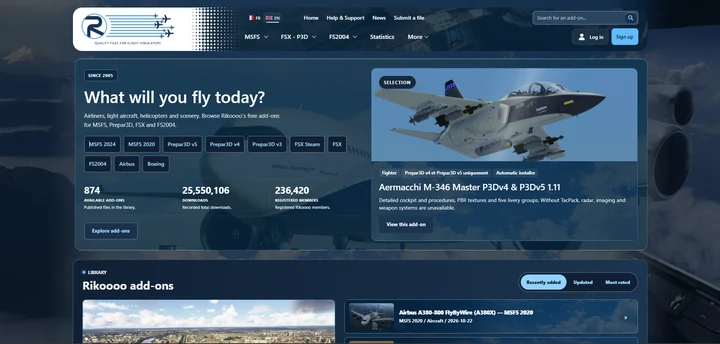
The next Rikoooo website will bring together a new presentation for add-ons, revised navigation and dedicated author tools. Alongside the interface changes, we’re working on the steps that connect finding an aircraft or scenery to reading its details and installing it.
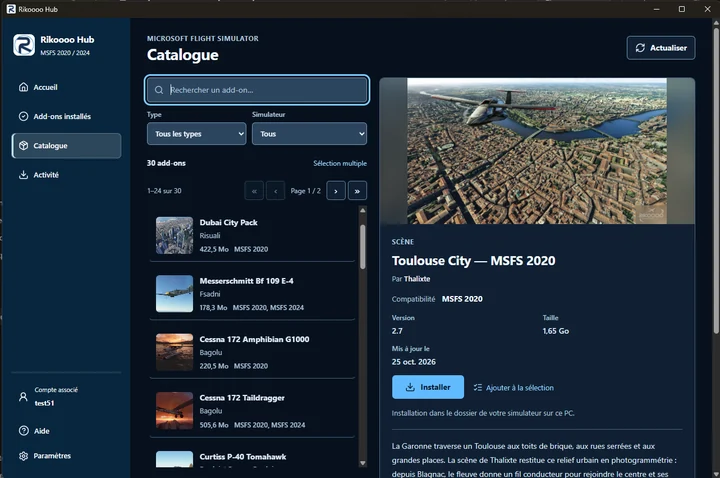
Rikoooo Hub is the Windows application we’re preparing alongside the new website. It will let you browse the MSFS catalogue and install add-ons offered through the Hub, handling the download, archive extraction and placement of files.
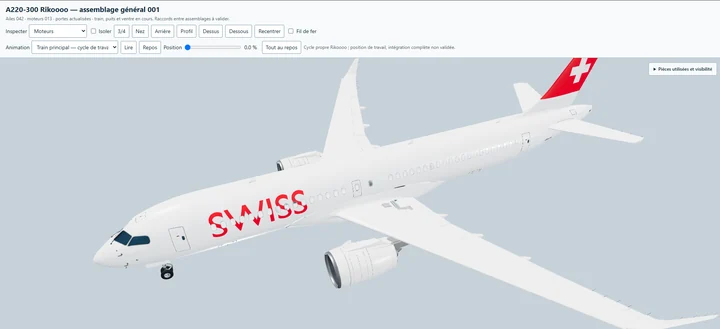
We’re developing our own Airbus A220-300, with a 3D model, virtual cockpit, textures and sounds created by Rikoooo. The aircraft will be available free of charge and compatible with both Microsoft Flight Simulator 2020 and Microsoft Flight Simulator 2024.
An update to Expert Series 02: Piper M600 is now available. Please see the changelog below. Changelist v1.08 Corrected Tooltip for Flaps. Changelist v1.07 Adjusted wings contact points to prevent them sinking to the ground during crashes. Added nose contact point to correct visual crashes sinking t…
Read article
Content supplied in the RSS feed from Microsoft Flight Simulator; the article may be abridged.
An update to Expert Series 02: Piper M600 is now available. Please see the changelog below.
Changelist v1.08
Corrected Tooltip for Flaps.
Changelist v1.07
Adjusted wings contact points to prevent them sinking to the ground during crashes.
Added nose contact point to correct visual crashes sinking to the ground.
Adjusted climb.flt to prevent stalls when people crash on career mode and they are put back on track, the AP should prevent this now.
Adjusted RTC VIP characters location further behind the wing, to minimize situation where character cross the wing.
Adjusted various .FLT files to allow the MSFS 2024 EFB control the fuel instead of defaulting to 80% fuel tanks.
Added luggage objects displaying with cargo weight.
Removed wrong description about Lavatory on the hangar.
The first pre-release test build for SU7 (1.9.10.0) will be rolling out shortly to all platforms (PC-MS Store, PC-Steam, XBOX Series X|S, and PlayStation 5) to all players enrolled in the beta branch. If you would like to join the beta, you can find instructions for your platform in this thread: [R…
Read article
Content supplied in the RSS feed from Microsoft Flight Simulator; the article may be abridged.
The first pre-release test build for SU7 (1.9.10.0) will be rolling out shortly to all platforms (PC-MS Store, PC-Steam, XBOX Series X|S, and PlayStation 5) to all players enrolled in the beta branch. If you would like to join the beta, you can find instructions for your platform in this thread:
Welcome to the Microsoft Flight Simulator 2024 Sim Update 7 public beta test! The Sim Update 7 Beta is now available on Steam, Windows PC, Xbox Series X|S, and PlayStation 5. Changes to Career/Challenge League in the Sim Update 7 Beta Just like in other recent Sim Update Betas, Career and Challenge League will have separate progress and leaderboards from the live build. This means Career mode progress in the live build will not carry over to the flighting build, and vice versa. In addition, C…
You can find the release notes for the 1.9.10.0 build here:
[image]RELEASE NOTES Sim Update 7 Beta - 1.9.10.0 If you are playing on PC, outdated packages in your community folder may have an unexpected impact on the title’s performance and behavior. If you suffer from stability issues or long loading times, move your community package(s) to another folder before relaunching the title. NOTE: The National Championship Air Races (NCAR) mode will be released in Sim Update 7 and will be available to preview in an upcoming SU7 flighting update. St…
The Weekly Briefing is now live! Read on for: FlightFX team interview MSFS at the Roswell Air Races Question Submission Form for the next Dev Livestream Weekly Marketplace releases Screenshot competition winners And more! September 10th, 2026 MSFS Weekly Briefing - Microsoft Flight Simulator 2 post…
Read article
Content supplied in the RSS feed from Microsoft Flight Simulator; the article may be abridged.
The Weekly Briefing is now live! Read on for:
FlightFX team interview MSFS at the Roswell Air Races Question Submission Form for the next Dev Livestream Weekly Marketplace releases Screenshot competition winners
And more!
September 10th, 2026 MSFS Weekly Briefing - Microsoft Flight Simulator
In this post, Julian wraps up all the X-Plane Gateway news and airport developments for X-Plane 12.4.4! NOTAMS A new home for Gateway News! Gateway Updates will now be posted on X-Plane.com! Policy change around critical airports Some of you may be aware that we used to “lock” airports from editing…
Read article
Content supplied in the RSS feed from X-Plane / Laminar Research; the article may be abridged.
In this post, Julian wraps up all the X-Plane Gateway news and airport developments for X-Plane 12.4.4!
NOTAMS
A new home for Gateway News!
Gateway Updates will now be posted on X-Plane.com!
Policy change around critical airports
Some of you may be aware that we used to “lock” airports from editing. Airports such as KJFK, EDDF, EGLL, etc. A message would normally display showing “Under development by Laminar Research.”
We consider these critical airports, as they are universally beloved locations, and we require a minimum standard of quality for them.
Starting with 12.4.4, we’re relaxing this rule. Anyone can work on these airports, so long as they obtain prior permission from us. If you are interested in enhancing such an airport, please contact me at[email protected]
Airport(s) featured in X-Plane 12.4.4
The following is a small sample of notable submissions to the Gateway that feature in X-Plane 12.4.4
With each X-Plane release, there are many outstanding submissions from our talented pool of artists. We can only show a handful here, but extend our gratitude to every Gateway contributor.
EDDC – Dresden KSUN – Friedman Memorial EDXY – Wyk auf Föhr LICC – Catania Fontanarossa 2O1 – Gansner Field
Laminar Workshop
Airports recently completed by Laminar Research and available in X-Plane 12.4.4
PAGY – Skagway
Featured in our Alaska demo area
EDMW – Deggendorf
Featured in our Alps demo area
LIDT – Trento-Mattarello
Featured in our Alps demo area
Approved Airports
Here is a complete list of new or updated airports captured into X-Plane 12.4.4.
The Tools to Build. The Freedom to Fly. X-Plane has always been an open platform. Everything the simulator knows about the world, your aircraft and its systems is published through DataRefs, and with our Software Development Kit, building add-ons has always been straightforward. That openness is a …
Read article
Content supplied in the RSS feed from X-Plane / Laminar Research; the article may be abridged.
The Tools to Build. The Freedom to Fly.
X-Plane has always been an open platform. Everything the simulator knows about the world, your aircraft and its systems is published through DataRefs, and with our Software Development Kit, building add-ons has always been straightforward. That openness is a big part of why the X-Plane ecosystem looks the way it does today: thousands of aircraft, plugins, tools and utilities, most of them built by people who simply wanted something to exist and had the tools to make it.
X-Plane 12.4.4 gives that toolbox its biggest expansion in years.
The headline is our new Panel Graphics API, a modern way to draw directly inside the simulator without wrestling with OpenGL, Cairo or NanoVG. Alongside it we’re shipping native rendering hooks for Dear ImGui, embedding CEF for web-technology interfaces, and releasing XLua 2.0 with full support for both as well as full X-Plane SDK integration for Lua. If you build things for X-Plane, this is the release you’ve been waiting for.
And if you don’t? There’s plenty here too. Our art team delivered a large batch of new scenery assets and a substantial static aircraft update. Our graphics engineers spent this cycle on performance: night lighting, a new on-disk texture cache, sharper cockpit panels, and an updated Zink.
Weather got another round of deep fixes; we improved the Weather Radar, and added a new enhanced airport in the UK, at a field where British aviation began.
Let’s take a look.
The Mission Statement
Every release we ship has to answer a simple question: who does this help, and how?
Empower Pilots. The simulator has to be worth flying. That means frame rates that hold up at a busy airport, weather that behaves the way the real atmosphere does, and a world detailed enough to be worth looking at out the window. Most of what we do lands here.
Empower Developers. But we don’t build the whole ecosystem ourselves, and we never have. Aircraft developers, scenery artists, plugin authors and tool makers have built an enormous amount of what people actually fly. Our job is to hand them better tools and then get out of the way.
Empower the Future. And some work isn’t for this release at all. Replacing an old rendering path, building an API that will outlive the technology it replaces, laying groundwork for the next several years: that work rarely makes a pretty screenshot. It’s how the simulator stays alive.
12.4.4 leans hard into the second and third of those. Here’s what that looks like in practice.
New SDK APIs For Developers
For as long as X-Plane has had a plugin SDK, drawing something on a screen in the cockpit has meant picking your poison. You could use OpenGL, and pay the performance penalty of not using the native high-performance graphics APIs the simulator itself runs on. You could bring in Cairo and deal with the CPU cost and the plumbing. You could use NanoVG. All of these worked, but none of them were ideal implementations.
That ends with 12.4.4.
Of course, developers still have the freedom to use OpenGL, Cairo or other drawing systems. Panel Graphics just adds another possibility to solve the drawing issue and hopefully a good one.
The new X-Plane SDK is available for download and we also have new documentation for it.
Panel Graphics API
The new Panel Graphics API is a first-class drawing interface built into X-Plane itself. You describe what you want drawn (paths, shapes, text, gradients, images, clipping regions) and X-Plane draws it, on whatever graphics backend the user is actually running.
It’s also fast. Drawing goes through the same modern rendering path the simulator uses for its own avionics, which means our built-in displays and your custom ones are drawn by the same machinery, with the same performance characteristics.
And critically, it isn’t a C/C++ only club. Panel Graphics is available from XLua too, which means Lua developers can build genuinely custom avionics displays for the first time. Instrument builders who have been maintaining hand-rolled drawing code for years can throw a lot of it away.
Native Dear ImGui Rendering Hooks
Panel Graphics covers drawing in the cockpit. Building a user interface is a different problem, whether that’s a settings window, a configuration panel, a debug overlay, or a flight-planning tool, and it’s one plugin developers have historically solved by hand, widget by widget.
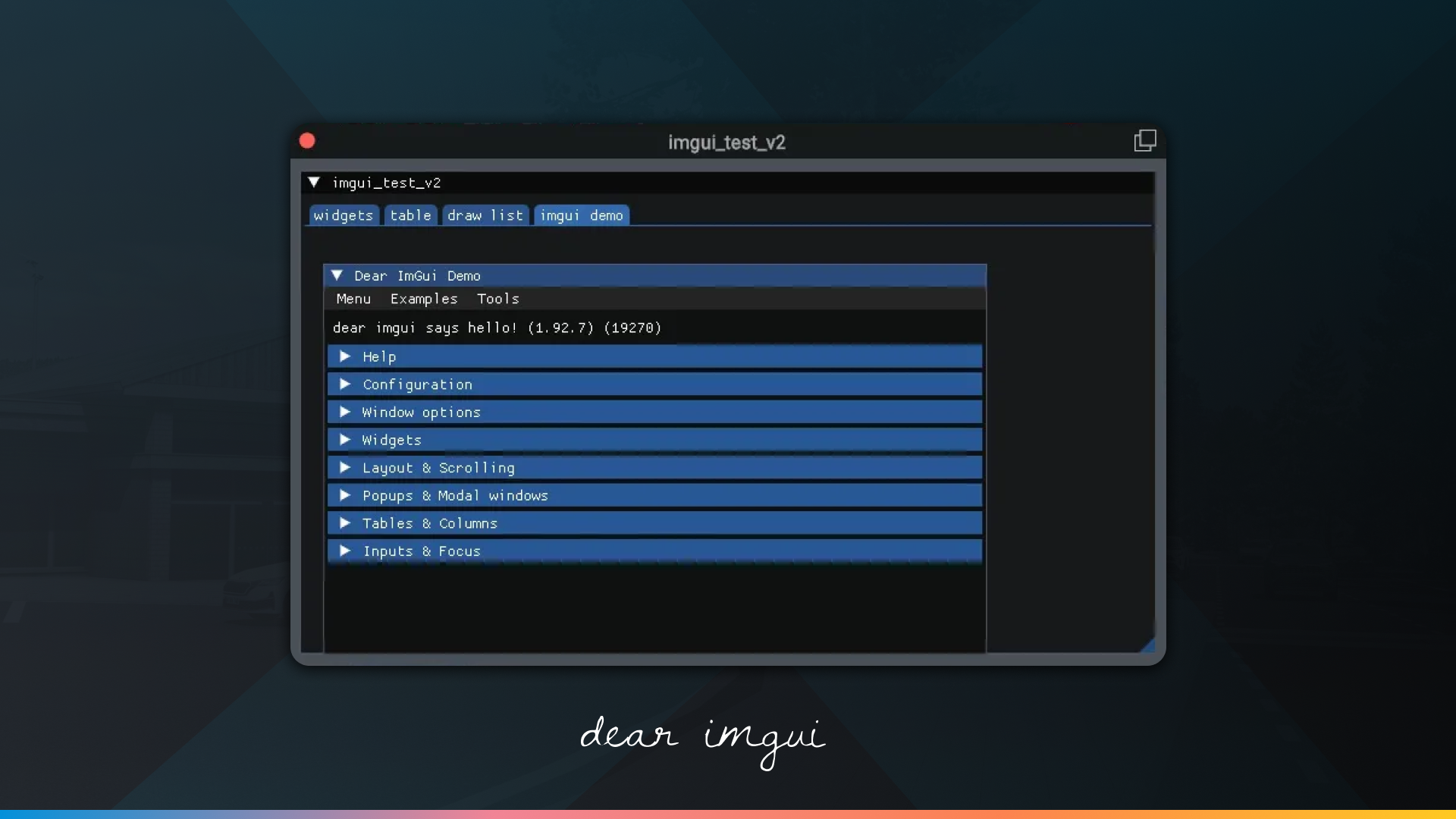
12.4.4 ships native rendering hooks for Dear ImGui, the immediate-mode GUI library used across the games industry and in a large amount of professional tooling. X-Plane doesn’t ship the bindings themselves. Your plugin brings its own Dear ImGui and the simulator renders it natively, instead of you routing the output through a drawing path by hand.
For XLua developers it’s simpler still: XLua 2.0 ships native Dear ImGui bindings, so a Lua script gets the full widget set with nothing to bundle at all.
If you’ve built a plugin UI before, you know how much of the work was never really about your plugin. That work is now optional.
Chromium Embedded Framework (CEF)
For interfaces that want to go further, 12.4.4 makes CEF, the Chromium Embedded Framework, available through the SDK. That means a full modern web rendering engine inside X-Plane: HTML, CSS and JavaScript, with the layout engine, typography and animation support you’d expect from a browser.
This opens the door to a category of add-ons that was previously awkward to build. Flight-planning interfaces, EFB-style applications, complex configuration frontends, dashboards with live charts: the kind of thing where a web stack is the right tool, and where the existing options meant either an external window or a lot of pain.
XLua 2.0
Tying it all together: XLua 2.0 is here, with full support for both Panel Graphics and Dear ImGui and the X-Plane SDK.
XLua has always been the fastest way into X-Plane development. No compiler, no build system, no platform-specific toolchain: write a script, drop it in, reload the aircraft. The tradeoff was that anything involving custom drawing or a real interface, or interacting with the simulated world outside of DataRefs meant graduating to C++.
That tradeoff is gone. An XLua developer can now build a custom avionics display and a proper configuration UI for it, in Lua, with no native code at all. Lua now has almost 100% parity with C/C++ when it comes to the rest of the X-Plane SDK, too. With the exception of a few deprecated functions, all of the API is now available to Lua. Better still, a single plugin will run both original, unchanged XLua scripts as well as new, fully-featured XLua 2.0 scripts.
For the enormous number of aircraft projects built on XLua, this is a meaningful change in what’s achievable.
XLua 2.0 Beta 1 is available for download from our GitHub repository. We also have new documentation available for it.
Performance Improvements
Performance work is never finished, and this release our graphics team went after several different bottlenecks at once. Some of these you’ll feel as improved frame rates, some as shorter loading times, and some as an image that’s simply sharper than it was.
Night Lighting Performance (Tiled Lights)
Large airports at night have long been one of the most demanding scenes in the simulator, with hundreds of individual light sources each contributing to the final frame. 12.4.4 improves both the performance and the accuracy of nighttime lighting in dense scenes. If your favorite big-city airport has been your worst frame-rate case after sunset, this is the release to re-test it.
X-Plane can display thousands of lights at once, and the old system could become expensive for the GPU. MSAA made that even heavier by doing extra work around light geometry.
12.4.4 introduces a new hybrid tiled lighting system. Most lights are processed using the faster tiled system, while any extras are handled separately instead of being dropped. The result should be better GPU performance at night, particularly around large airports and when using MSAA.
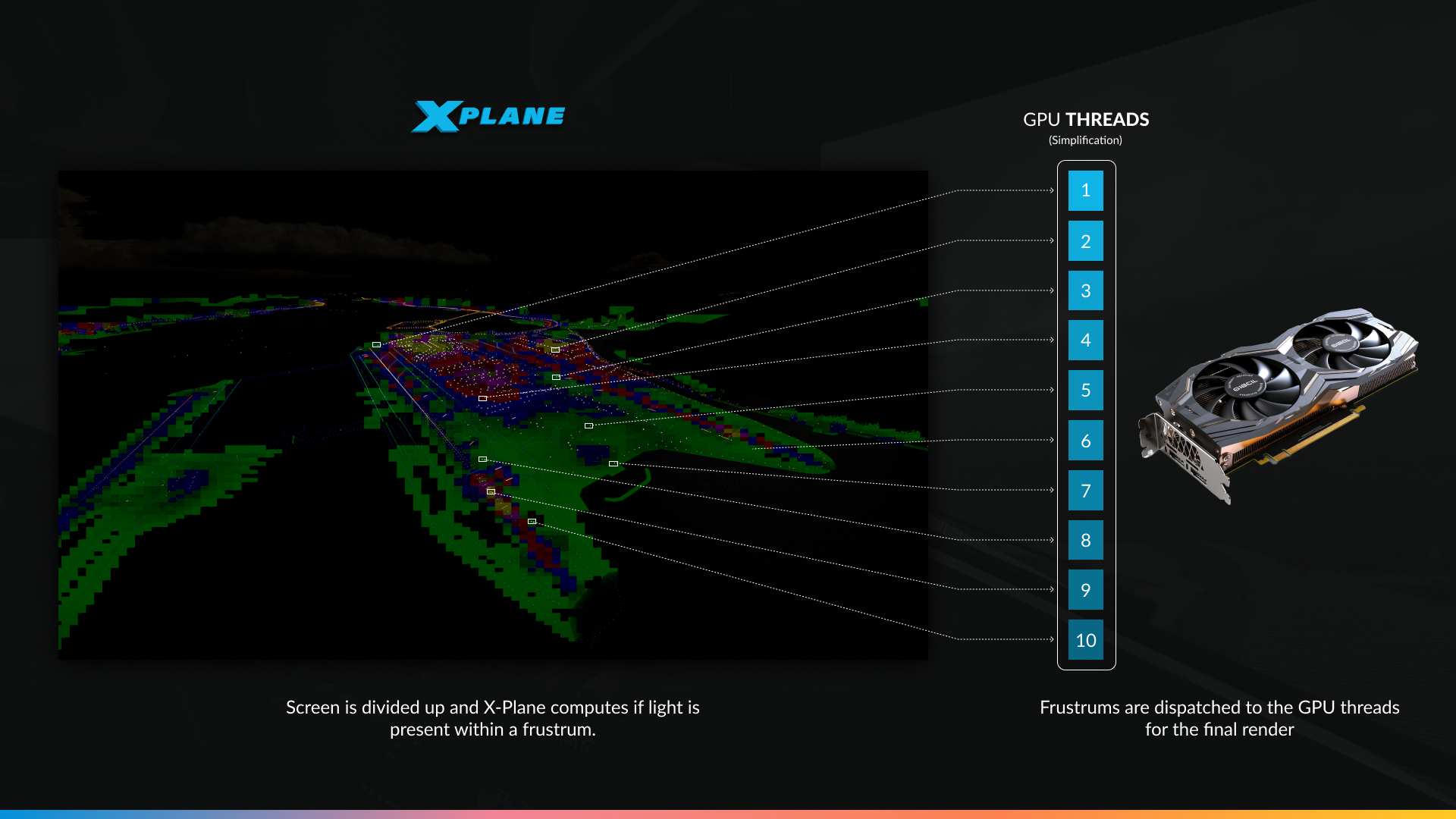
We’ve optimized how lights are rendered by breaking them into tiles. Especially visible at night and at large airports, this should result in better performance in demanding environments. This change allows the GPU to allocate lighting tasks between threads in manageable chunks – which is programmer speak for: “more pretty, more faster”.
Sharper Cockpit Panels
We’ve reduced instrument blurriness across the board. Cockpit panels and instruments are noticeably clearer, which matters most exactly where it should: small text, thin needles, and fine markings on a gauge you’re trying to read in a turn.
↔
Toliss A319 HD – MMMX @ July 6th 1200Z. 1080p display. Same settings, same FOV with 2x MSAA. This picture is taken from the pilots position and zoomed in. The image shows greater clarity of displays for 12.4.4
Related: PlaneMaker now has a checkbox to exclude individual OBJs from FXAA, giving aircraft developers direct control over which parts of a cockpit get anti-aliased and which stay crisp.
FSR Sharpening
FSR upscaling now applies AMD’s recommended texture LOD bias, which produces a visibly sharper image at every quality level. If you tried FSR before and found it too soft, try it again.
Texture cache
X-Plane does a certain amount of processing on textures before it can use them. Previously, that work happened every time the texture was needed: every session, every flight, over and over. 12.4.4 introduces an on-disk texture cache that stores the pre-processed result, so the next time that texture comes up, it’s already ready.
A new setting lets you choose how much disk space the cache can use, from 0 to 10 GB.
This means faster loading, and scenery that streams in more quickly while you fly. The effect is largest for people flying over the same regions repeatedly and for anyone running a lot of high-resolution add-on scenery.
Managed Buffers and High-Detail Meshes
High-detail (UHD) meshes are large. A single one can run past 200 megabytes, because when it comes to terrain detail, more mesh has always meant more detail. The problem is what that costs you in graphics memory.
Since X-Plane 11, our managed buffers worked as one big block. Any access to that block meant transferring the whole thing onto the GPU, even if the simulator only actually needed a few kilobytes of it. The backend also tried to guess which buffers were worth managing and which weren’t, with mixed results.
In 12.4.4 we’ve rebuilt that from the ground up. A managed buffer is now a logical collection of many smaller regions, each with its own buffer, backed by a single large host-side buffer as a fallback. Only the regions actually needed get made resident on the GPU. The rest stay in system memory until something asks for them.
For UHD meshes, that’s the difference between paying for 200 megabytes and paying for the handful of regions you’re currently flying over. It also cuts latency, because there’s far less data to move at any one time. If you’ve been running up against your VRAM ceiling with UHD mesh installed, there’s real headroom now.
Sparse residency and VRAM
The second piece of VRAM work is more unusual, and it pairs neatly with the night lighting improvements above.
LIT textures are what give X-Plane its night lighting: the glowing windows, the lit signage, the ramp floodlights. Here’s the thing about a LIT texture, though. Most of it is black. An office block at night has a few dozen lit windows and an awful lot of dark wall, and every one of those black pixels was, until now, occupying real graphics memory to store nothing.
Sparse residency lets us stop paying for that. Instead of one contiguous block of memory, the texture is divided into tiles, and tiles that contain nothing but opaque black simply don’t get backed by physical memory at all. The GPU still sees a complete texture. We just don’t buy the empty parts.
The savings scale with exactly the scenery you’d hope: dense urban areas and large airports, where there are a great many LIT textures and most of them are mostly dark.
On Windows and Linux, sparse residency is on by default in 12.4.4 through our Vulkan backend. On macOS the Metal implementation is still opt-in and limited to certain hardware, so Mac users won’t see this one yet.
Zink
We’ve updated Zink to the version in Mesa 25.3.4, bringing upstream fixes and improvements to the OpenGL-over-Vulkan path.
Benchmarks
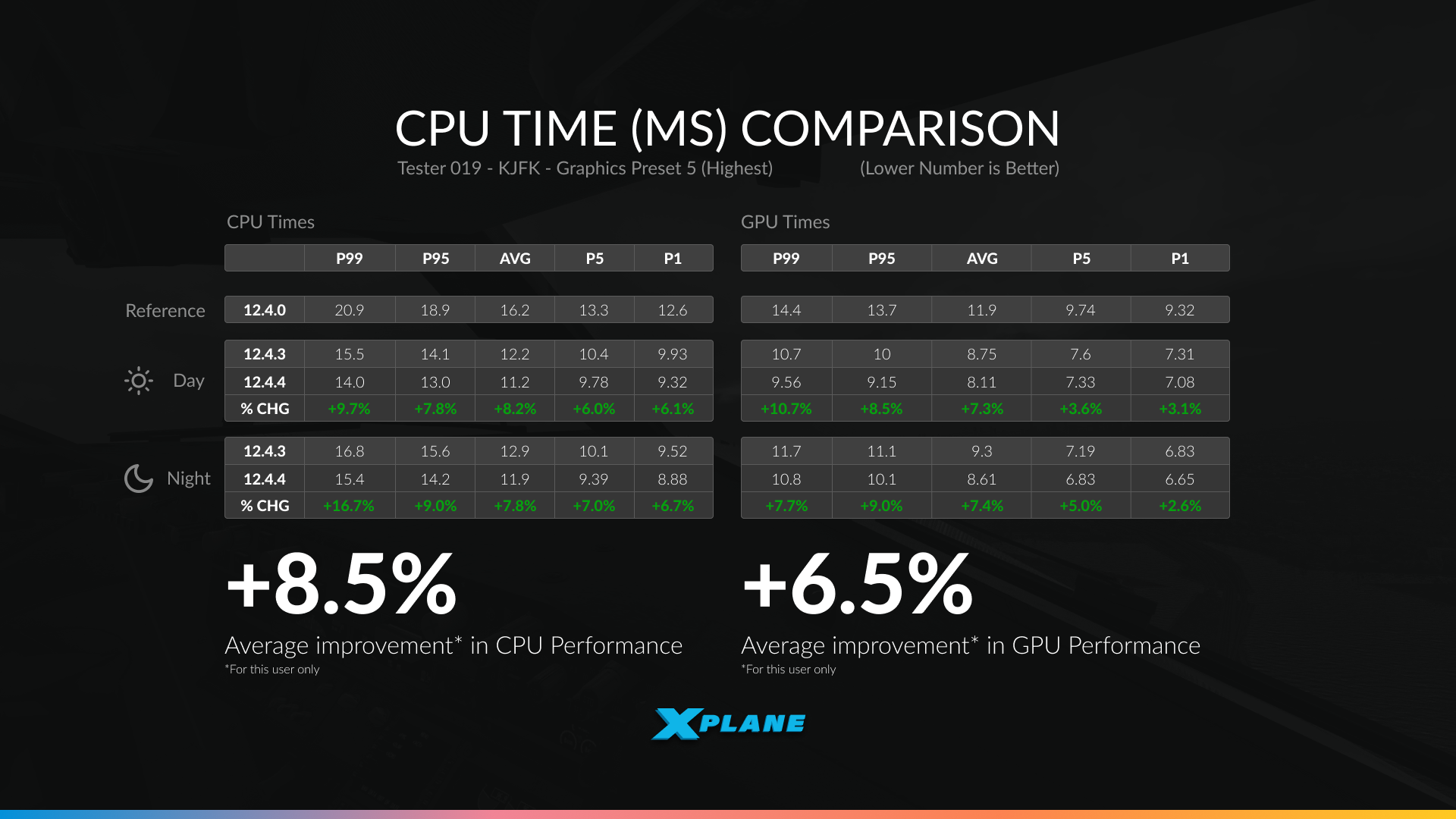
The benchmark results are shown in milliseconds (ms), which measure how long the CPU or GPU takes to complete a frame. In this case, lower numbers are better.
For example, a CPU time of 20 ms means the CPU is taking 20 milliseconds to prepare each frame. A reduction to 18 ms means the frame is being completed more quickly, allowing the simulator to potentially run at a higher frame rate if the CPU is the limiting factor.
The tables also show several percentile measurements:
AVG is the average frame time across the entire test.
P99 represents the slower end of the frame-time distribution. In practical terms, 99% of frames were completed in this time or faster, making it useful for identifying heavier frames and overall consistency.
P95 is similar, but looks at the point where 95% of frames were completed at or below that time.
P5 and P1 represent the faster end of the distribution, showing the performance of the quickest frames during the test.
Across the sampled CPU-limited systems shown by our testers, 12.4.4 produced an average 6.4% improvement in CPU performance.
A bit unusually, we’ve also shown reference data from a single user. Here we have both day and night tests against 12.4.3 and 12.4.4.
12.4.4 delivered an average 8.5% improvement in CPU performance and 6.5% in GPUperformance across daytime and nighttime testing. These gains reflect continued optimization throughout the rendering pipeline, helping reduce frame times in demanding scenes.
We’ve also thrown in daylight test data from the same user for 12.4.0, just to show how far their system has improved from our rounds of optimization. The CPU times in particular have changed drastically, and we’ll continue to make more performance gains over the upcoming updates.
New Scenery Assets
X-Plane 12.4.4 also expands the library of scenery assets available to both the Gateway community and our own scenery development work. These additions are intended to give airport authors more variety when recreating real-world environments.
Static Aircraft Update – Part 2
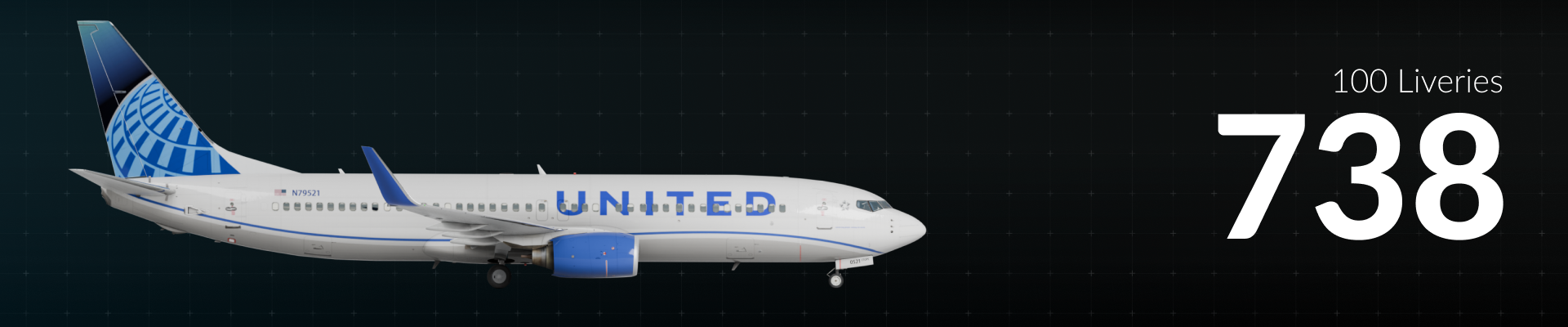
Our static aircraft library is also getting another substantial refresh. With thanks to Justin and Eric, X-Plane 12.4.4 adds 78 new static liveries and six new aircraft types, significantly increasing the variety of traffic you’ll see parked around airports.
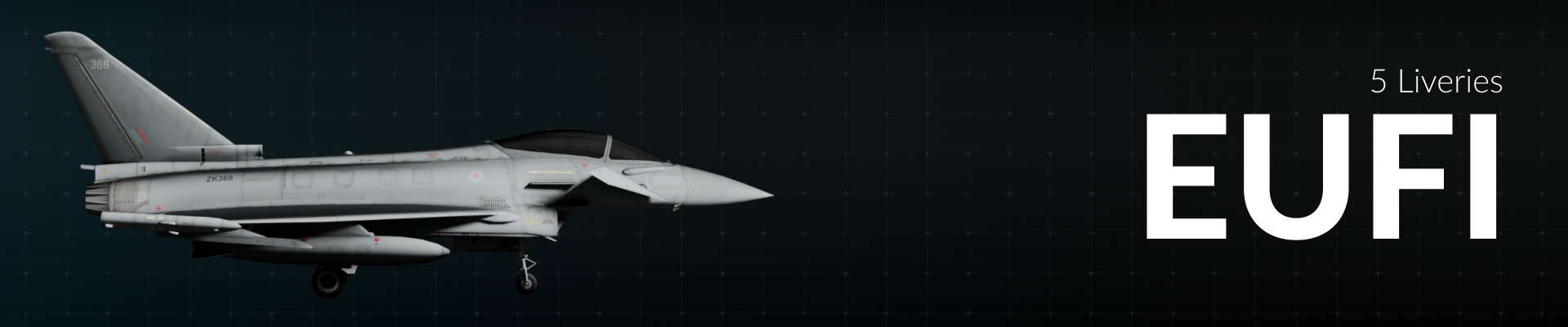
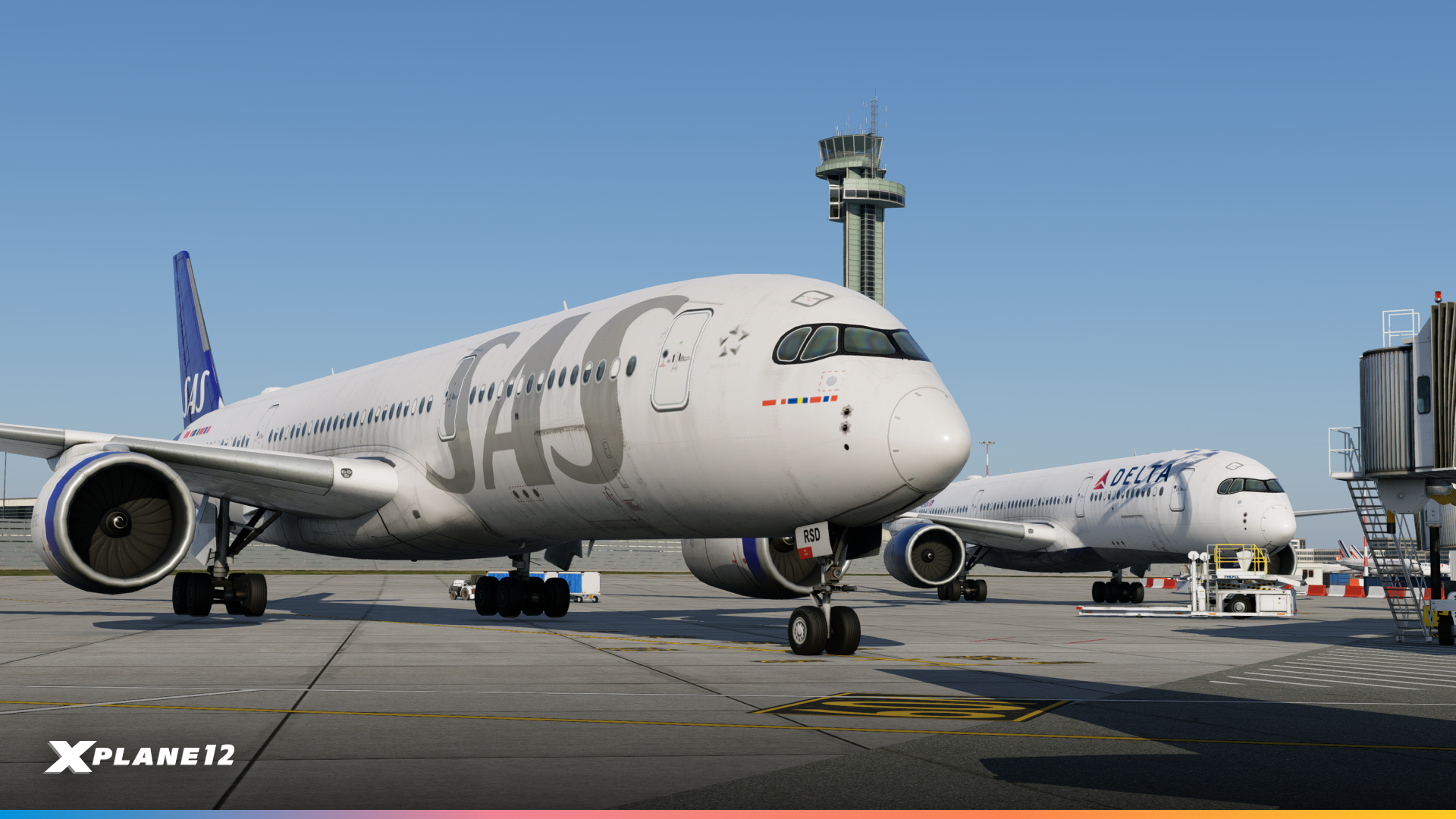
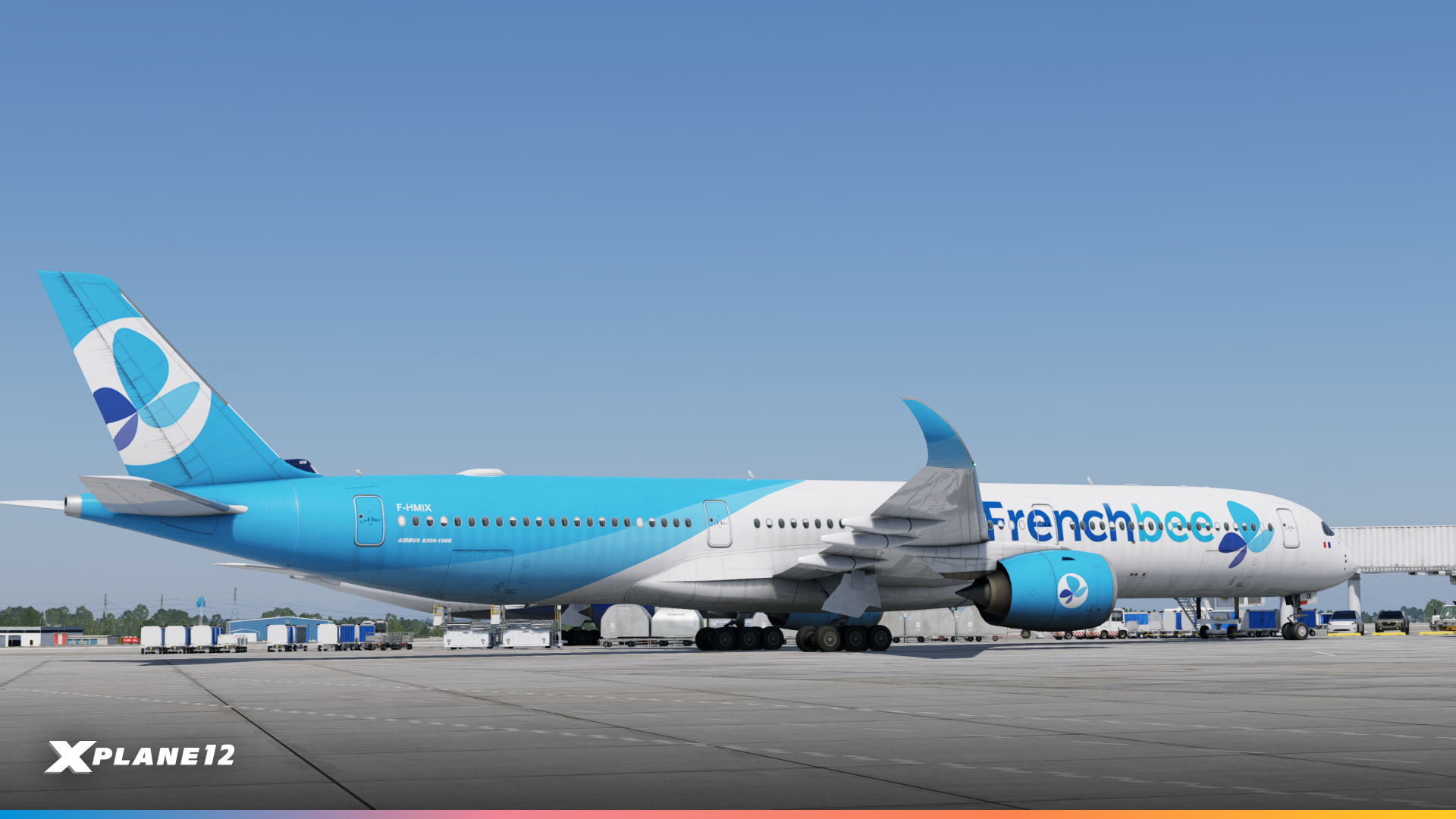
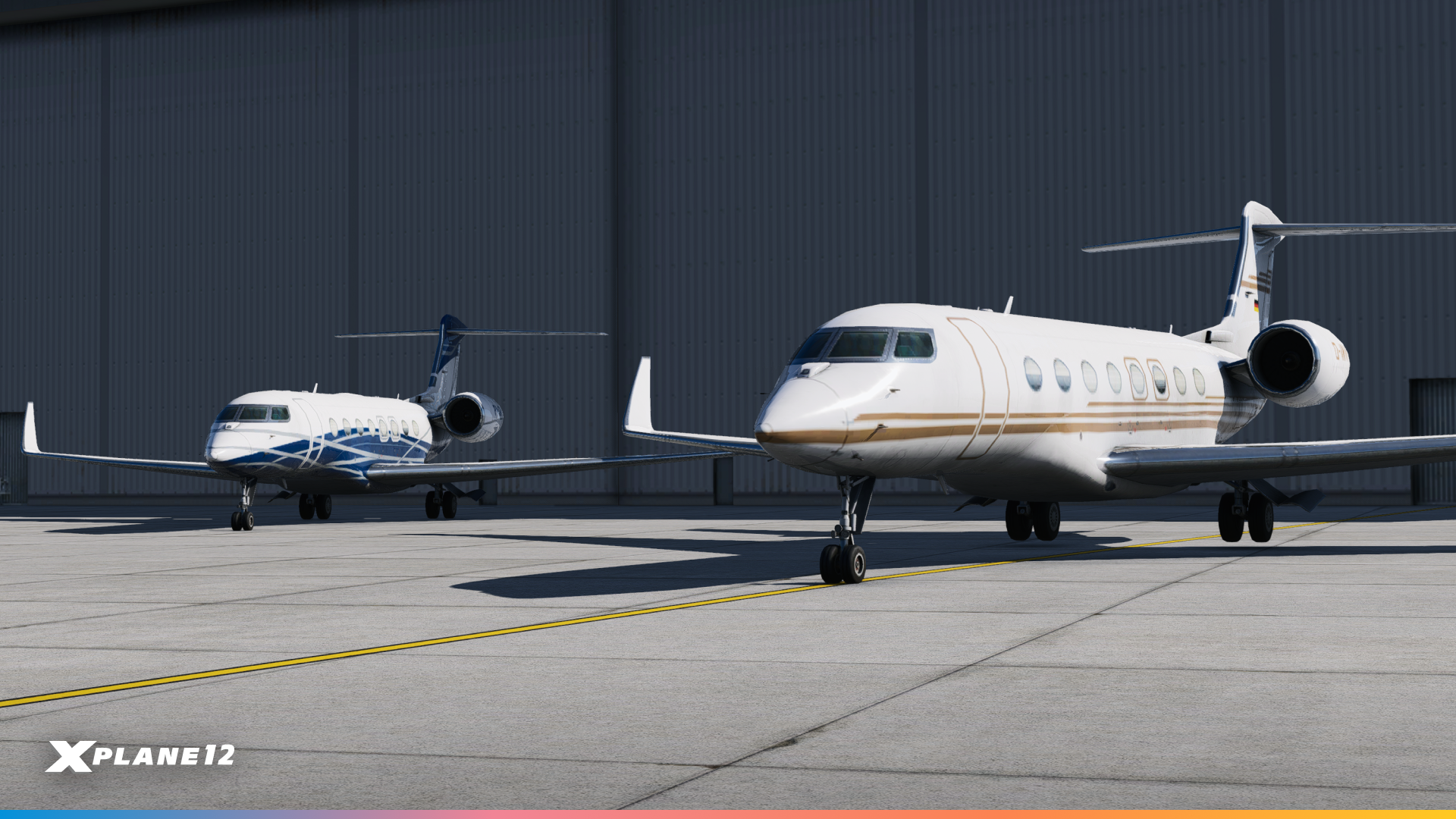
The new aircraft include the Airbus A350-900, Airbus A350-1000, Lockheed Martin C-130J Super Hercules, Eurofighter Typhoon and Gulfstream 650. Together, they broaden the mix of commercial, business, military, and transport aircraft represented in the scenery system.
We’re particularly excited by the inclusion of the A350, bringing a touch of the next-gen aircraft to X-Plane’s airports!
Aeroflot
Air Caraibes
Air China
Air France
Air India
Air Mauritius
Asiana
Cathay Pacific
China Airlines
China Eastern
China Southern
Delta
Edelweiss
Egyptair
Emirates
Ethiopian
Factory (Airbus Carbon Fibre)
Fiji Airways
Finnair
Frenchbee
Hainan Airlines
Iberia
Iberojet
ITA Airways
Japan Airlines
K5 Aviation
Korean Air (Old)
Korean Air (Modern)
Lufthansa
Luftwaffe
Malaysia
Philippines
Qatar
SAS
Sichuan (Panda)
Singapore
Starlux
Swiss
Thai
Turkish Airlines
Vietnam Airlines
World2Fly
Air Caraibes
British Airways
Cathay Pacific
Ethiopian
Etihad
Factory (Airbus 1000)
Frenchbee
Japan Airlines
Philippines
Qatar
Starlux
Virgin Atlantic
AM – Spain
RAAF – Australia
RCAF – Canada
USAF – United States
AME – Spain
GAF – Germany
IAM – Italy
RAF – United Kingdom
RSF – Saudi Arabia
ABP
DCS
GLF
LXJ
N918TA
QQE
VPCTS
D-CASH
N403QS
N381FX
N417N
N503ER
PP-JDB
N652UP
N359AS
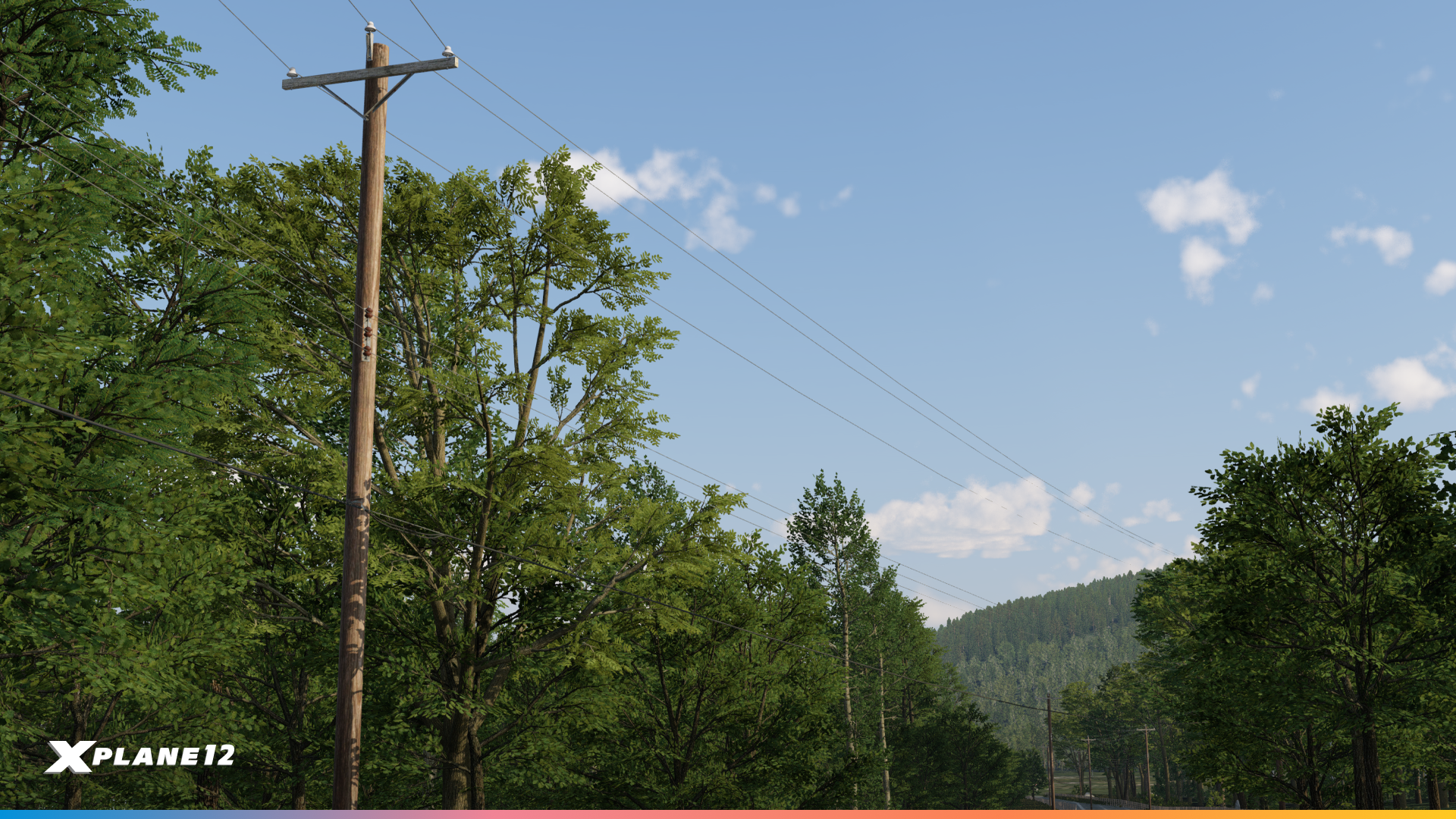
Overhead Powerline Facades
A quietly excellent addition for anyone building outside the airport fence. New overhead powerline facades let scenery authors run proper transmission lines across the landscape, and for low-level VFR flying, powerlines are exactly the kind of detail that makes terrain read correctly. They’re also, appropriately, something to keep an eye on when you’re down in the weeds.
Accessible Passenger Boarding Ramps
New accessible passenger boarding ramps are now in the library, so airports that handle boarding from the apron can model it properly.
Draped Letters
New draped letters in black, blue, green, red and yellow. Small, unglamorous, and immediately useful for anyone who has ever needed to put a taxiway designator or a marking on the ground and had to improvise.
Weather Improvements
The weather system is one of the most important parts of the flight simulator. Everyone flies through it every single flight. In this release, we spent a lot of time improving the data we use and also the way we process this data.
Let it snow!
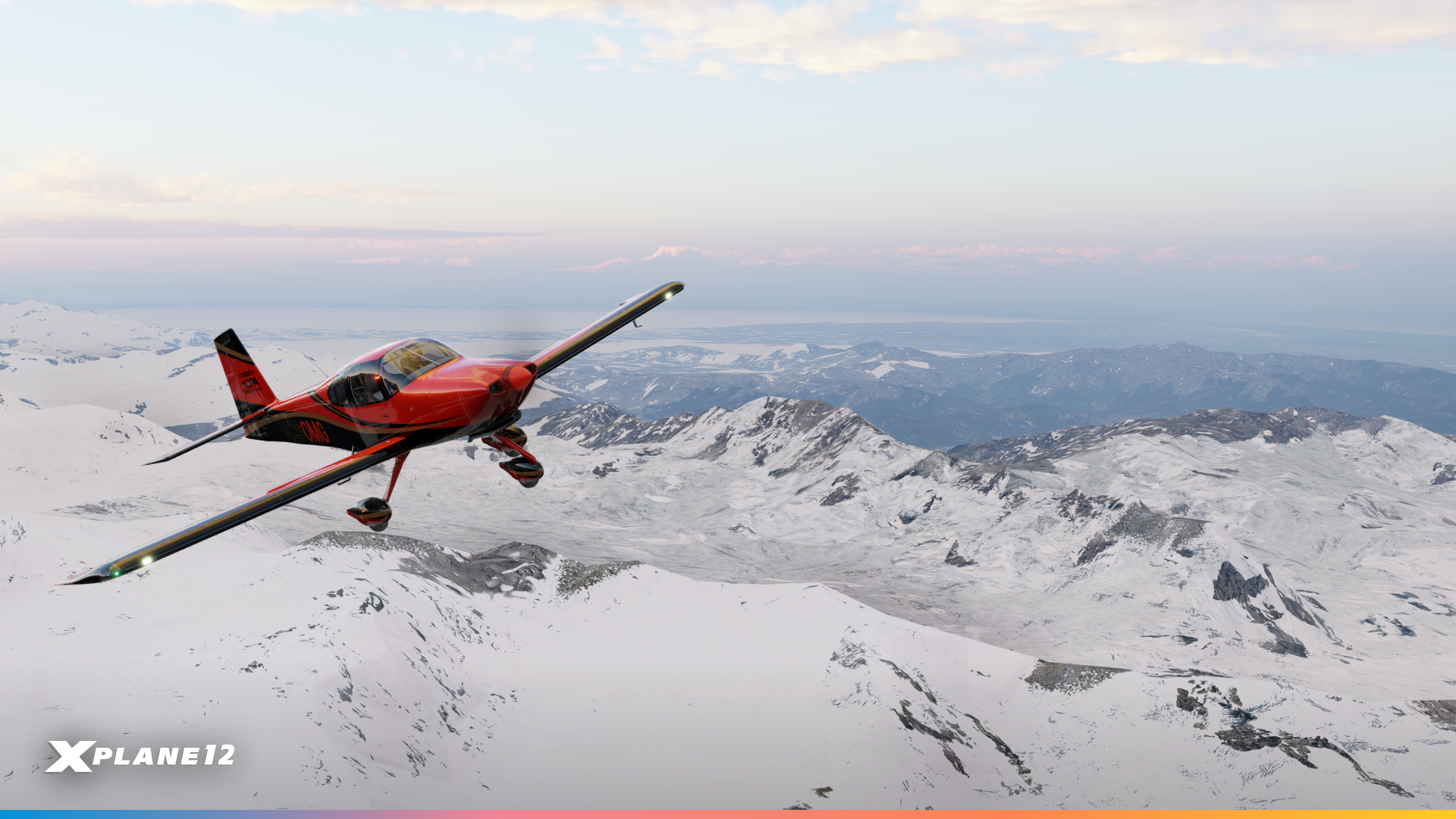
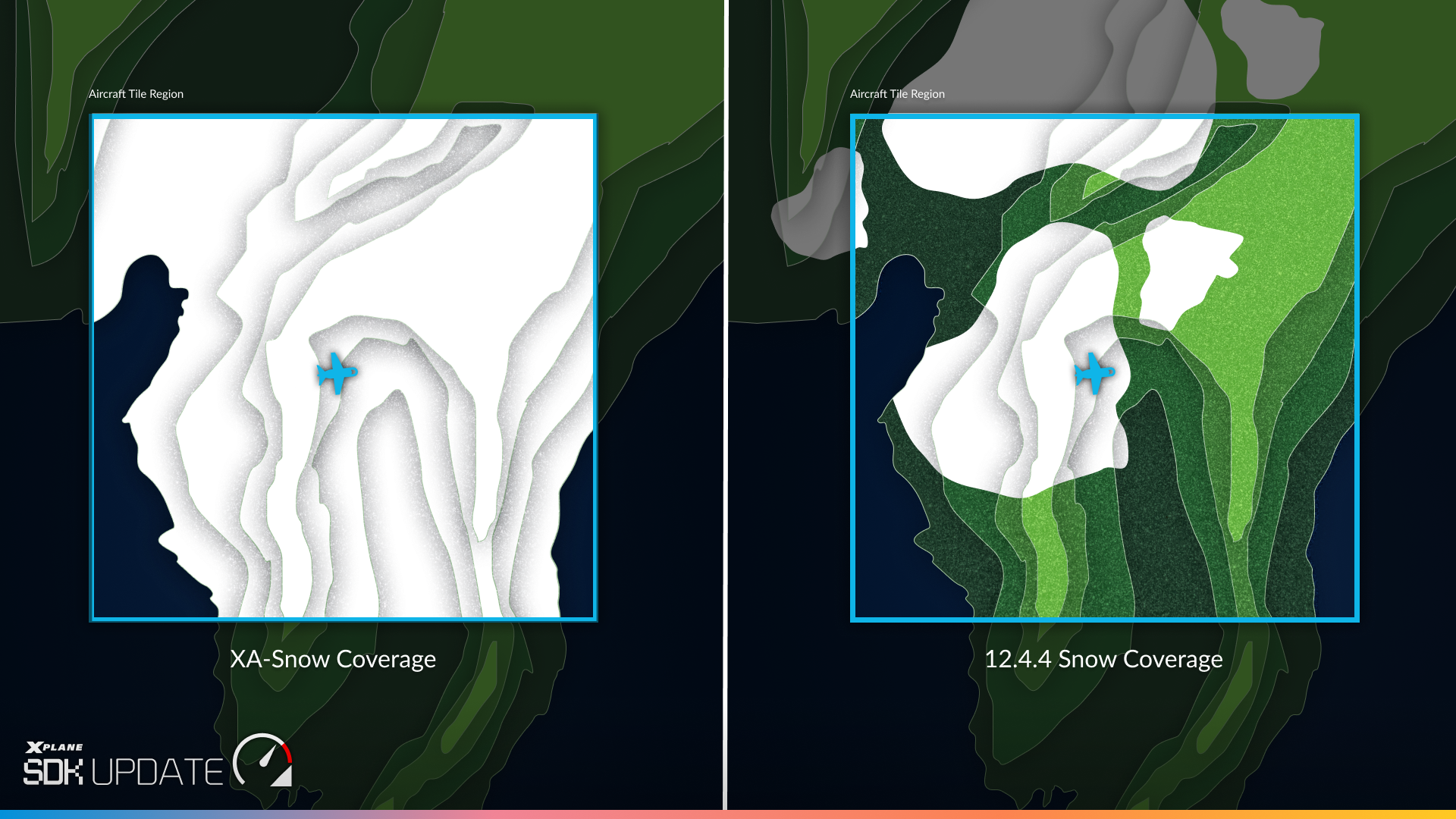
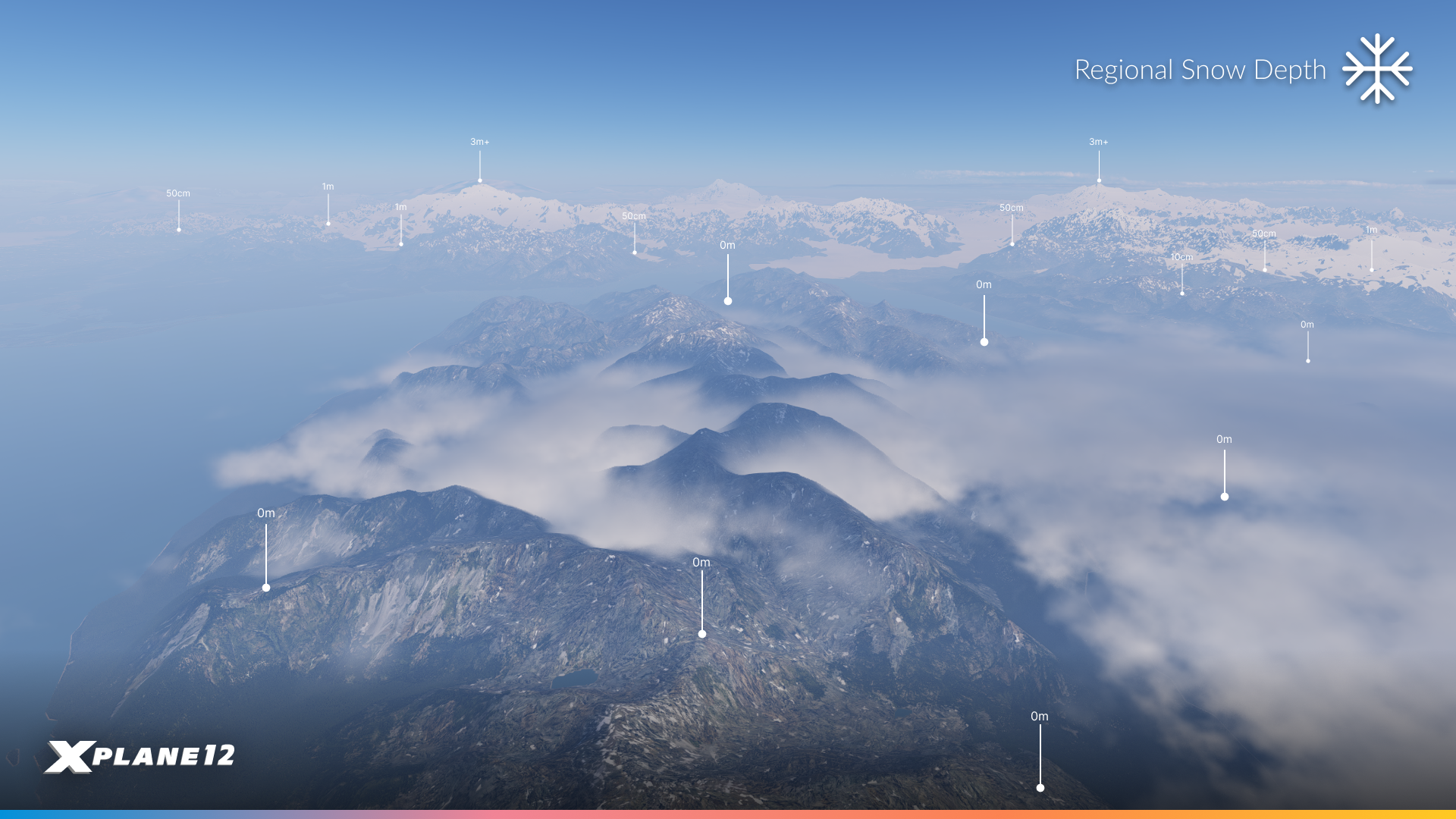
Snow in X-Plane used to be tied directly to the amount of snow immediately underneath the user’s aircraft. If you were flying over snow, the whole world was snowy; if you flew over a snow-free area, the whole world would thaw. Which is not how snow works.
In 12.4.4, snow coverage becomes persistent and regionalized. It varies from one area to the next rather than the entire region inheriting a single state.
The effect is most obvious on a longer flight. You can now cross from snow-covered terrain into clear ground and back again, with different areas carrying different depths at the same time. Over mountainous terrain especially, that’s the difference between scenery that has weather applied to it and scenery that looks like somewhere in particular, in a particular season.
Behind it, live weather drives a snow depth model from GRIB data. If you fly with historical weather and we don’t have snow data on the server for the right date, X-Plane falls back to an averaged snowfall model, producing plausible conditions for that point in time.
The timing is deliberate, too. The Northern Hemisphere is heading into the colder months, so there’s going to be a lot more white on the ground from here, with everything that implies for how you plan a flight.
A few questions you might have
Q. Does it work with ortho-imagery?
Yes, it does!
Q. Should I keep XA-Snow?
No, please remove it. It can’t depict snow spatially and it overrides the global snow parameters. Sincere thanks to its developers, who filled this gap for the community for a long time before we did.
Q. What about the snow settings in Active Sky?
Same answer, and for the same reason. Turn them off.
Q. Does snow vary with altitude?
Not currently. Variation is horizontal, on a latitude and longitude basis. However, the snow data is detailed enough to correctly show snow-free valley bottoms in snow-covered mountains, so it generally looks altitude-correct.
Q. Does it freeze lakes and rivers?
No, it does not.
Q. Does it work with custom weather?
No, persistent snow needs live or historical weather.
Weather Formation Improvements
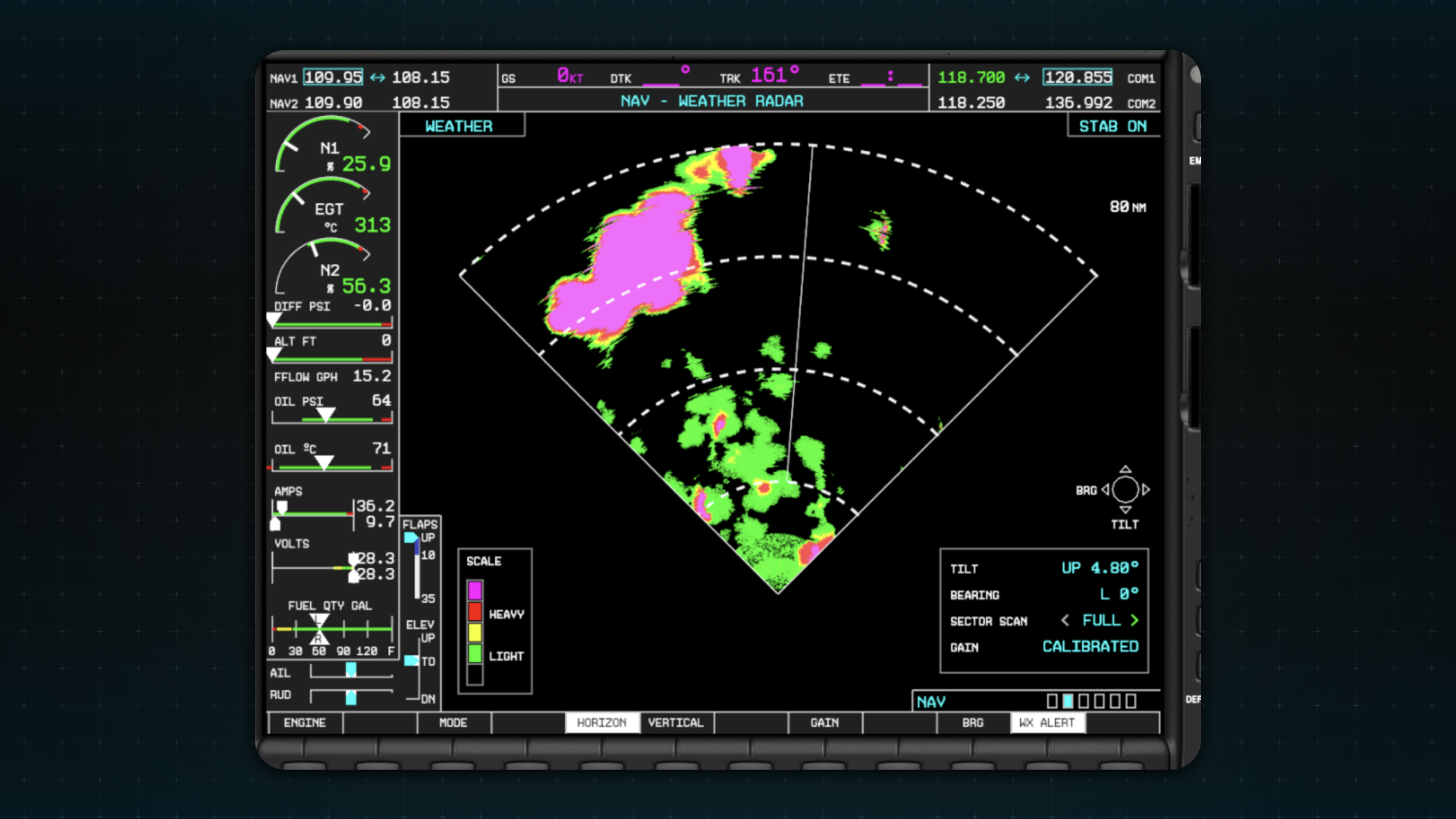
Precipitation and thunderstorm placement have improved, as has the display of precipitation on the weather radar. Temperature fluctuations at altitude are better behaved, and we’ve fixed the altitude fluctuations that could occur while established at cruise level. High-confidence cloud-type detection is now stronger and protected against upstream data errors. The clouds-drawn-with-lines-between-them issue is fixed.
And then there are four fixes I want to spend a moment on, because the underlying causes are genuinely interesting.
The Date Line
If you’ve ever crossed the 180° meridian and watched the weather fall apart, this one’s for you. Our distance calculation was breaking down across the date line. A pair of points ten nautical miles apart, straddling the line, measured as fifteen thousand nautical miles. Every METAR and forecast sample on the far side was therefore judged impossibly distant and thrown away. Weather now blends correctly across the date line.
High Latitudes
Above roughly 75°N/S, clouds and precipitation showed a striped, scrolling pattern. The cause: we were sampling forecast data over a fixed number of degrees of longitude rather than a fixed physical area. Near the poles, degrees of longitude get very narrow indeed, so the sampling pattern compressed into visible stripes. We now sample over a fixed physical area, and the stripes are gone.
Local Weather Variation
Local weather variation is meant to ramp up gradually over the first few miles from the reference point. An inverted cosine in the distance calculation inflated that distance by 1/cos²(latitude), a factor of 131x at 85°N, which meant the variation was effectively applied at full strength everywhere. Visibility and cloud layers now change gradually as you fly, the way they were always supposed to.
Visibility with Altitude
Finally, a change you’ll notice on nearly every flight into marginal weather. Visibility previously faded from the ground-reported value to clear-air visibility over a fixed 5,000 to 15,000 ft ramp. It now uses a physically derived altitude band, estimated from the temperature and dewpoint spread, cloud layers, latitude and season.
The practical effect: fog, mist and haze now stay in a realistically shallow surface layer, instead of hazing your view all the way up to cruise altitude. Departing into a foggy morning and breaking out into genuinely clear air is one of the more satisfying things in real flying, and it now works properly here.
Weather Radar Improvements
The weather radar itself got a thorough overhaul, and it’s the most visually obvious change in the release.
Return Calibration & WXR Radial Distortion
Start with the colors. The default scale is now four colors (green, yellow, red, magenta), matching how most real radars are configured, and the old dark green and dark yellow bands are gone. That’s a shorter list than before. What you’ll actually see on the screen is more color, not less.
The reason is calibration. Alongside the palette change we reviewed the cloud data and the return strengths behind it. Previously, most returns landed in the light end of the scale, so a serious cell came back as a broad wash of green and yellow with no real core to it. Now returns spread across the full range, and weather that’s genuinely worth avoiding looks like it: red and magenta where it should be, green at the edges.
Behind that, three changes make the radar behave like hardware rather than a picture.
The sweep animation now updates exactly the wedge between the antenna’s position last frame and this frame, rather than a larger area than necessary. That removes the shimmer that used to appear around the antenna position.
The noise pattern is now applied to the radar sample before colour mapping. Previously, noise showed up as black pixels scattered across the display. Now it manifests as pixels landing one colour band above or below their surroundings, which is what noise actually looks like on a real radar.
And we’ve added a smear effect. A real weather radar doesn’t produce a sharp image the way a camera does. It sweeps outward from the aircraft in narrow beams, measuring how strongly precipitation reflects the signal back, so returns come back slightly stretched along the direction of the beam. That radial character is now reproduced in the shader, by introducing small disturbances to the sampling location.
The result still gives you a clear read on the weather ahead. It just gives it to you the way the hardware would.
X-Plane 12.4.4 introduces ‘The Impossible Plane.’ Learn about Rightfooted Foundation and the extraordinary aircraft being brought to life… The story behind The Impossible Airplane — coming to X-Plane 12.4.4 There are aircraft built to fly faster, higher, or further. The Impossible Airplane is being…
Read article
Content supplied in the RSS feed from X-Plane / Laminar Research; the article may be abridged.
X-Plane 12.4.4 introduces ‘The Impossible Plane.’ Learn about Rightfooted Foundation and the extraordinary aircraft being brought to life…
The story behind The Impossible Airplane — coming to X-Plane 12.4.4
There are aircraft built to fly faster, higher, or further. The Impossible Airplane is being built to challenge something rather more fundamental: who an airplane can be designed for.
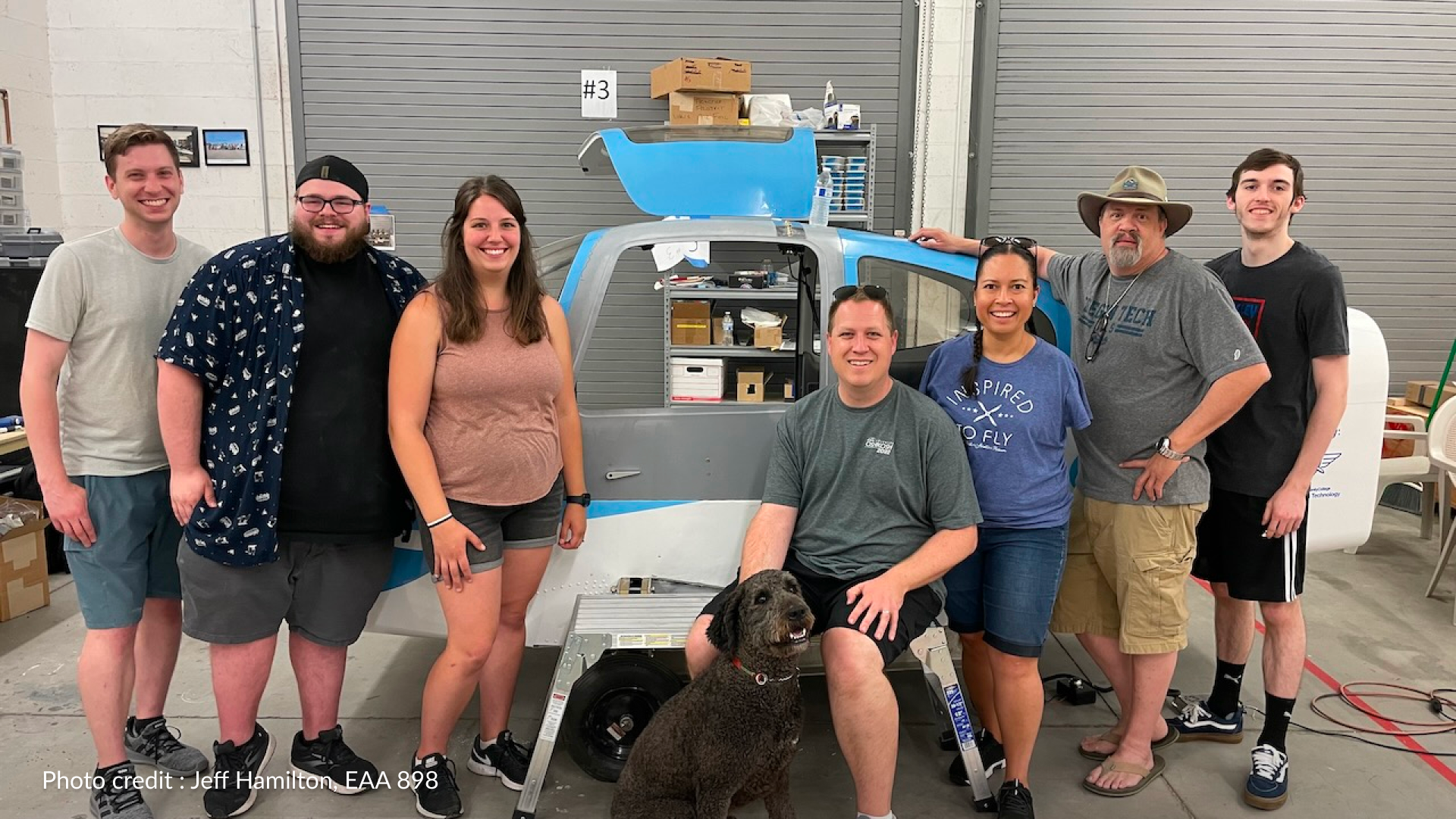
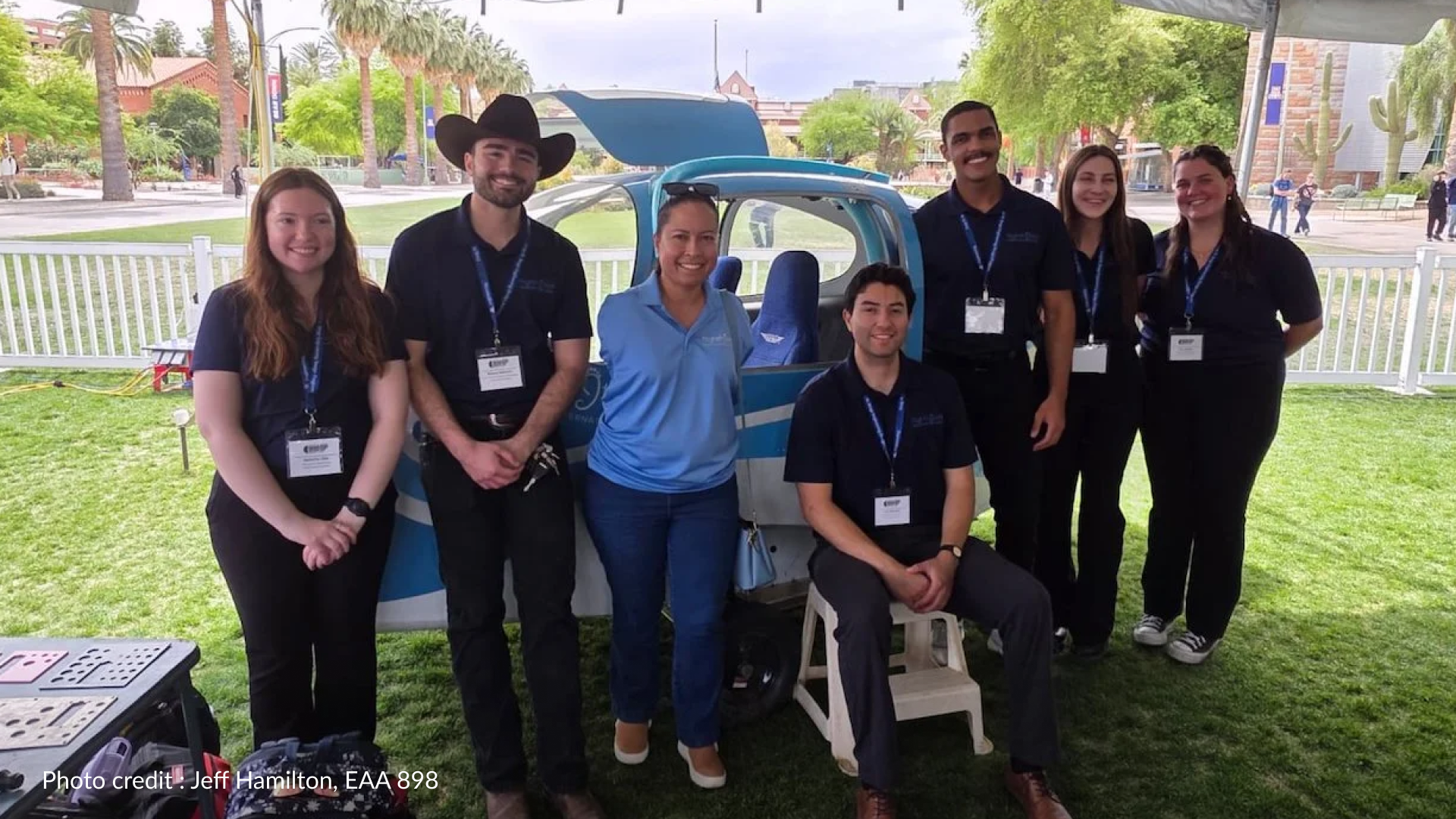
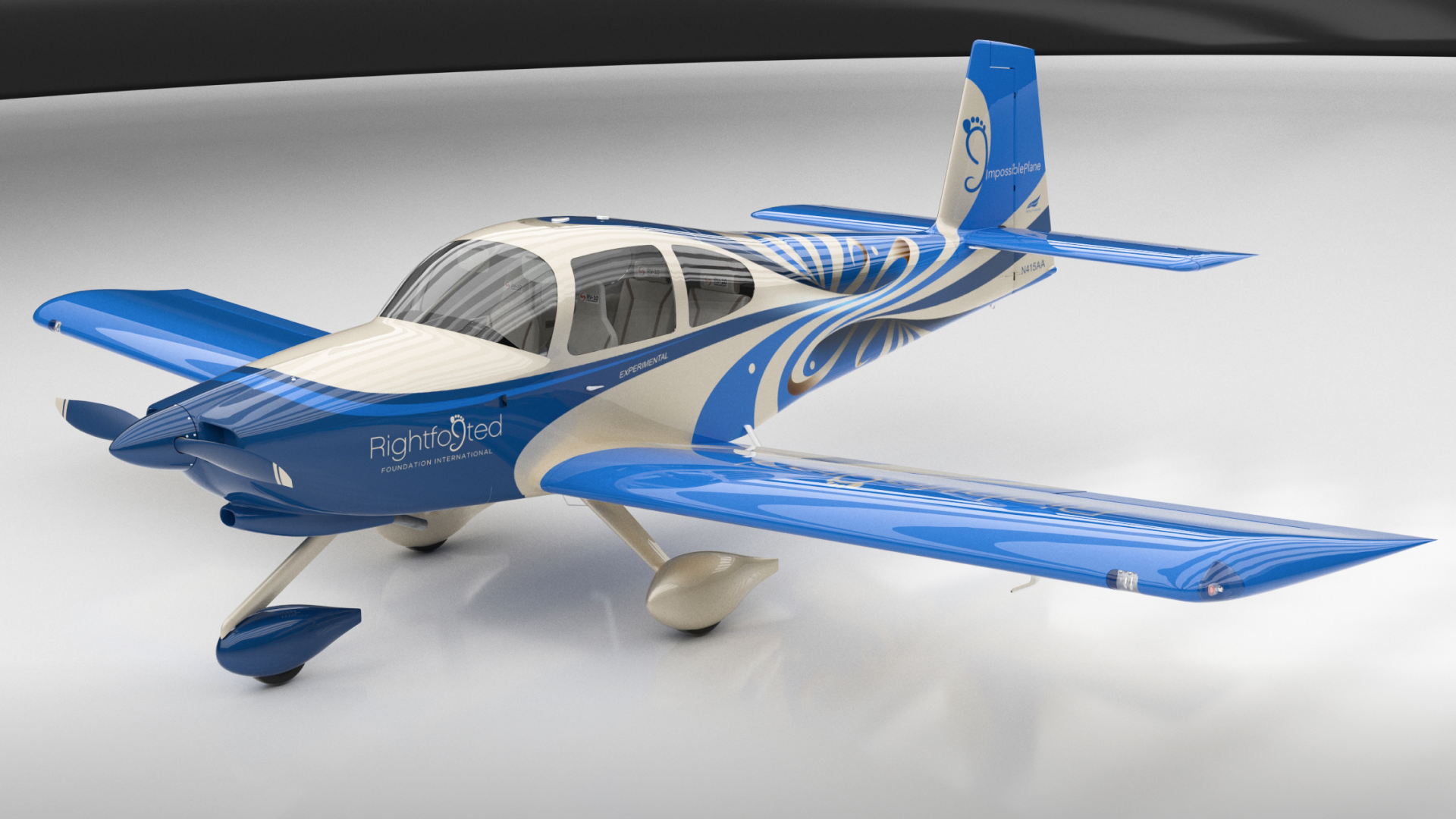
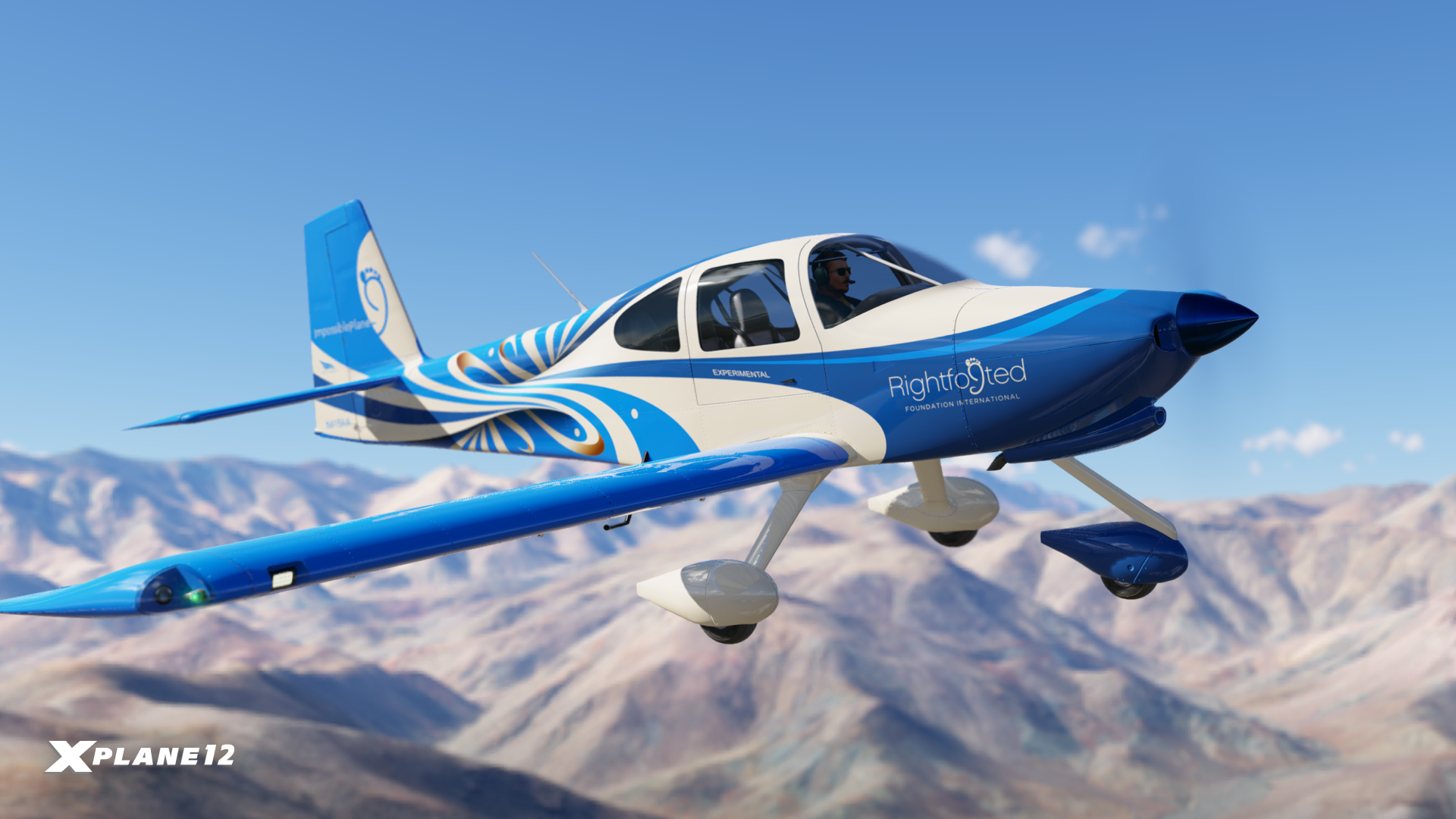
Beginning with X-Plane 12.4.4, pilots will be able to fly the distinctive livery of The Impossible Airplane on X-Plane’s Van’s RV-10 — bringing a remarkable real-world aviation project into the simulator.
But the story behind the blue, white and silver aircraft goes far beyond its paintwork.
The Story of Jessica and the Rightfooted Foundation
The Impossible Airplane is a project of the Rightfooted Foundation, founded by pilot and disability advocate Jessica Cox.
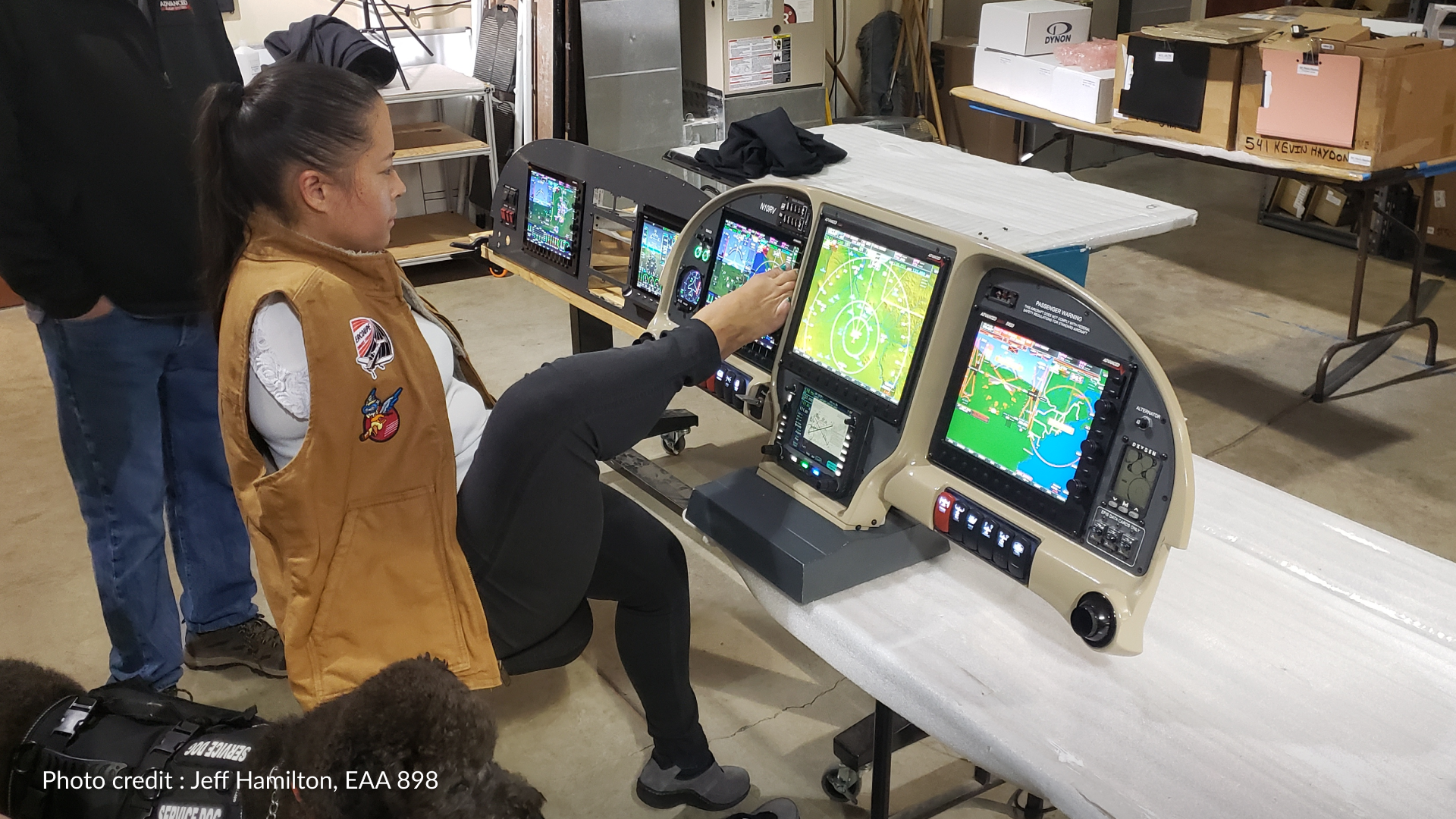
Born without arms, Jessica learned to operate everyday objects — and eventually an airplane — using her feet. In 2008, she became the world’s first licensed armless airplane pilot, learning to fly a 1946 Ercoupe whose interconnected aileron and rudder controls made it possible for her to control the aircraft without conventional rudder pedals.
The Ercoupe proved that Jessica could fly. The next question was whether an airplane could instead be designed around how Jessica flies.
That question became ‘The Impossible Airplane’ in 2020.
An airplane designed differently from the beginning
Rather than taking an existing aircraft and adapting controls after construction, the project follows a universal-design approach, placing Jessica’s lived experience at the heart of the engineering process from the outset. The result will be a four-seat Van’s RV-10 designed so that Jessica can operate the aircraft’s primary flight controls and essential cockpit systems entirely with her feet.
That challenge goes considerably further than simply relocating a control stick.
Pitch, roll, yaw and power must all remain smooth and precise while still allowing Jessica to interact with avionics and other cockpit systems. The team has developed solutions including an instrument panel responsive to toe input, a carbon-fibre panel providing a bracing point during turbulence and a specially developed four-point restraint system.
From the simulator to the real airplane
Laminar Research, in collaboration with XForcePC & Sim Your Plane, has supported the project with an X-Plane licence, while XForcePC previously donated the computer powering the simulator.
X-Plane has always been a simulator designed around the ethos of education and experimentation, and we couldn’t think of a better champion of those ideals than the Rightfooted Foundation. Ben Myburgh from ‘Sim Your Plane’ has worked with the project individually, assisting the team with simulator configuration and other aspects of its development.
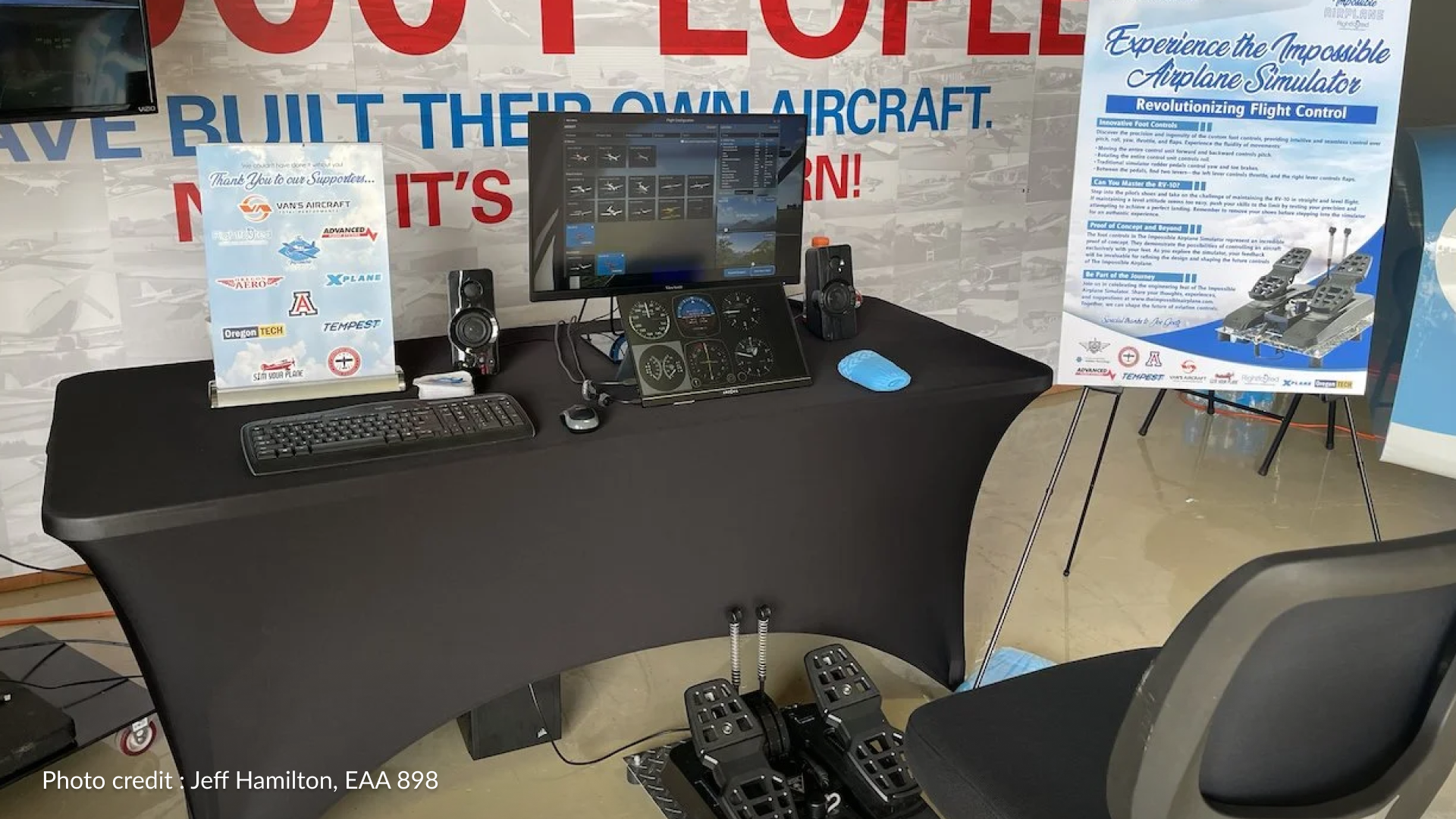
Before experimental controls are installed in the flying aircraft, ‘The Impossible Airplane’ team can test them in a full-scale physical RV-10 cockpit simulator. Built around a separate RV-10 fuselage, the simulator combines genuine aircraft mechanisms with sensors from Sim Your Plane — and X-Plane 12 provides the simulation environment behind it.
It allows the engineering team to install prototype pitch-and-roll control systems, evaluate how they work, and iterate on their designs before committing those changes to the real aircraft.
In addition to this, the team can also exhibit public demonstrations of the simulator as part of an awareness campaign of the foundation, and the unique challenges behind adapting aircraft for disabilities.
A livery of infinite imagination
Even the aircraft’s striking appearance was designed around the philosophy of the project.
Created by Mirco Pecorari of AircraftStudioDesign, the livery began with the idea of representing something impossible. Pecorari took inspiration from the Möbius strip — the perplexing and intricate geometric form consisting of a single continuous surface — and translated its flowing geometry across the rear fuselage.
Blue, the international representative colour of disability, forms a major part of the design, while the Rightfooted Foundation identity is carried prominently on the tail. Smaller details are hidden throughout the artwork too, including a reference to Jessica’s Filipina heritage.
The result is an aircraft designed to tell part of its story before anyone even understands what makes it unique.
Supporting disabilities in aviation
The ultimate purpose of ‘The Impossible Airplane’ isn’t simply to achieve a world first, but to also re-imagine and promote the way we think about inclusivity.
For more than two decades, Jessica has mentored children and teenagers born without arms. Rightfooted Foundation works to help children develop greater independence, practical skills, confidence and connections with others who share similar experiences.
Its work ranges from mentorship and skill building to purpose-designed dressing aids and partnerships that place university engineering students directly alongside people with disabilities when developing new solutions.
Once complete, the aircraft is intended to become a travelling platform for aviation outreach, disability advocacy, engineering education and mentorship. Jessica will be able to arrive not merely to speak about independence, but as pilot of an aircraft specifically designed around capabilities that conventional aviation design rarely considers.
We hope you’ve enjoyed this story behind the Rightfooted Foundation. We’re proud to introduce this livery to X-Plane, and we would like to encourage others within the aviation community to explore the incredible work behind this foundation.
Nonprofit Organisation
Rightfooted Foundation
Rightfooted Foundation is dedicated to helping children born without arms build greater independence, practical skills, confidence and connection.
Founded by pilot and disability advocate Jessica Cox, the organisation combines mentorship, inclusive engineering and universal design to challenge assumptions about what people with limb differences can achieve.
X-Plane returns to the Netherlands next year, tune in to find out more details… We are excited to announce that Laminar Research will once again attend FSWeekend from the 3rd & 4th April 2027at Expo Houten, marking a return to one of Europe’s most celebrated flight simulation events. Following an i…
Read article
Content supplied in the RSS feed from X-Plane / Laminar Research; the article may be abridged.
X-Plane returns to the Netherlands next year, tune in to find out more details…
We are excited to announce that Laminar Research will once again attend FSWeekend from the 3rd & 4th April 2027at Expo Houten, marking a return to one of Europe’s most celebrated flight simulation events.
Following an incredible year for X-Plane, our team is looking forward to reconnecting with the community, meeting simmers from across Europe, trying out the latest hardware and aircraft and sharing what we’ve been working on. Whether you’re a long-time X-Plane pilot or just curious, FSWeekend is the perfect opportunity to interact with the developers.
“Having Laminar Research back at the show feels like a true reunion,” Jannes van Gestel from FSWeekend stated. “X-Plane has always been a cornerstone of virtual aviation, and our visitors have sorely missed their presence on the show floor. As we step into this exciting new chapter at Expo Houten, having their team showcase their legendary flight physics is a massive win for the community. It is the perfect match for our new, upgraded venue, and it sets an incredible standard for the diverse lineup we are putting together for 2027.”
Our community has always been at the heart of everything we do.
FSWeekend provides a fantastic opportunity to meet the people who make X-Plane what it is. From passionate hobbyists and aspiring pilots to professional users and talented third-party developers. We’re excited to be back.
Further details on our booth location and activities will be announced closer to the event. We look forward to welcoming everyone to Expo Houten between the 3rd and 4th April 2027 and making FSWeekend a fantastic event for the entire flight simulation community!
Bringing extra security to your X-Plane Identity Account! Today, we’re introducing Two-Factor Authentication (2FA) for X-Plane Identity accounts — adding an extra layer of protection for your account, purchases, and access to X-Plane services. As X-Plane Identity continues to play a larger role acr…
Read article
Content supplied in the RSS feed from X-Plane / Laminar Research; the article may be abridged.
Bringing extra security to your X-Plane Identity Account!
Today, we’re introducing Two-Factor Authentication (2FA) for X-Plane Identity accounts — adding an extra layer of protection for your account, purchases, and access to X-Plane services.
As X-Plane Identity continues to play a larger role across the X-Plane platform, account security becomes increasingly important. With email-2FA enabled, signing in to your account becomes significantly more secure through an additional verification step tied to your email.
What Does Two-Factor Authentication (2FA) Do?
Two-Factor Authentication (2FA) is a security method that requires two separate forms of verification before access is granted to an account or system.
How Do I Enable Two-Factor Authentication?
When you sign into your X-Plane Identity Account, you can opt in to 2FA via your account settings
The next time you sign in, X-Plane will prompt you about a a code sent to your email.
Navigate to the email used to create your X-Plane Identity Account. You will be sent a 6-digit code.
To complete the process, enter this code into the verification field. X-Plane Identity will then log in.
What Is An X-Plane Identity Account?
X-Plane Identity is our new integrated account system for all things X-Plane. Starting in 2026, all new users to X-Plane can purchase and access their X-Plane purchase via their Identity Account. Existing users also have the option to migrate their serial code (XDD) to an Identity Account in a one-time process.
Why Use X-Plane Identity?
X-Plane Identity has a very important role in the future of X-Plane!
1. X-Plane Identity can be used to easily attach your copy of X-Plane 12 to your email
2. X-Plane Identity can be linked to a Google or Apple email, reducing the need for managing multiple accounts
3. X-Plane Identity will form a vital role in the management of purchases from the upcoming X-Plane Store
4. X-Plane Identity will also include more integrations and features in the future!
Two-Factor Authentication is available now through your X-Plane Identity account settings. We strongly recommend enabling 2FA to help keep your account and purchases secure as X-Plane Identity continues to evolve.
FSExpo 2026 is almost here. Find out more… From June 12-14, Flight-Simmers will once again assemble in Saint Paul, MN for another FlightSimExpo. X-Plane is proud to be a Diamond Sponsor this year. Don’t forget to book your ticket as soon as possible! Register For FSExpo Let’s take a look at what ac…
Read article
Content supplied in the RSS feed from X-Plane / Laminar Research; the article may be abridged.
FSExpo 2026 is almost here. Find out more…
From June 12-14, Flight-Simmers will once again assemble in Saint Paul, MN for another FlightSimExpo. X-Plane is proud to be a Diamond Sponsor this year. Don’t forget to book your ticket as soon as possible!
Let’s take a look at what activities you can participate in.
#FSExpo Friday | X-Plane 12 Product Update
Join Marco and Ben as they take to the stage to deliver an update on X-Plane 12, including some sneak peeks at 12.4.4 and 12.5.0
(And yes, we really do mean X-Plane 12. There’s been a lot of fake news on the internet recently. Don’t say we didn’t warn you!)
X-Plane Workshops
Our popular workshops are back this year. Have you ever wanted to learn more about X-Plane Development? Scratch that itch for making your own Aircraft or Airport. Our tutors and lecturers this year are on hand to guide you through the beginning steps.
Tom Kyler (Introduction to Planemaker/Aircraft Design)
Create a brand new airplane from scratch using X-Plane’s built-in design tools.
Class Tutor – Tom Kyler (Laminar Research, IXEG)
Session Time – 1h30m
Software Used – X-Plane, Planemaker
Saturday | 9:30 – 11:00 Sunday | 9:30 – 11:00
Eric Xu (Introduction to WED/Scenery)
Create an airport scenery package from scratch using X-Plane’s built-in design tools.
Class Tutor – Eric Xu (Laminar Research, Star Atlas)
Session Time – 1h30m
Software Used – X-Plane, WED
Saturday | 11:30 – 13:00 Sunday | 13:30 – 15:00
Alex List (Plugin VibeCoding Seminar)
NEW FOR 2026– Discover how you can vibecode your own plugins in X-Plane using native Websockets. Attendees are encouraged to bring their own laptop to code during the session.
Class Tutor – Alex List (FlyShirley)
Session Time – 1h
Software Used – X-Plane, Cursor, Websocket API
Saturday | 13:30 – 14:30
Alex Unruh (Introduction to Blender/Art)
Create a custom 3D object from scratch that is ready for injection into any X-Plane project.
We have a few X-Plane-related partner booths this year. Why don’t you mark these down on your itinerary?
Jurassic Jets
Booth 729
You may remember the team we featured last year attempting to build a 747-200 for Worldflight. Justin & Kyle will be present this year to showcase more about how they brought their beloved and amazing cockpit to life.
Flight Code-X
Booth 416
Ever wanted to build your own scenarios and plugins for X-Plane? Flight Code-X is the top choice for developers to unleash their creativity in X-Plane!
SoFly
Booth 414
SoFly has recently introduced their first X-Plane product, “Cardiff Airport” into X-Plane. Have a stop by SoFly’s booth to learn more, and what else they may have in store for X-Plane
SayIntentions
Booth 115 Experience a new level of immersion with SayIntentions.AI, the AI-powered ATC and virtual crew platform bringing natural, unscripted communication into flight simulation.
Aerosoft
Booth 512
For decades, Aerosoft has been one of the leading names in flight simulation, publishing high-quality aircraft, airports, tools, and utilities across multiple simulator platforms. Whether you’re looking for detailed scenery, study-level aircraft, or essential sim utilities…
Navigraph
Booth 712
Navigraph delivers professional-grade charts, navigation data, and flight planning tools designed to bring real-world IFR workflows into your simulator. With integrated charts, moving maps, AIRAC updates, and SimBrief connectivity.
Hardware & Training Booths
FSExpo is the perfect place to try out hardware. Drop by some of these well known vendors, all of which are partnered with X-Plane and have hardware compatible with X-Plane 12!
Booth 301
Booth 921
Booth 507
Booth 314
Booth 318
Booth 1
Booth 107
Booth 508
Booth 721
Booth 706
Minnesota Awaits!
FSExpo 2026 is just around the corner — and there’s still plenty to soak in before we even arrive in Minnesota.
We’ll see you in just a few weeks. We look forward to seeing you all there! Safe flying.
X-Plane 12.4.3 – The VR Update is now available! Let’s take a look inside… We are very excited to announce the public beta release of the X-Plane VR update. This update includes many improvements for VR users across all headsets, as well as the Apple Vision Pro. Let’s grab a nice cup of coffee or t…
Read article
Content supplied in the RSS feed from X-Plane / Laminar Research; the article may be abridged.
X-Plane 12.4.3 – The VR Update is now available! Let’s take a look inside…
We are very excited to announce the public beta release of the X-Plane VR update. This update includes many improvements for VR users across all headsets, as well as the Apple Vision Pro.
Let’s grab a nice cup of coffee or tea and see what’s included.
Apple Vision Pro
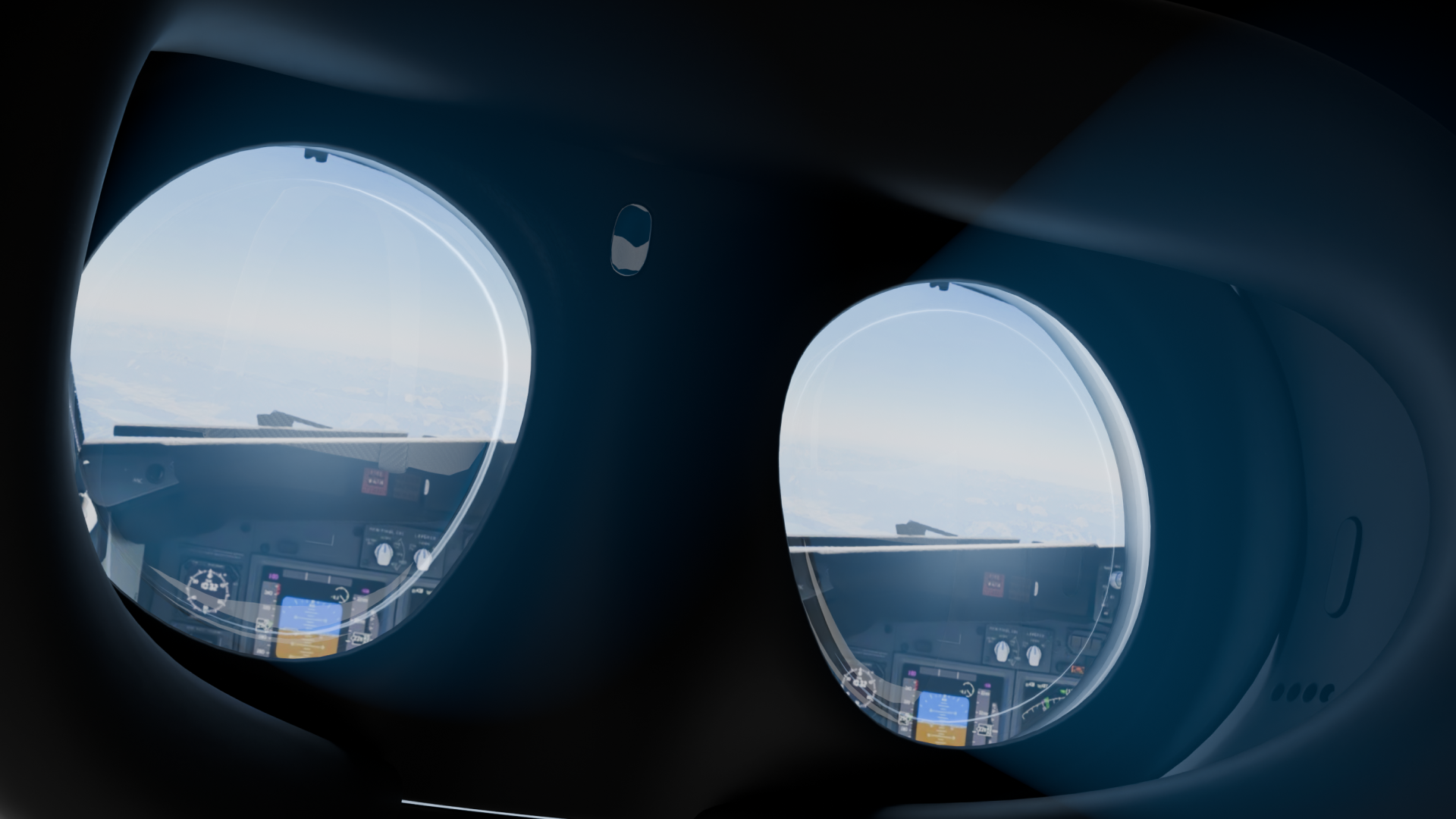
With Apple Vision Pro, X-Plane enters the era of spatial computing – where the cockpit is no longer confined to a screen, but exists around you. Instruments, controls, and the world beyond the windshield are rendered with remarkable clarity and depth, allowing you to interact with your aircraft in a way that feels both natural and immediate.
This is not simply VR – it’s a fully realized spatial environment, where simulation and reality blend seamlessly, and flying becomes something you truly inhabit.
For our X-Plane Pro Customers, this is the simulator solution you’ve been asking for. Combine this with RealSimGear Flight Sim Packages for the most powerful training environment available.
X-Plane 12.4.3 – Apple Vision Pro support includes
NVIDIA CloudXR Foveated Streaming
Spatial Tracking via AR Kit
Full Pass-Through Capability
Custom Masking
Hand-Tracking
Gesture Controls
UI Wrist-tap functionality
Watch Apple Vision Pro In Action
X-Plane 12.4.3 running passthrough with an Apple Vision Pro. The physical cockpit is demonstrated with the RealSimGear SR7X Home Package
Try Today!
Download the FREE companion app from the App Store for the Apple Vision Pro! X-Plane can then automatically detect and connect to your Apple Vision Pro.
VR Improvements
We’ve brought VR Improvements to everyone in this release. If you have a headset that has the relevant openXR extensions, you can also enjoy the following features!
Mixed Reality
In 12.4.3, X-Plane introduces Mixed Reality for the first time – bringing the simulator into your physical space in a truly transformative way.
With passthrough rendering and precise room-scale anchoring, your cockpit can now exist seamlessly within your real environment, blending virtual and physical worlds with striking clarity. Interfaces remain visible and interactive, allowing you to stay connected to both your hardware and the simulation at once.
It’s a fundamentally new way to experience flight – where your setup, your space, and the aircraft come together as one. We’re really excited to see how this unlocks user cockpit setups!
Handtracking & Gestures
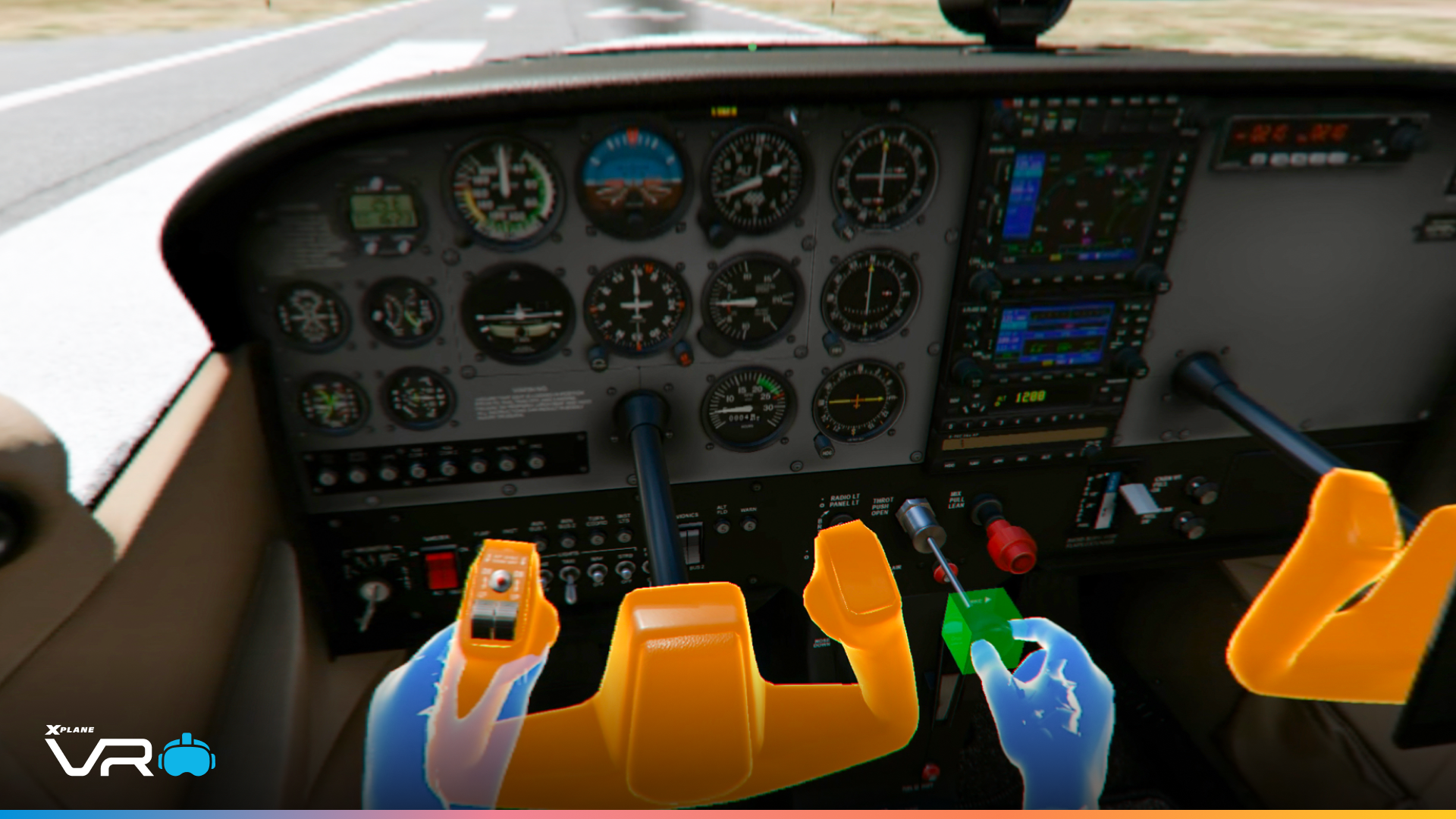
VR interaction has been made more natural and easier to use. Hand tracking and gestures have been improved, with better support for actions like pinch, grip, and poke, all with greater stability and accuracy. Interacting with cockpit controls now feels more precise, thanks to a clearer distinction between aiming and gripping. Overall, the experience is more consistent and predictable, whether you’re using controllers or hand tracking.
Variable Rate Shading (VRS)
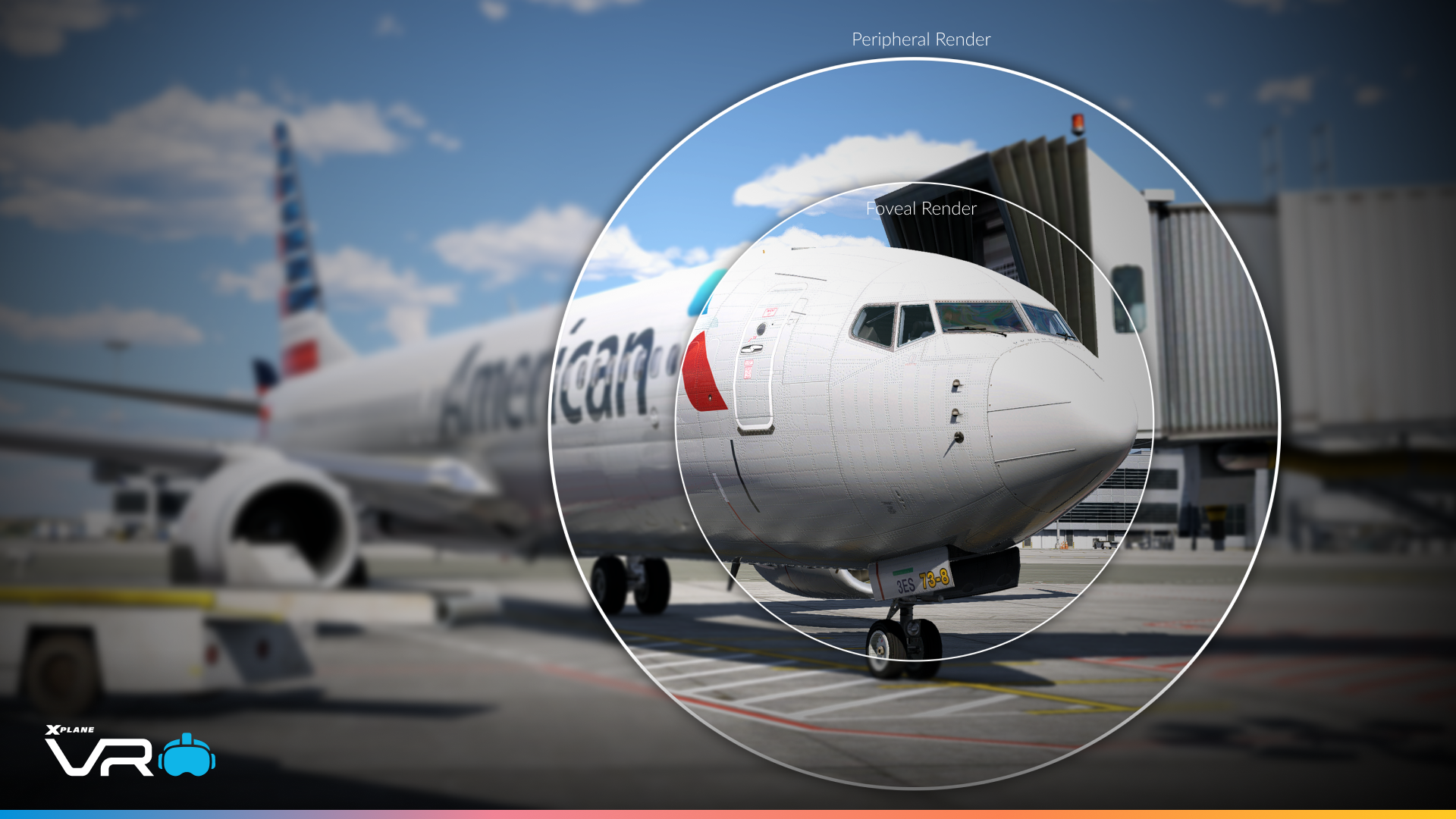
Eye-tracked Variable Rate Shading makes a debut in 12.4.3, bringing a smarter, more efficient way to render in VR. By focusing full detail exactly where you’re looking and reducing it in your peripheral vision, the simulator delivers a sharper, more responsive experience where it matters most. Designed for supported headsets, this technology works seamlessly in the background – enhancing clarity at the centre of your gaze while optimizing performance across the rest of the scene.
Improved UI
The VR interface has been refined to feel more consistent and intuitive in use.
We have a new glass theming on pop-up elements. We’ve designed this to address historical user feedback.
Pop-ups have a large tab at the bottom, allowing you to easily manipulate and move pop-ups around. No more second-guessing where the grab areas are
A new resize grab handle is at the bottom right of each pop-up
A new quick zoom-in and zoom-out for each open pop-up
Pop-Up styling slowly fades away when not in focus
Supported controllers will also demonstrate haptic feedback when interacting with the UI, giving you an additional layer of interaction.
Have you ever had trouble inputting keyboard inputs into text fields? Well, we’ve provided you with a larger and movable keyboard, making this much simpler.
Willkommen to Munich
Where Planes Meet Pretzels
Grüß Gott aus München — wo alles wie ein Uhrwerk läuft und der Himmel nie weit entfernt ist.
Set against the Bavarian Alps, Munich Airport stands as one of Europe’s most refined gateways – calm, deliberate, and unmistakably German in its execution.
Set in southern Germany along the banks of the Isar River, Munich is the capital of Bavaria and a city where historic charm meets modern precision. Known for its grand architecture, cultural heritage, and world-famous Oktoberfest, Munich blends tradition with innovation – from centuries-old beer halls and landmarks like Marienplatz to a thriving hub of technology, engineering, and aviation.
Opened in 1992, it serves as a major base for Lufthansa and is widely regarded for its seamless layout, modern infrastructure, and passenger experience. With two parallel runways, expansive terminals, and a distinctive central area featuring shops, dining, and even its own brewery, Munich Airport combines operational precision with a touch of Bavarian character – delivering a smooth, well-orchestrated journey from gate to runway.
In X-Plane 12.4.3, Munich benefits from a focused visual and environmental uplift, bringing greater fidelity to the airport’s distinctive character. With new custom terminal assets and updated layout, whilst leveraging the new assets in previous X-Plane updates. Our default Munich has never looked better!
New Scenery Assets
As always, we’re continuing our overhaul of simulator art assets. These are requests surveyed by the community on what you want us to make. With more than half of the requests now realized in the sim, let’s take a look at the next batch of additional art.
Static Aircraft Update – Part 1
In 12.4.3, airports feel a little less… familiar. You know the one – the same United 747 and Piaggio Avanti parked at every gate, no matter where you fly.
With thanks to Justin and Eric, we’ve gone a long way to address that. With 182 static liveries across 11 aircraft (with 10 new aircraft added), ramp life now reflects a far more varied and believable world. Different regions feel different, gates look less copy-paste, and the overall scene just feels that bit more alive.
Air Europa
Aeroflot
Aero Mexica
ANA
Aerolineas Argentinas
Boeing Business Jet 1
Boeing Business Jet 2
Boeing Business Jet 3
Boeing Business Jet 4
Boeing Business Jet 5
Batik Air
Corendon Airlines
Air China Peony
Dalian Airlines
Shandong Airlines
China Eastern
Jiangxi Air
Copa Airlines
China Southern
Shenzhen Airlines
Urumqi Air
China Eastern YN
China Easter YN (Peacock)
Air Algerie
El Al
Enter Air
Donghai Airlines
Jet 2
Fly Dubai
Factory Livery
Fictional 1 (LRAUS)
Fictional 2 (LRXUT)
Grand China
Garuda Indonesia
GOL
Hebei Airlines
Greater Bay Airlines
Hainan Airlines
Hainan Airlines (Mixue)
Iraqi Airways
TUI
Japan Airlines
Jeju Air
Japan Transocean Air
Jettime
9 Air (Air Blue)
9 Air Air (Cantaloupe)
9 Air (Air Cyan)
9 Air (Air DarkGreen)
9 Air (Air Grape)
9 Air (Kelly Green)
9 Air (Air Modern)
9 Air (Air Purple)
9 Air (Air Red)
9 Air (Air Wine)
9 Air (Air Yellow)
Kunming Airlines
Lucky Air
Lioan Air
LOT Polish Airlines
Malaysia Airlines (Legacy)
Malaysia Airlines (Modern)
EgyptAir
Batik Air Malaysia
NokAir
Norwegian Airlines
OK Air
Oman Air
Pobeda Airlines
Pegasus Airlines
Military 1 – PAD 0111
Military 2 – PLAAF B4000
Royal Air Maroc
Ruili
Ryanair Malta
Ryanair
Ryanair UK
Ryanair Buzz
S7 Airlines
Sun Country
Fly Safair
Singapore Airlines
Skymark Airlines
Sunwing
iAero Airways
Sun Express
Turkish Airlines
Anadolujet
TUI
Transavia
Turkmenistan Airlines
Transavia
SmartWings
TWay Air
United (Legacy)
United (Modern)
UT Air
Virgin Australia
Westjet
Suparna Airlines
Air Transport International
Azerbaijan
Business Jet 1
Blue Dart
C32A
CargoJet
Cygus Air
DHL 1 DALES
DHL 2 GBMRB
Delta N654DL
Delta N695DL
EMS
FAA
Fedex
Geosky
Icelandair
Jet 2
KAF
Myfrighter UK75001
N757A
New Pacific
North Western Cargo
RNZAF NZ7571
UPS N417UP
UPS N464UP
US DOJ N119NA
United (legacy)
United (Modern)
Azuraair
Swift Air
C-GENL
EJA
N415A
N488CR
N543BA
N605LC
N650CF
N702LV
N949MC
Vistajet
DIRAS
FHLTT
N286TW
N420VF
N542MP
N820JL
N157WA
N2442S
N292JE
N4135W
N4373T
N501MA
N563DF
N8308C
Military
N12XP
N392MA
N4415E
N857DM
N86MH
OKNOW
OYJBS
PPBBF
Military
CFXAB
CGXTB
DFIRE
FHNGX
LXFLN
N220JP
N26XM
N283AF
N293TW
N821SA
OEEMI
OHFUK
OHZRH
US Army
CHFXN
US Navy
US Air Force
US Air Force
US Navy
RGB Flat Hangars, Warehouses (With EU Trucks), and Cargo Facades
We have further expansions to our warehouses and cargo facades, but this time with the new European truck objects attached. In addition, we’ve also provided these facades in colors of red, green and blue.
We also have further flat hangar options, with facade colors of red, green and blue. Perfect for artists who want more faithful depictions of Northern Europe.
As part of our demo areas, we’ve been slowly reworking the regions around Alaska, Hawaii and Austria. For this update, Julian has done extensive work on PHNY – Lanai Airport, serving the smallest accessible Hawaiian Island. You can really see how all the new Terminal facades, sidewalk facades, landside vehicles, and vegetation can really elevate airports in X-Plane 12. Check it out!
12.4.3 is in Public Beta now!
X-Plane 12.4.3 enters Public Beta today.
At its core, 12.4.3 delivers meaningful advancements to the VR experience – enhancing immersion, usability, and performance across supported headsets. From improved interaction fidelity to underlying rendering and system refinements, this update continues to push X-Plane’s VR capabilities toward a more seamless and intuitive cockpit environment.