
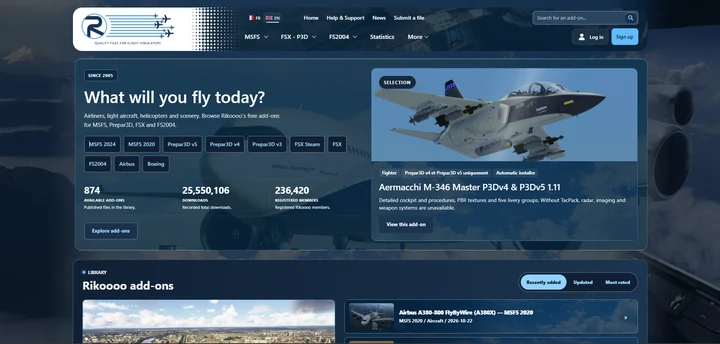
The next Rikoooo website will bring together a new presentation for add-ons, revised navigation and dedicated author tools. Alongside the interface changes, we’re working on the steps that connect finding an aircraft or scenery to reading its details and installing it.
Read more
Rikoooo
News
Updates from Rikoooo and the latest flight simulation headlines.
At Rikoooo
Catalogue, Hub and site updates from the team.
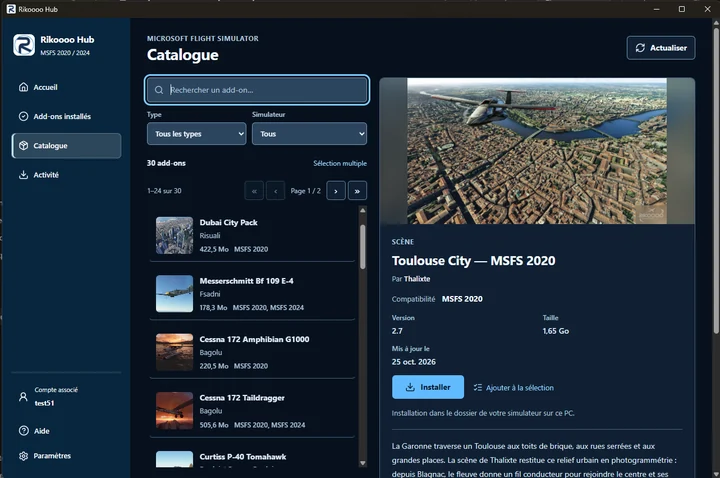
Rikoooo Hub: from the catalogue to installation in MSFS 2020 and 2024
Rikoooo Hub is the Windows application we’re preparing alongside the new website. It will let you browse the MSFS catalogue and install add-ons offered through the Hub, handling the download, archive extraction and placement of files.
Read more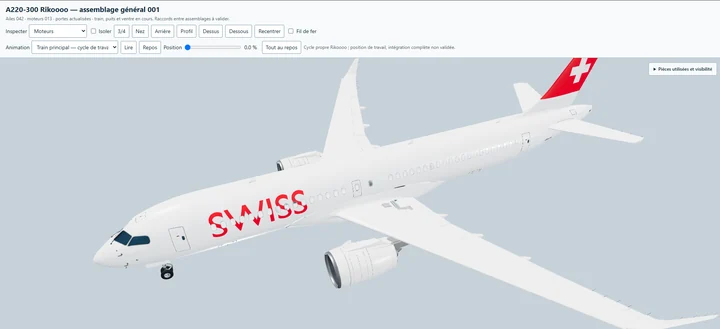
An Airbus A220-300 by Rikoooo, freeware for MSFS 2020 and MSFS 2024
We’re developing our own Airbus A220-300, with a 3D model, virtual cockpit, textures and sounds created by Rikoooo. The aircraft will be available free of charge and compatible with both Microsoft Flight Simulator 2020 and Microsoft Flight Simulator 2024.
Read moreFlight simulation
Releases, updates and news from specialist flight simulation publications.
25–36 of 94 headlines
-
Release Notes - Microsoft Flight Simulator 2024 Sim Update 7.2 [1.9.24.0]
RELEASE NOTES Sim Update 7.2 - 1.9.24.0 If you are playing on PC, outdated packages in your community folder may have an unexpected impact on the title’s performance and behavior. If you suffer from stability issues or long loading times, move your community package(s) to another folder before rela…
Read article
Content supplied in the RSS feed from Microsoft Flight Simulator; the article may be abridged.
Read at Microsoft Flight Simulator RELEASE NOTES Sim Update 7.2 - 1.9.24.0
If you are playing on PC, outdated packages in your community folder may have an unexpected impact on the title’s performance and behavior.
If you suffer from stability issues or long loading times, move your community package(s) to another folder before relaunching the title.
General Bug Fixes
- Fixed loading of BMP files used by XML gauges on PS5
- Reverted a change to drag simulation calculations to the pre-SU7 version to ensure backwards compatibility with certain third-party add-on aircraft.
- [Aerodynamics] Fixed an issue where helicopters can experience excessive RPM and unexpected lift when the Turbulence setting in Assistances was set to Realistic.
- [UI] Fixed an issue where the values in the in-flight Camera menu were not being correctly read / set.
Aircraft
- Fixed an issue that caused aircraft using Bleed Air Starters (B737, F18, …) to sometimes be unable to start their engines when the air temperature has been setup to be quite low.
DevMode
- Fixed exterior profiling randomly using wrong camera angles in SimObject Profiler.
SDK
- [SDK] Fixed a crash that occurs when “custom simconnect events with numerical id” are used with F:KeyEvent.
WASM API
- Fixed WASM function fsNetworkHttpRequestGetState returning an 8-bit enum value as 32-bit without clearing the upper 24-bits on PS5
1 post - 1 participant
-
StrataSim Designs Announces StrataFX for MSFS 2024
StrataSim Designs announced a new atmospheric engine coming to MSFS 2024. Click here for more details!
Read article
Content supplied in the RSS feed from FSElite; the article may be abridged.
StrataSim Designs announced a new atmospheric engine coming to MSFS 2024. Click here for more details!Read at FSElite
-
iniBuilds Teases Global Jet for MSFS
iniBuilds Teases its Upcoming Global Jet for Microsoft Flight Simulator 2024.
Read article
Content supplied in the RSS feed from FSElite; the article may be abridged.
iniBuilds Teases its Upcoming Global Jet for Microsoft Flight Simulator 2024.Read at FSElite
-
TFDi MD-11 Gets New Update
TFDI updates its MD-11 to version 1.1.37.
Read article
Content supplied in the RSS feed from FSElite; the article may be abridged.
TFDI updates its MD-11 to version 1.1.37.Read at FSElite
-
Captain Sim L-1011 TriStar Freighter Released
Captain Sim releases the L-1011 TriStar Freighter for MSFS.
Read article
Content supplied in the RSS feed from FSElite; the article may be abridged.
Captain Sim releases the L-1011 TriStar Freighter for MSFS.Read at FSElite
-
FSLTL Gets New V1.7 Update for MSFS
FSLTL has been updated to V1.7, bringing new liveries, improvements and more.
Read article
Content supplied in the RSS feed from FSElite; the article may be abridged.
FSLTL has been updated to V1.7, bringing new liveries, improvements and more.Read at FSElite
-
Burning Blue Design Releases Leicester Airport for MSFS 2020/2024
Former RAF airfield comes to life in both versions of MSFS.
Read article
Content supplied in the RSS feed from FSElite; the article may be abridged.
Former RAF airfield comes to life in both versions of MSFS.Read at FSElite
-
iniBuilds Releases New Orleans International Airport for MSFS 2024
iniBuilds has recently released their rendition of Louis Armstrong New Orleans International Airport (KMSY) for Microsoft Flight Simulator 2024, serving the New Orleans Metropolitan Area with an annual average of 12.4 million passengers. The airport was built in the mid-1940s after a brief stint as…
Read article
Content supplied in the RSS feed from Threshold; the article may be abridged.
Read at ThresholdiniBuilds has recently released their rendition of Louis Armstrong New Orleans International Airport (KMSY) for Microsoft Flight Simulator 2024, serving the New Orleans Metropolitan Area with an annual average of 12.4 million passengers.
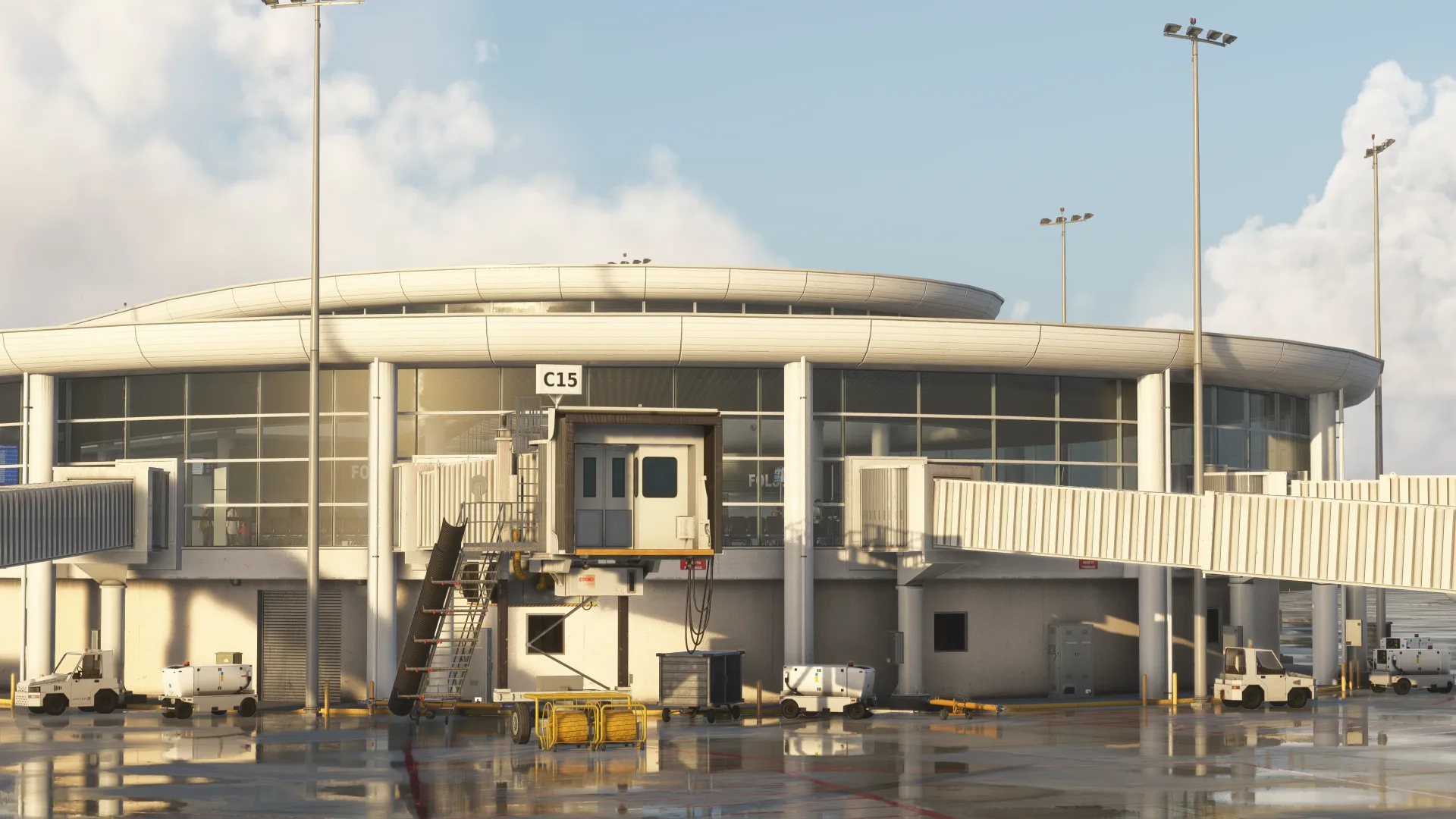
The airport was built in the mid-1940s after a brief stint as a military base during World War 2. Its early days were pretty rough, with a makeshift terminal in a hangar-like building. To make matters worse, it was shut down a year later after being submerged under 2 feet of water during the Fort Lauderdale Hurricane (1947).
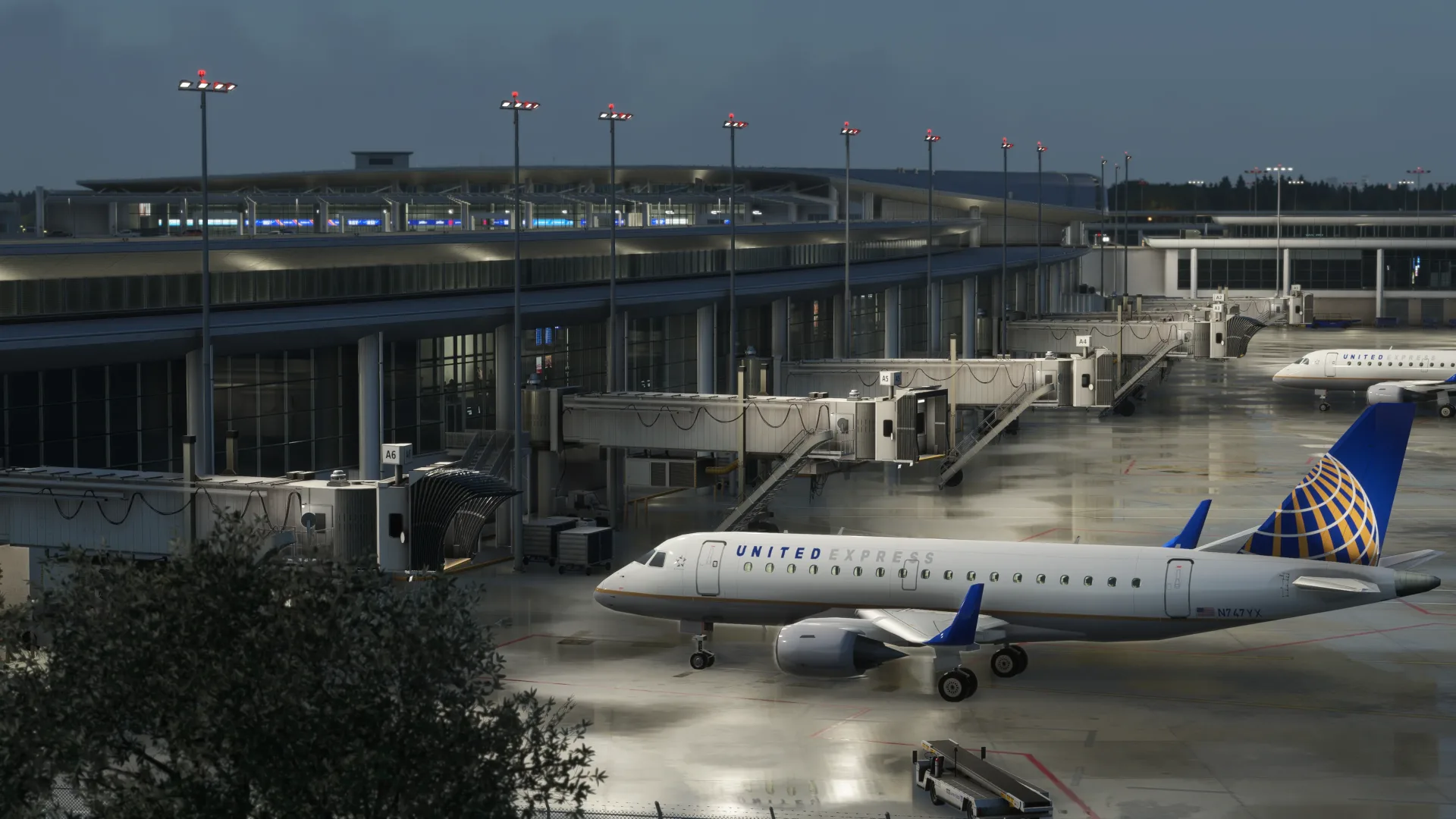
A new terminal was inaugurated in 1959 and remained in use until 2019, although it was massively expanded over the years, with the most notable work occurring in the 1970s and twice in the 1990s and 2000s.
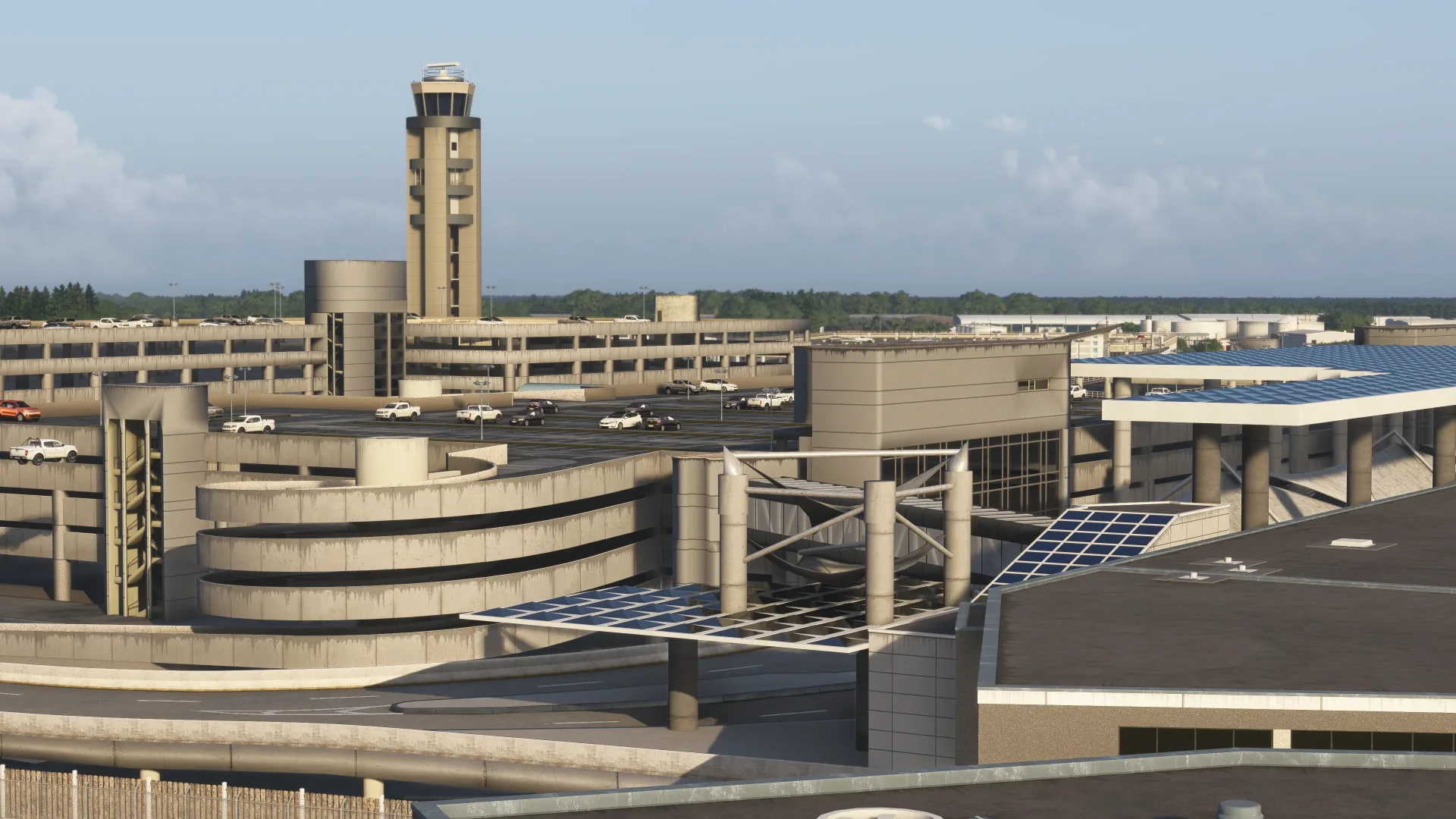
In late 2015, the New Orleans Aviation Board and the City Council approved a plan to build a $600 million terminal building on the north side of the property, with two concourses and 30 gates. It was designed by the Argentine-American architect Cesar Pelli.
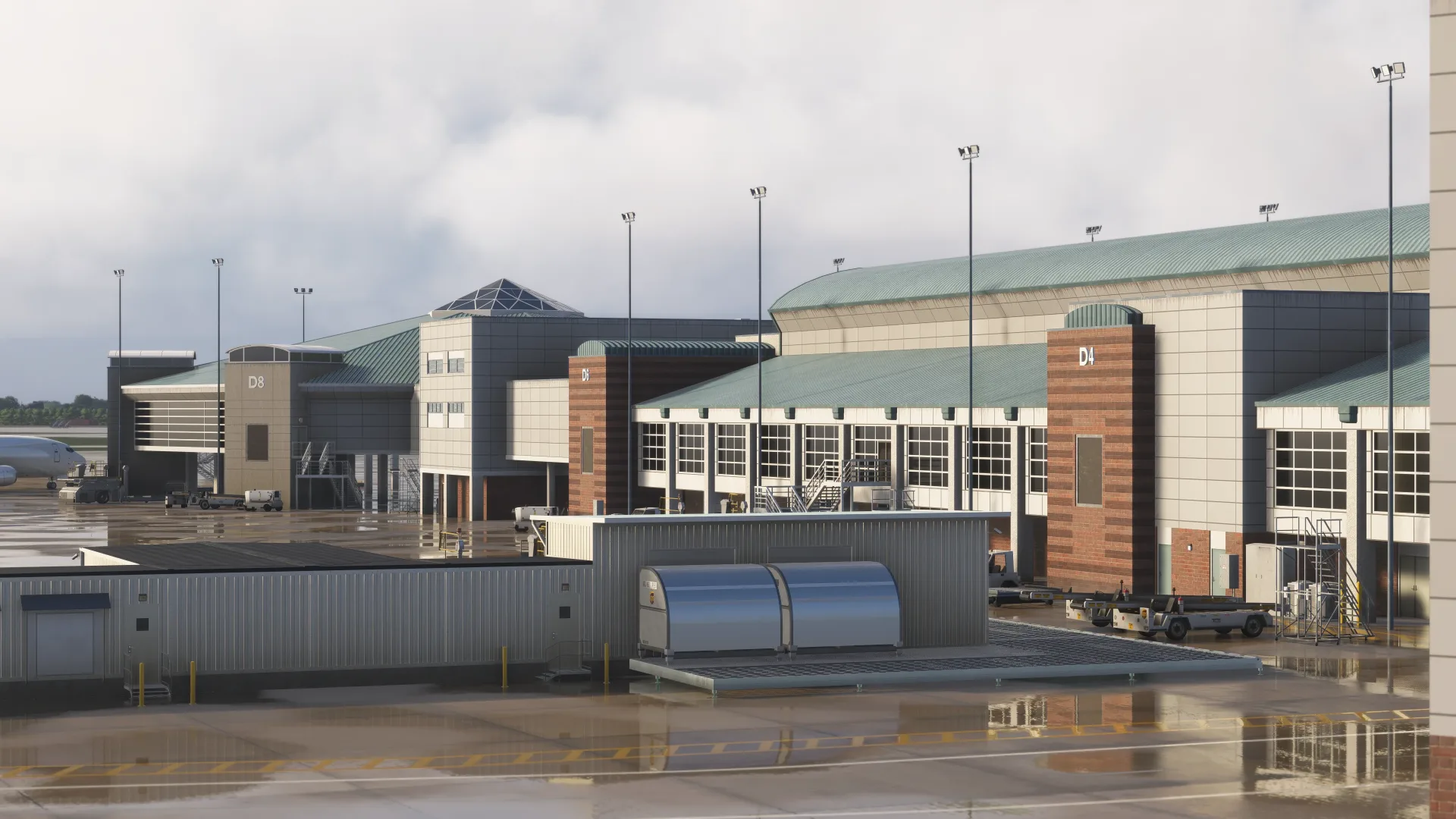
Construction of the terminal began in 2016, and the project scope was changed mid-construction to add 5 additional gates. It launched in November 2019 at a cost of $1.3 billion.
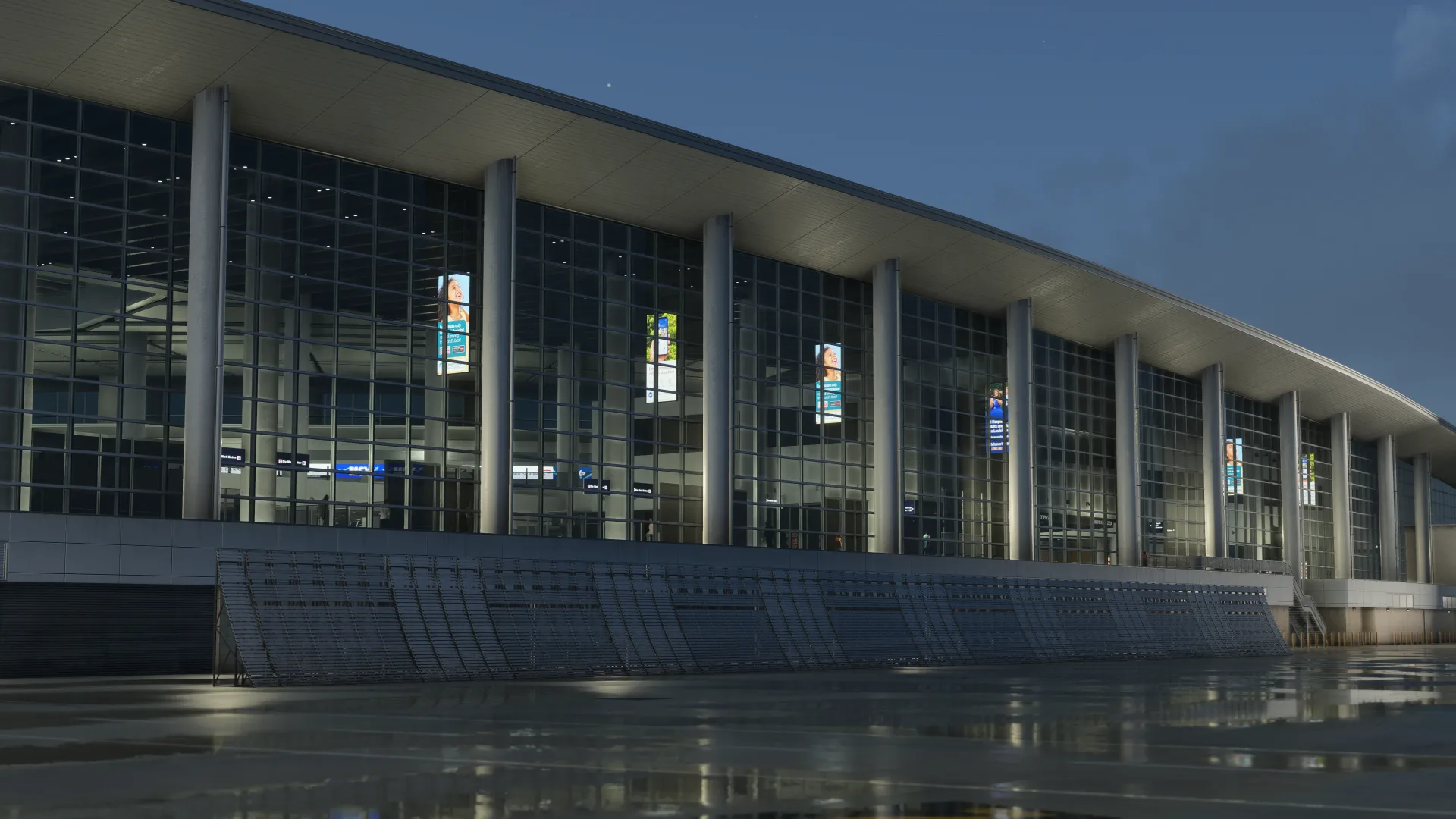
It’s an operating base for Breeze Airways and is served by Air Canada, Alaska Airlines, Allegiant Air, American Airlines, American Eagle, Avelo Airlines, British Airways, Delta Air Lines, Frontier Airlines, JetBlue, Southwest Airlines, Sun Country Airlines, United Airlines, and United Express.
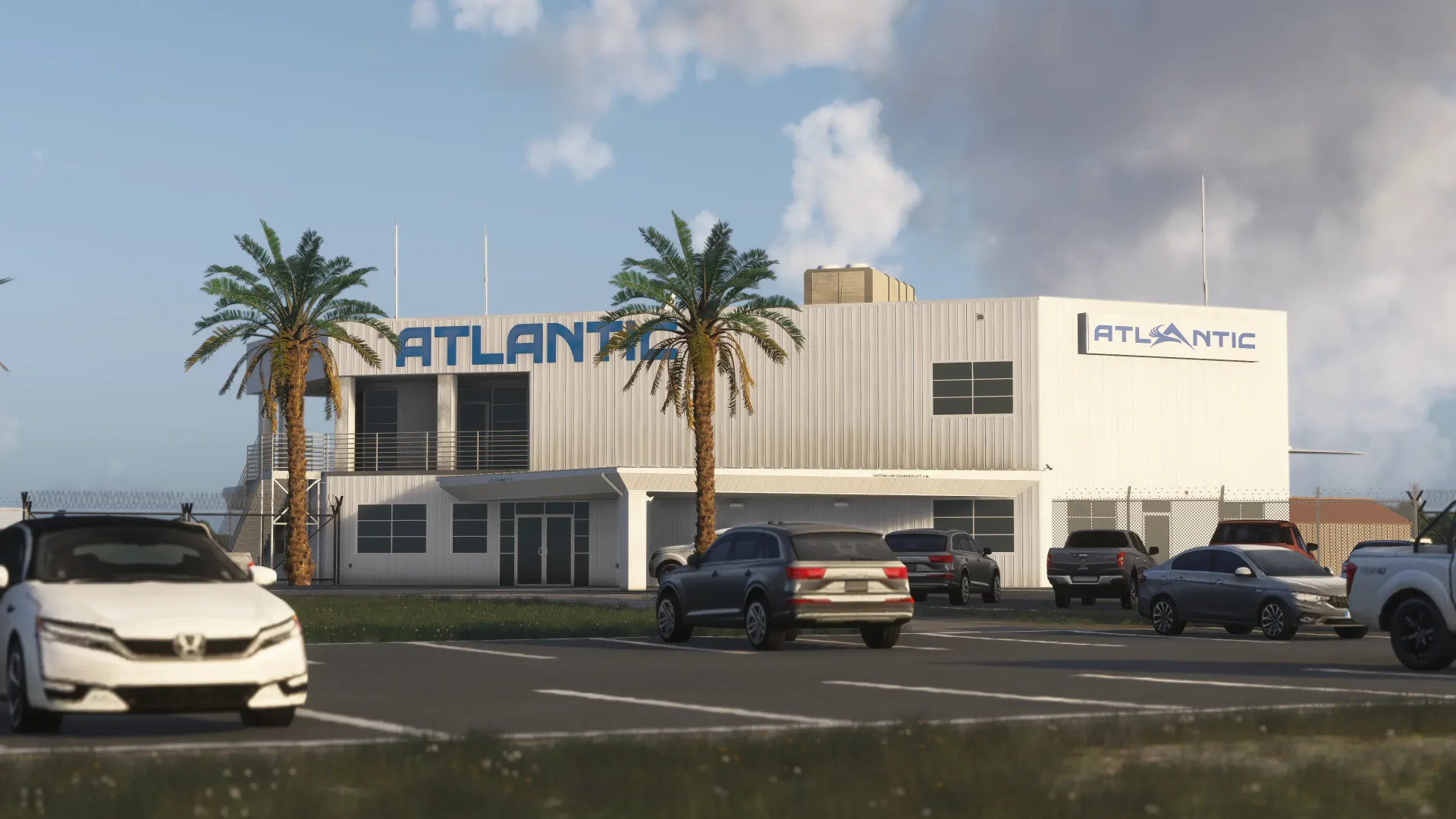
The scenery features an accurate rendition of the airport, with hand-crafted ground textures, highly detailed terminal interiors, true-to-life landside, custom dynamic airport lighting, custom taxiway signage, an up-to-date ground layout, and more.
It’s available in the iniBuilds Store for roughly $22.79, requiring at least 3.95 GB of free hard disk space to install.
If you enjoy our content and want to support Threshold, consider joining us on
-
FlightSim Studio Updates E-Jets to v1.1 for MSFS, Native Version for MSFS 2024 Coming Before Christmas
FlightSim Studio has released Service Update 1, version 1.1.0, for its E-Jets Series for Microsoft Flight Simulator. The developer announced it on its news page and described it as the first major service update for the series. It adds new navigation and performance features, reworked sounds and a …
Read article
Content supplied in the RSS feed from FSNews; the article may be abridged.
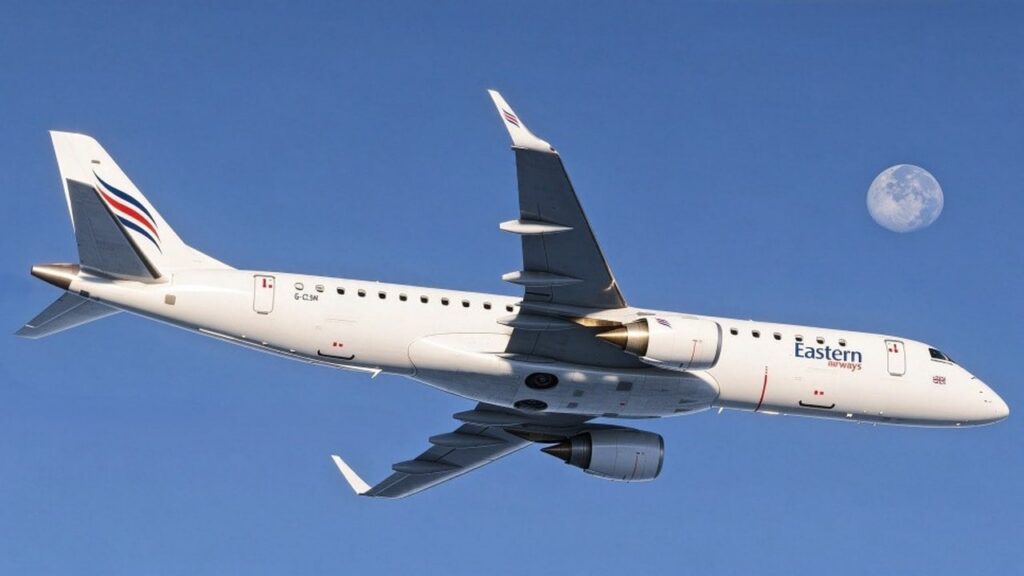
Read at FSNewsFlightSim Studio has released Service Update 1, version 1.1.0, for its E-Jets Series for Microsoft Flight Simulator. The developer announced it on its news page and described it as the first major service update for the series. It adds new navigation and performance features, reworked sounds and a long list of fixes, including for Xbox controller support. According to the team…
-
Carenado Releases Saab 340B for MSFS 2020
Carenado has released the Saab 340B twin-turboprop regional airliner for Microsoft Flight Simulator 2020. The aircraft is now available in the in-sim Marketplace, and the release was announced by Microsoft on the official Microsoft Flight Simulator website. The Saab 340 was developed in the 1970s a…
Read article
Content supplied in the RSS feed from FSNews; the article may be abridged.
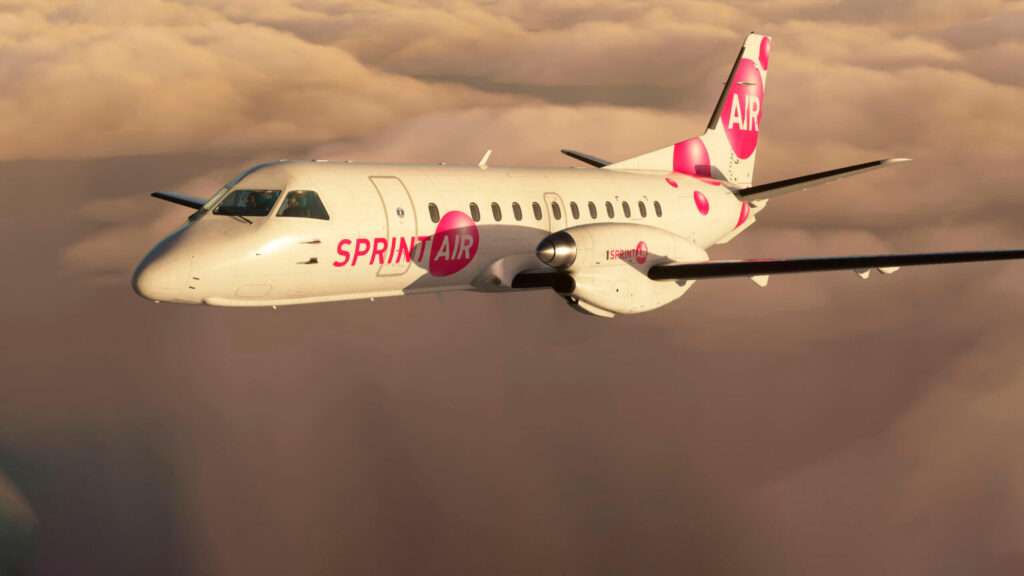
Read at FSNewsCarenado has released the Saab 340B twin-turboprop regional airliner for Microsoft Flight Simulator 2020. The aircraft is now available in the in-sim Marketplace, and the release was announced by Microsoft on the official Microsoft Flight Simulator website. The Saab 340 was developed in the 1970s and 1980s as a small regional airliner, and the 340B is its improved version. Saab’s history in…
-
Falcon 8X for X-Plane 12 Review – Aerobask’s Best Yet
Introduction The Aerobask Falcon 8X is an aircraft I have been looking forward to for years. Now that it has finally arrived (albeit, in a limited beta that is no longer available for purchase), I am incredibly excited to finally get my hands on it and begin testing it for this review. That being s…
Read article
Content supplied in the RSS feed from Threshold; the article may be abridged.
Read at ThresholdIntroduction
The Aerobask Falcon 8X is an aircraft I have been looking forward to for years. Now that it has finally arrived (albeit, in a limited beta that is no longer available for purchase), I am incredibly excited to finally get my hands on it and begin testing it for this review. That being said, with the aircraft still in its limited beta phase, there is a high chance I may encounter some bugs. Of course, I will mention any bugs I come across in this review, but once the aircraft leaves the beta phase, it is very likely many, if not all, of the issues I come across will be fixed.
History
The Dassault Falcon 8X is based on the Falcon 7X, one of the most successful business jets in the modern era. Built by Dassault, the company behind the Mirage and Rafale fighter aircraft, the Falcon 7X was unveiled at the 2001 Paris Air Show, and entered service in 2007, earning a reputation for its high range, efficiency, and its fly-by-wire controls, the first to have it in its class.
Building on the success of the 7X, Dassault announced the Falcon 8X at the European Business Aviation Convention and Exhibition (EBACE) in May 2014. Rather than make an entirely new aircraft, Dassault decided to stretch and refine the 7X. Compared to the 7X, the 8X features an extended cabin of 3.5 feet, a redesigned wing optimized for reduced drag and lower weight, and new Pratt & Whitney Canada PW307D engines producing 6,722 lbs of thrust each. As a result, the aircraft features a range of 6,450 nautical miles, 500 more than the 7X, allowing the aircraft to connect cities such as Hong Kong to London, or New York to Beijing.
The first Falcon 8X took to the skies on February 6, 2015, and Dassault certified it as a subtype of the Falcon 7X type certificate, which allowed the aircraft to be approved quickly. The 8X gained its certificate in June 2016, and was first delivered in October to Amjet Executive.
Modelling and Texturing
Externally, the Falcon is a gorgeous aircraft. When you zoom in closely, the textures do appear slightly low resolution, but nothing major, and the aircraft will not be viewed in that manner anyways. On the outside, I was able to read all the decals, and panels such as the refueling panel can be opened and look great. Overall, I do not have significant complaints with the external look of the aircraft, as it is modelled and textured well. Although the texturing could be higher resolution, what we have is fine, and I imagine most would agree.
With regards to the interior, I am not one who cares too much about a cabin, but what was included is well done. The textures in the cabin are pretty good, not the best in X-Plane, but absolutely passable. Various interactive elements are included as well, such as a flushable toilet, working sinks, openable trays, dimmable lights, and more. If you care about the cabin in an addon, I definitely think the Falcon 8X will be more than enough.
Now the cockpit, the place where you will be spending a majority of your time, and in my opinion, where the aircraft should look best, the texturing quality is mixed. The story of the cockpit kind of follows the rest of the aircraft, where it does look good, it is just the textures could be slightly higher resolution. My issue with the cockpit, however, is the overhead panel, which to be frank, does not come up to 2026 standards. The texturing on the overhead looks low resolution, and has a flat, unweathered finish that lacks depth. I am not sure why the overhead panel looks worse compared to other areas of the aircraft, but if Aerobask was going to improve one area, it should certainly be that.
In general, aside from the overhead panel, the aircraft looks good. I will not say it looks great, as compared to other addons, like the FlightFactor 777, the textures are lower resolution, and look to be the standard we had a few years ago. I certainly think a future update with improved textures would be a welcome addition. It is not to say that what we have is awful, the aircraft is still enjoyable to look at, and the textures are still good, I just believe the visuals are slightly behind the level of detail seen in other areas of the airplane.
Below are various screenshots of the aircraft so you can judge the textures yourself.


Sounds
The FMOD for this aircraft was done by Daniela Rodriguez Careri, a name that many X-Plane users may be familiar with, as she is the lead sound designer for X-Plane 12, and has made sounds for many popular aircraft, including the default 737 and A330, the FlyJSim Q4XP, and many more. For those familiar with her work, they would know that she always makes great soundpacks, and in this case, that statement holds up. The sounds for the Falcon were recorded in the real aircraft, and include accurate doppler, distance attenuation, and flyby effects, cabin announcements, and a convincing atmosphere in the cockpit and cabin created with bleed effects, and more.
Although it is hard to talk about sound quality over text, the sounds on the aircraft are genuinely immersive, and they change depending on where you are in the aircraft. For example, the cockpit is the loudest, and as you gain speed, you will hear the sound of air becoming louder. As well, as you move through the rest of the aircraft, you will notice the sound changing depending on where you are.
At first, I and many other users thought the sounds on the Falcon were lacking, particularly with the engines. However, that is how the real aircraft is, as the 8X is an intentionally very quiet aircraft. Thus, those looking for dramatic “buzz saw” sounds, such as a 757, for example, may be disappointed with the sounds. However, that is not a knock on the sounds included, but simply a “feature” of the real aircraft. Thus, while the sounds may not be as dramatic as older aircraft, the sound pack is faithful to the real thing, and I have no issues with the sounds included, as they are accurate and well done.
Systems
I have had an incredibly fun time using the avionics with the Falcon 8X. As someone who has been simming since 2018, a lot of my time has been spent flying Airbus and Boeing aircraft. As a result, I have become very familiar (and somewhat bored) with the avionics of those aircraft. Thankfully, the Falcon 8X is a genuine breath of fresh air, as the avionics are unlike any other addon we currently have in X-Plane 12.
Even though some systems are missing, a majority is already simulated in the initial beta, and more than enough exists, at a high level of quality, to perform flights without worry using the Falcon. Currently, the aircraft is missing a full CPDLC simulation, a secondary FPL, and custom waypoints integration, custom failures, the emergency panel pedestal, and a simulated ram air turbine. Thankfully, these features are planned for later versions, so they should get included at some point. More accurate aircraft systems have also been promised in the future, although that is a bit vague, so what these changes will be, is uncertain.
As for what is simulated, a lot is included (too much to list here), but I will go over the main parts. Firstly, the complete PDU is included, the MDU with synoptic pages such as FUEL, ELEC, ENG, HYD, ECS, BLD, FCS, FMS setup, Auto Speeds, AFCS, DTLK, MGR, D-ATIS, and a WX radar. A fully custom FMS is also included, that is ARINC 424 compliant, which includes SIDs and STARs, ILS/LPV/VGP, holding patterns, direct-to, offsets, cross box, what if calculations, and intercepts. Aircraft performance calculations are also included, and SimBrief integration works flawlessly. Synthetic vision has also been included, and it looks and works great, and I was super happy to see it simulated properly.
My favourite addition is the FalconEye style dual HUD, as it has been simulated in great detail, and it has made flying in IMC super easy. The HUD includes “Conformal synthetic vision over the real world: terrain, obstacles and airport poles with ICAO identifiers,” a synthetic runway, 20NM extended centerline, and a separate brightness knob for symbology and synthetic vision.
In general, the Falcon 8X features a super modern avionics suite that has been made incredibly intuitive to use in the simulator by Aerobask. The avionics can be fully controlled with your mouse and keyboard, with scrolling working for zoom, left click to select things, and right click to show the various menus. I have thoroughly enjoyed learning the avionics on the Aerobask Falcon 8X, and it was likely my favourite part of the aircraft, as they have been simulated in great detail, and I have longed for a modern avionics suite such as this in flight simulation.
Although there are certain systems missing, they do not detract from the experience significantly. The biggest missing feature is custom failures, which may dissuade certain individuals from purchasing this aircraft. I am very hopeful that the missing features will get added in later versions as promised, as Aerobask is a reputable developer, and since the aircraft is still in “early access” I cannot be too harsh over these missing features. That being said, if you want a complete aircraft, you should wait until the aircraft leaves its beta stage (whenever that may be), but for myself, and a majority of simmers, what is already included is more than worth the money.
EFB
The EFB included with the Falcon 8X is simple, but includes just about everything you need. There are various pages in the EFB, including the aircraft page, where you are able to open/close doors, connect the GPU, refuel the aircraft, and install/remove the chocks, covers, and pins. My biggest gripe with this section is the lack of a weight and balance page. Of course, you can load the aircraft using SimBrief (the flight plan can be imported into the FMC which then loads the weights accordingly), or you can open the external fuel panel and refuel like that. However, I would still like to see a weight and balance page included in the EFB for those who do not want to do either of those two methods. Two other sub-menus also exist in the aircraft section, including the cabin/lights section, where cabin announcements can be made, along with the option to turn on/off cabin lights, and lastly, an “others” section which includes various options. The rest of the EFB includes the menus you’d expect, including checklists, a “network” page allowing you to connect Navigraph, SimBrief, and ACARS, as well as an “options” and “about” section.
In general, the EFB has pretty much everything you need. The EFB is rather rudimentary, but it serves its purpose well and I do not think anything significant needs to be changed here. While having sections such as weight and balance would be nice (and I would love to see that included in the future), the aircraft can still be loaded via other methods without issue. Thus, while I do not think the EFB is a stand out feature for the aircraft, I also do not think it is a major negative, it simply does what it is meant to do.
Flight Model
As is my usual disclaimer with aircraft reviews, I am not a Falcon 8X pilot, so I cannot comment on the realism of the flight model with 100% certainty. However, from my time flying the Falcon 8X, it has certainly been enjoyable to fly.
The Falcon 8X uses a fly-by-wire system which covers the primary controls (ailerons, elevators, rudder, and airbrakes). With this system, the aircraft flies a trajectory, rather than an attitude. The stick is used to set the flight path, and then the computer monitors and moves the appropriate flight control surfaces as necessary to achieve the desired flight path. If the pilot lets go of the stick, the aircraft will remain on its flight path. As a result, the aircraft is super easy to hand-fly, and does not require trimming like conventional aircraft do. If you are used to flying an Airbus in the simulator, the Falcon feels very similar.
According to Aerobask, they have recreated this fly-by-wire system from scratch, without using X-Plane’s stock flight model. This development was also supervised and tested by a real world Dassault pilot and instructor.
Considering the fact the flight model was made in close contact with Dassault, and the fact that the flight model certainly feels correct from what I have read, I am confident to say that Aerobask has done a great job with the fly-by-wire system on the Falcon 8X.
At the end of the day, no consumer simulator will ever get a flight model feeling 1:1, and as somebody who does not fly a Falcon in the real world, I can only speak theoretically. Nevertheless, I have had a fantastic time hand-flying the Falcon and I would imagine a majority of users would also find the flight model to feel accurate.
Performance
I had no issues with FPS using the Falcon 8X. I was typically getting around 45-50 FPS, with an RTX 3090 and a Ryzen 7 5800X. The other addon I use most in X-Plane 12, is the FlightFactor 777, and my performance is better using the Falcon, so performance is absolutely not a worry using the Falcon. I also did not have any instances where I dropped below 20 FPS, did not have any major frame drops, and never had my simulator crash due to running out of VRAM, or memory, so I am very satisfied with the optimization of the aircraft.
Conclusion
The Aerobask Falcon 8X is one of the best addons in X-Plane 12, and one I highly recommend. Although the texturing is lacking in certain areas, the aircraft still looks good, and the Falcon itself is a stunning business jet. The sounds, although quiet, are accurate to the real thing, which is appreciated. The flight model feels great to fly, and definitely captures that fly-by-wire feeling, and the avionics simulation is fantastic, and really scratches the itch for a modern business jet. The EFB is simple, but effective, and the performance is great, and as a result, the Falcon is certainly one of my favourite addons in the simulator.
Unfortunately, the aforementioned features such as CPDLC, failures, etc, are still missing, and I would love for those to be added as soon as possible, to truly bring the Falcon to another level. Nevertheless, what is currently included is great.
Because of its beta status, the Falcon 8X is unavailable for purchase after the initial beta run sold out. I am not sure when more copies will be made available, but I hope it will be soon so more people can get access to this brilliant aircraft. I still wanted to get this review out so when the aircraft becomes available again, people can have something to reference about whether or not the purchase is worth it to them.
If you wanted to purchase the Falcon 8X, the product page is still up on the X-Plane.org store, however, it is currently listed for $8,888.88 (definitely not meant to be purchased). The Falcon cost $86.95 on its initial release, and if that price remains the same for future releases, it is absolutely worth it.
I am excited to see where the product heads from here, as I can only see it getting better.
-
Now available for MSFS (2020): Saab 340B
The Saab 340B is now available for Microsoft Flight Simulator (2020) players from the in-sim Marketplace! Read more about this twin turboprop here: Microsoft Flight Simulator – 3 Nov 26 Microsoft Flight Simulator Releases its Saab 340B for MSFS (2020)! -... The Saab 340B, a proven twin-turboprop re…
Read article
Content supplied in the RSS feed from Microsoft Flight Simulator; the article may be abridged.
Read at Microsoft Flight SimulatorThe Saab 340B is now available for Microsoft Flight Simulator (2020) players from the in-sim Marketplace! Read more about this twin turboprop here:
Microsoft Flight Simulator – 3 Nov 26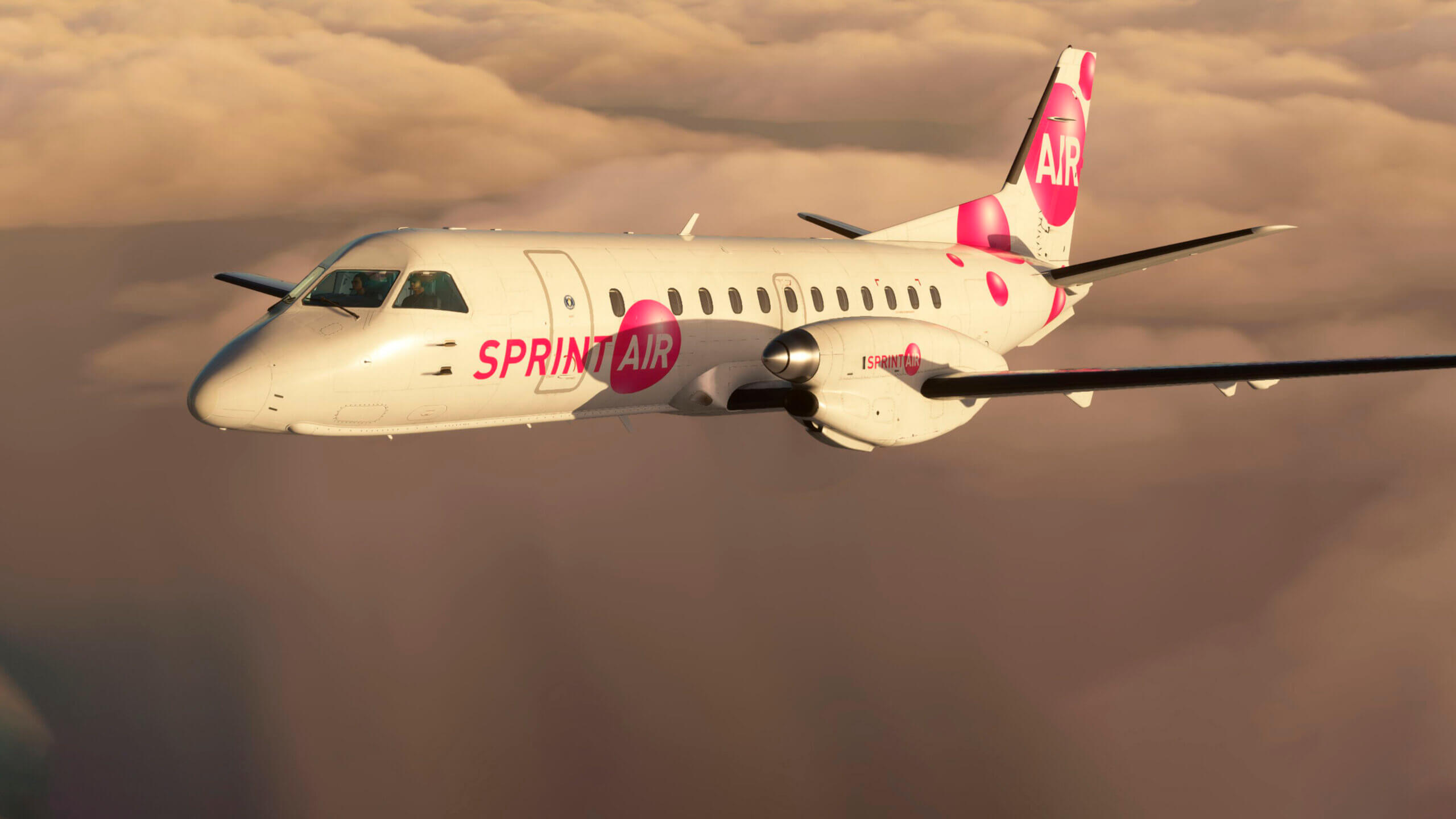
Microsoft Flight Simulator Releases its Saab 340B for MSFS (2020)! -...
The Saab 340B, a proven twin-turboprop regional airliner, is now available in the Microsoft Flight Simulator (2020) Marketplace. The 340B is a twin-turboprop commercial airplane manufactured by…
1 post - 1 participant

Sources for these headlines
Headlines from publishers’ RSS feeds, refreshed regularly. Full articles remain on their respective websites.